Go to main page
Project Overview
Project Goal
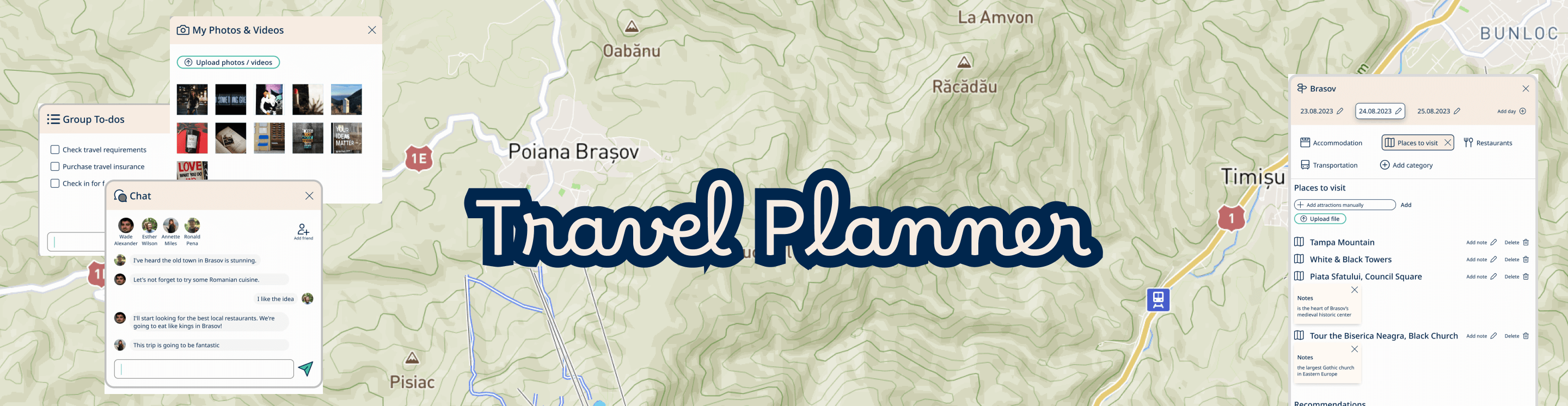
My goal in this UX project was to create a user-friendly travel planning app that simplifies the trip organization process. The aim was to provide a collaborative and intuitive platform where users can smoothly plan, store documents, take notes, journal their experiences, and manage budgets for their trips.
Target Users:

This project primarily targets people who are frequent travelers. Users of the Travel Planner app range from solo travelers seeking individualized experiences to groups of friends looking for collaborative trip planning tools.
The users of the Travel Planner app fall into two categories:
  • Non-registered users: These are people who haven't registered on the Travel Planner site. They can explore trip ideas and recommendations, but they don't have access to the planning page to organize their trips.
  • Registered users: These are people who have created accounts on the platform. Registration provides them with the capability to create trips, collaborate with friends, save trip plans, and access their complete trip history.
Scope
The project includes the design of the following core components of the travel planner app:
  • Homepage: A visually engaging landing page introducing users to the app's key features.
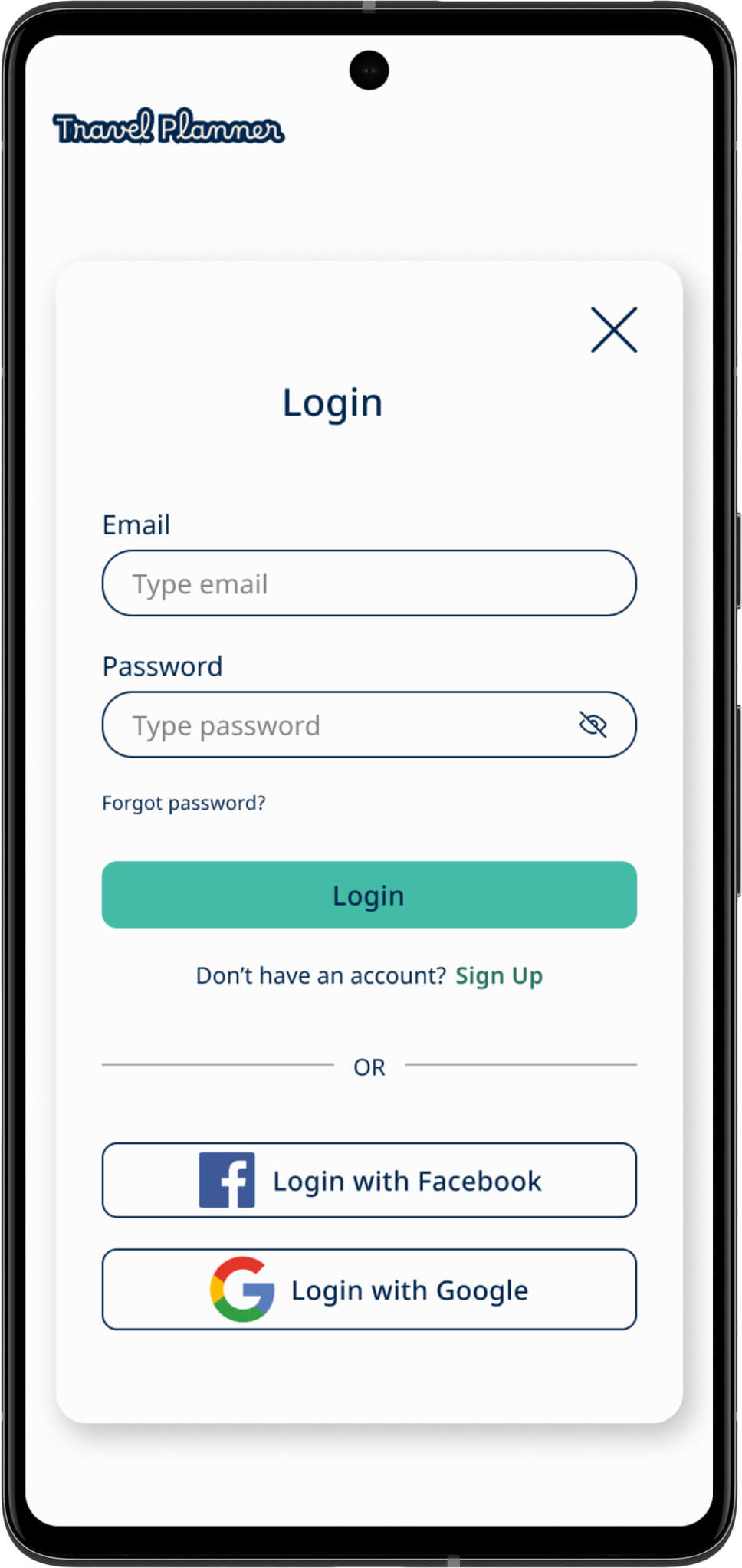
  • Log-In page: A secure user login system to access the app's features and functionalities.
  • Planning page: The central component of the app, allowing users to create multi-city vacation plans.
The following components were intentionally excluded from the project scope:
  • How it works page: A guide explaining the app's functionality.
  • Travel ideas page: An optional feature for providing travel recommendations to users.
  • Tips & tricks page: A resource for travel tips and advice.
  • My Profile page: A user-specific page detailing individual profiles and settings.
  • My trips page: A record of past trips and their details.
The exclusion of these components from the current scope simplifies the project and allows for a focused development effort on the app's core functionalities.
Deliverables
Deliverables will include fully functional desktop and mobile application, competitive research findings, a well-structured sitemap, user flow map, an affinity diagram to derive insights from online sources, and detailed wireframes and prototypes.
Additionally, I conducted thorough accessibility and usability checks to ensure a user-friendly and inclusive application.
Key Features
Key features include:
  • Effortless Multi-City Planning: Users can easily create multi-city vacation plans with location, dates, and traveler input, streamlining the recommendation process.
  • Customization and Flexibility: The app offers flexibility with the ability to add, edit, and personalize multiple destinations, making it easy to adapt travel plans.
  • Collaborative Group Planning: A dedicated group section simplifies collaborative trip planning, allowing users to store documents, chat, take notes, journal, and manage budgets together. A personal section is also available for solo travelers.
Design Guidelines
The app's design is centered on a clean, modern design that promotes simplicity and user-friendliness.
Challenges
Potential challenges include ensuring data security and privacy, managing user data, especially in group sections, requires stringent security.
Convincing users to switch from existing solutions may be also challenging. The app must offer unique features to attract users.
Research
Industry insights
Before starting to learn more about the competitors in this field, first I wanted to become familiar with travel planning market. This involved understanding how people typically organize their trips effectively. I accomplished this by researching various articles on the subject.

During my research, several key aspects consistently appeared as fundamental to travel planning. These essential elements include destination selection, date determination, budget considerations, accommodation choices, activity planning, transportation arrangements, dining options, and information sharing.
Competitive analysis
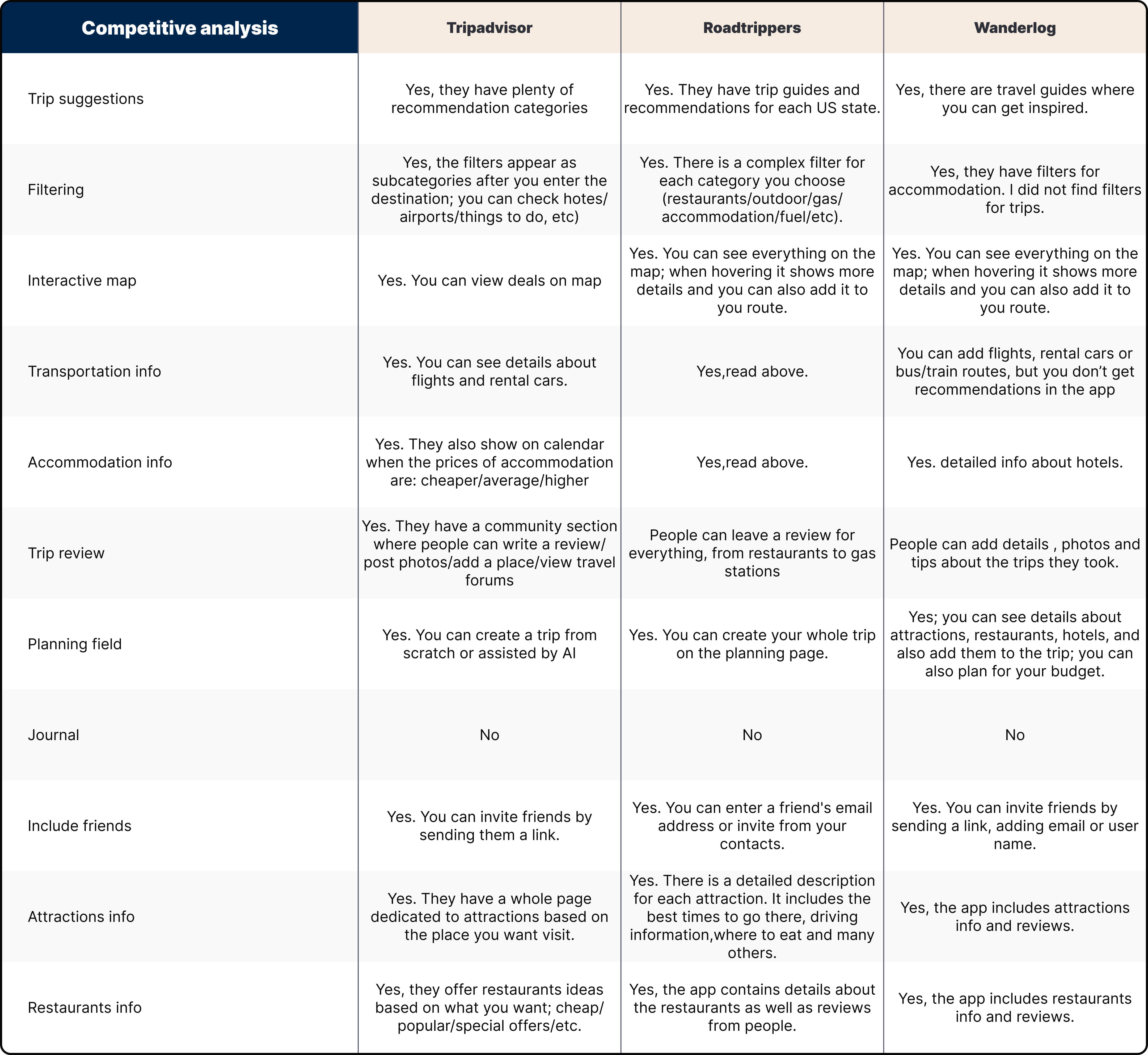
With a better understanding of the critical factors in trip planning, I proceeded to evaluate competitors in this domain to examine the solutions they provide. To conduct this assessment, I selected three popular travel websites: Tripadvisor, Roadtrippers, and Wanderlog.
To ensure an organized and clear approach, I developed a Competitive Analysis, which is available for review below.
User Interviews & Affinity diagram
To gain insights into user needs and pain points, I created a set of interview questions and researched relevant blogs and reviews that could provide valuable answers.
The interview questions included:
  • How frequently do you go on vacations?
  • How do you plan for a multi-city vacation?
  • What kind of apps or websites do you use to help you plan?
  • When planning for a multi-city vacation, what kind of information is important to know about before going?
  • What do you think would make the planning process easier and more enjoyable?
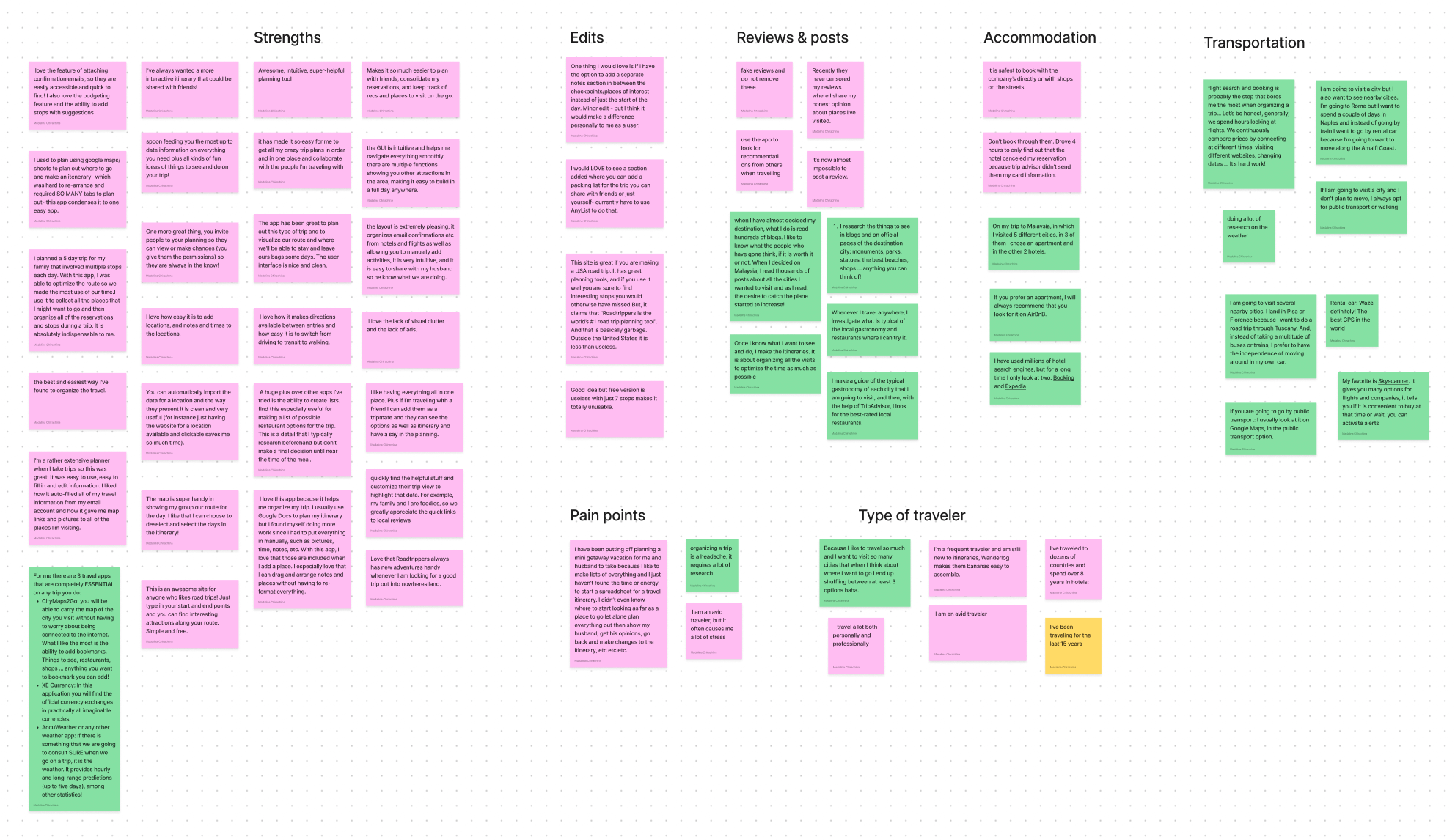
During this process, I documented key user quotes and takeaways on sticky notes, identified recurring patterns and organized these insights into groups. This method allowed me to identify key issues effectively.
From the resulting affinity diagram, I gathered several significant insights:
  • People often invest substantial time reading multiple sources to gather information, indicating a need for up-to-date data and multiple recommendations within the app.
  • Users desire a user-friendly way to organize and customize their vacations, which includes managing locations, attractions, flights, restaurants, and notes. However, they also prefer the security of booking directly from official websites. Furthermore, the ability to access and manage essential documents is essential.
  • Travelers highlight the importance of sharing and coordinating trips with friends.
Framing the Problem
The research findings helped me gain a better understanding of the problem I intended to solve.
General problem: Multi-city vacation planning can be an overwhelming experience. There's an opportunity to create a service that simplifies vacation planning by bringing all essential functions together in one platform. This would allow users to easily handle important documents, include destinations, attractions, flights, dining choices, and notes.
Resolving this problem can bring advantages for both the company and the users.
From a business perspective, there is a monetization opportunity through affiliate marketing and offering a premium account.
The problem from the user perspective is that travelers often face the complexities of trip planning, necessitating extensive research across various websites and blogs. Additionally, the need to manage numerous documents such as flight tickets, accommodation bookings, and insurance materials can be burdensome.
To solve the problem, I considered how to create an intuitive and user-friendly interface to simplify the vacation planning process.
Addressing this problem could benefit users in the following ways:
  • No need to visit multiple websites for destination information.
  • Access to in-app recommendations.
  • Centralized storage for important documents.
  • The ability to plan each vacation day, reducing anxiety and disorganization.
While the solution appears promising, it's essential to acknowledge that convincing users to switch from existing solutions may be challenging. I also understand the importance of aligning with user expectations to ensure user adoption.
Designs and Prototypes
Sketch
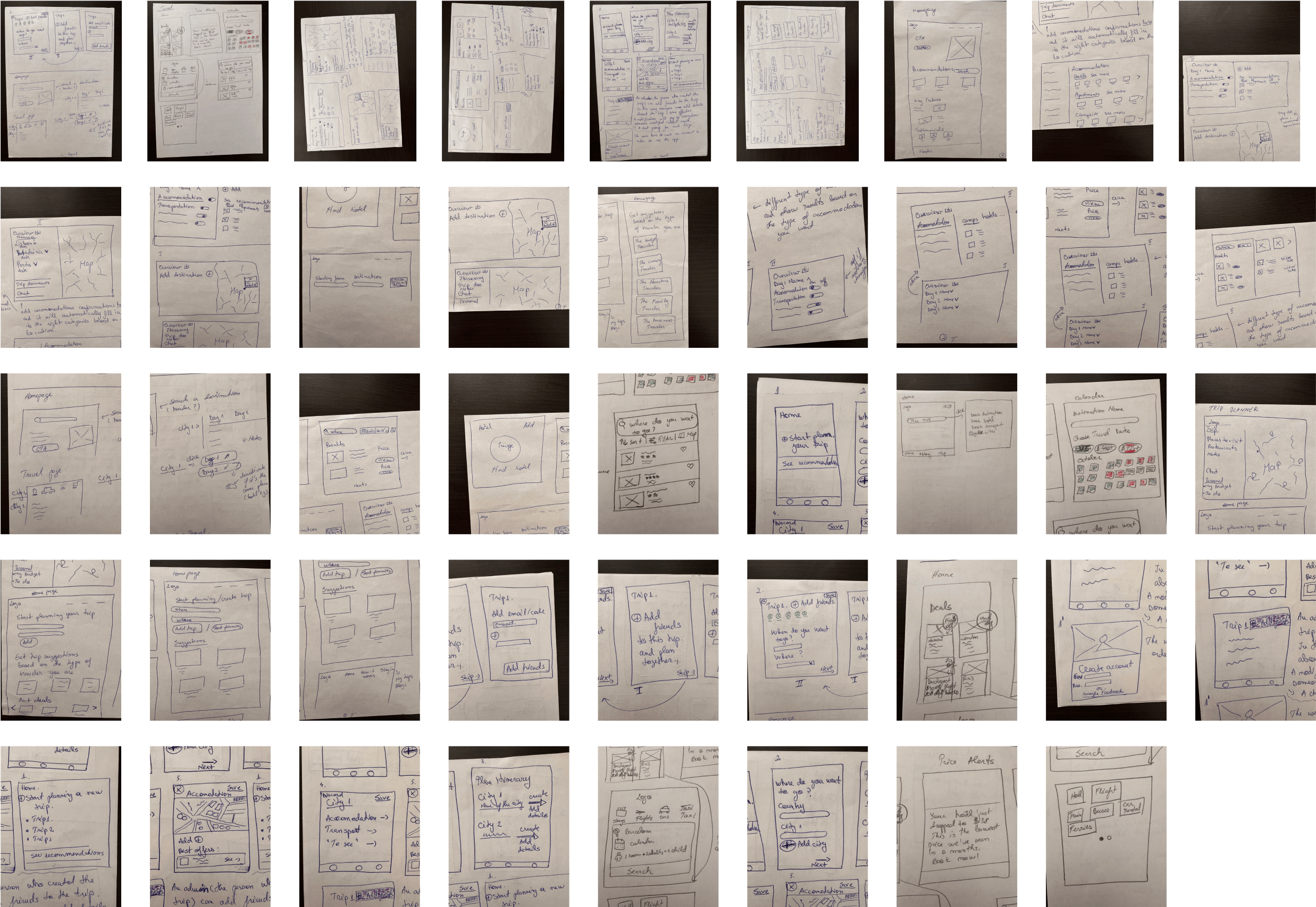
Once the research phase for the Travel Planner app was complete, I transitioned into the sketching process.
Sketching allowed me to brainstorm and explore various design concepts for the app's layout, features, and interactions. This ideation phase was helpful in defining the app's main functionalities : multi-destination itinerary creation, flexible duration planning, transportation options, personalized recommendations and collaborative trip planning.
It helped me keep the user at the center of the design process, ensuring that the app's structure and navigation were intuitive and user-friendly.
Additionally, sketching allowed me to stay aligned with the project's goals and objectives. It ensured that the design not only looked visually appealing but also served its primary purpose - making travel planning easy and accessible.
Below are the hand-drawn sketches that were the foundation of the final design.
User Flow
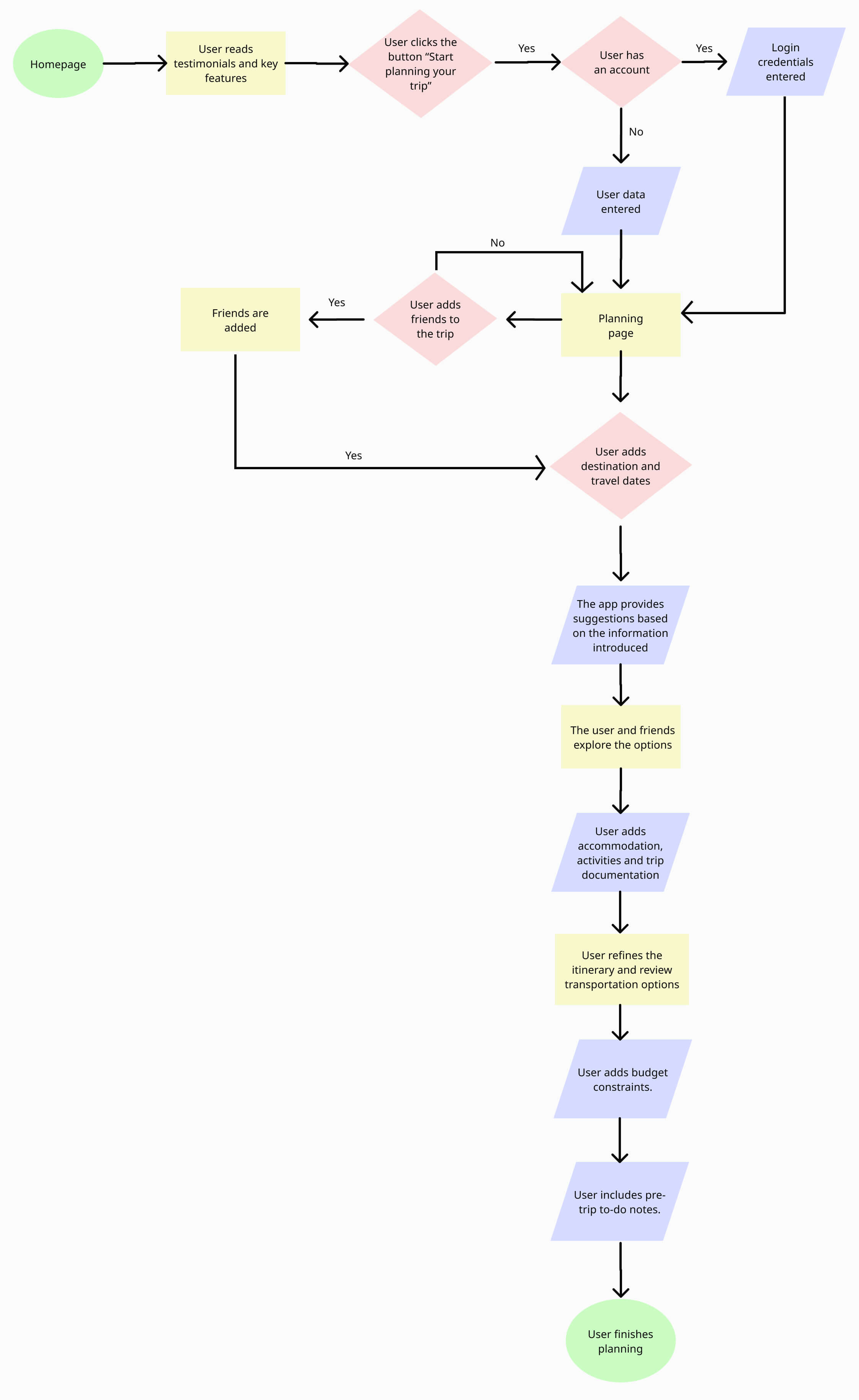
With the initial sketches providing a solid foundation, I proceeded to make the Travel Planner app functional with user flows.
The goal of this user flow is to show the steps a person takes to plan for a trip. The person featured in this user flow already has their destination in mind and is searching for an app to simplify trip organization.
This user flow is represented in the form of a flow chart.
Sitemap
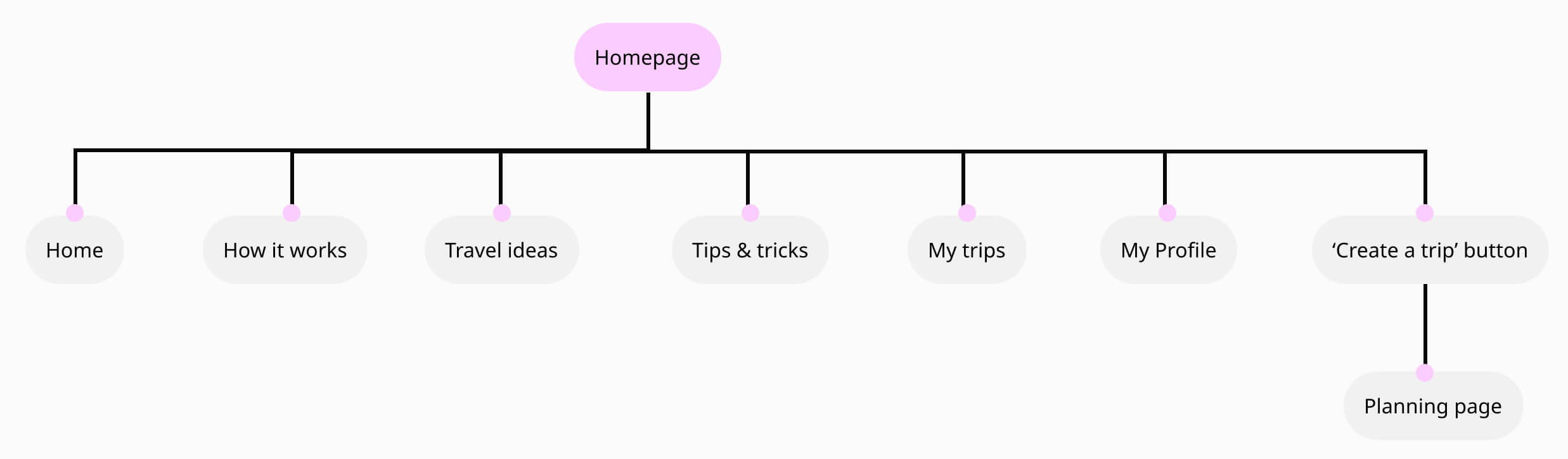
To establish a clear structure for the travel app and provide a foundation for my wireframes, I developed a sitemap.
As shown below, users can easily access the Planning Page with a single click, ensuring a smooth and user-friendly experience.
Wireframes
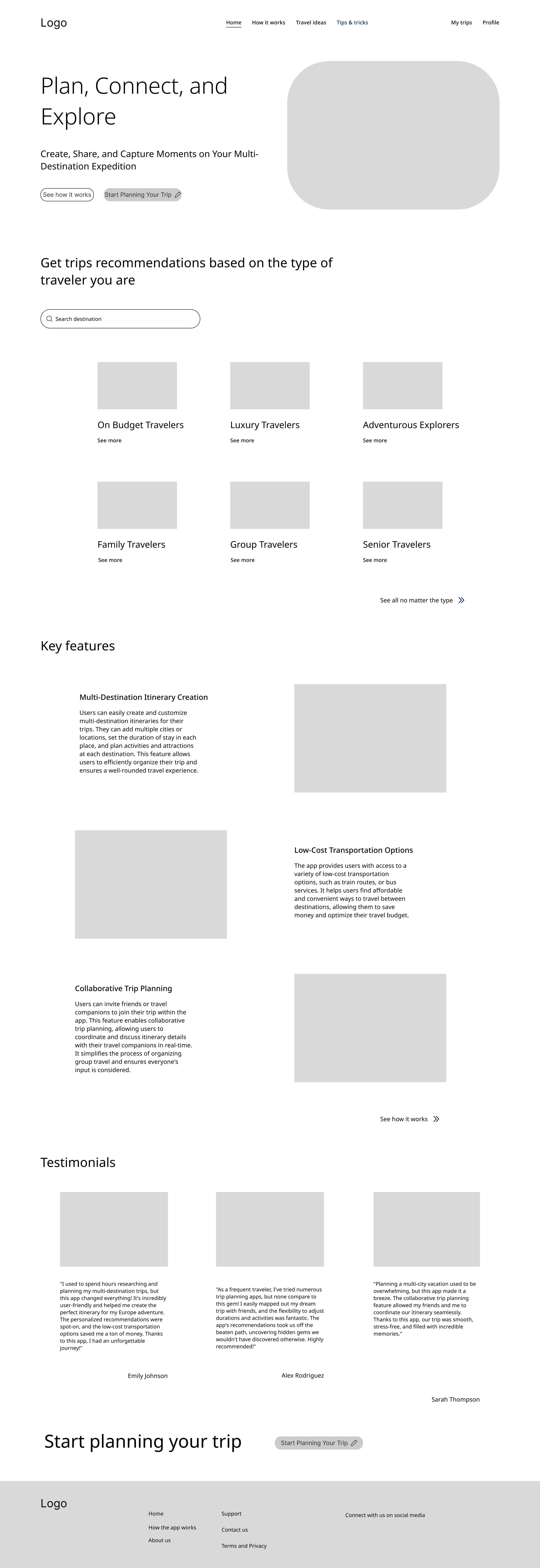
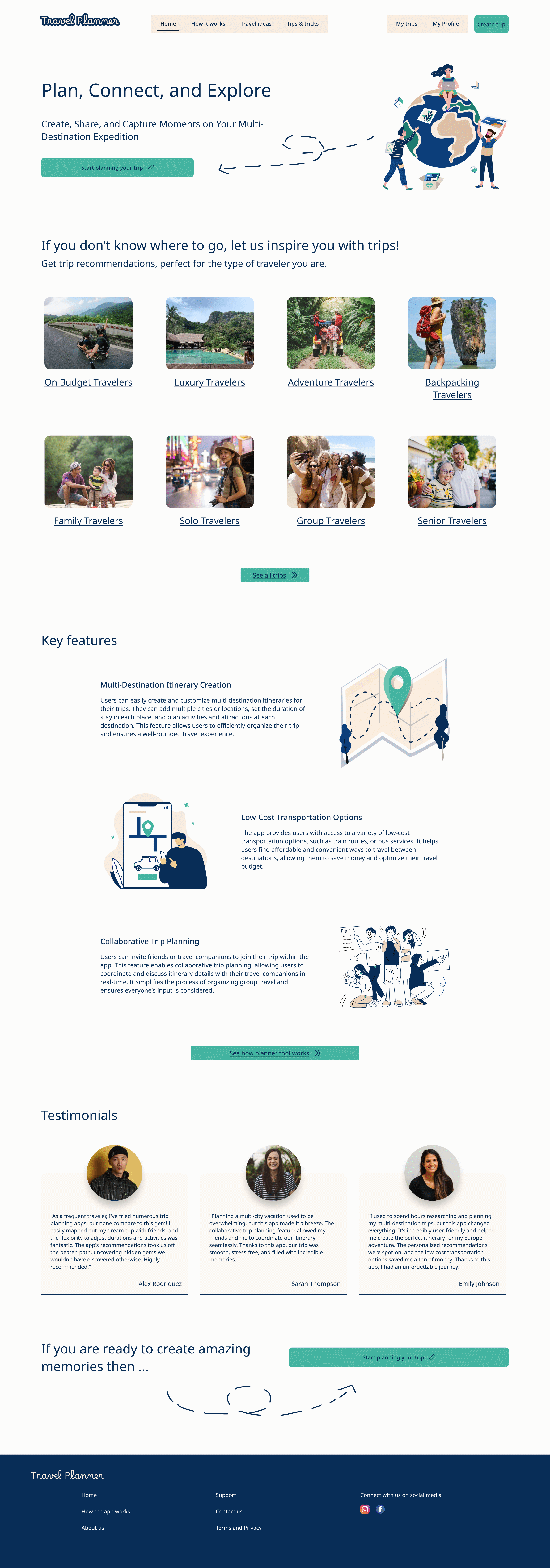
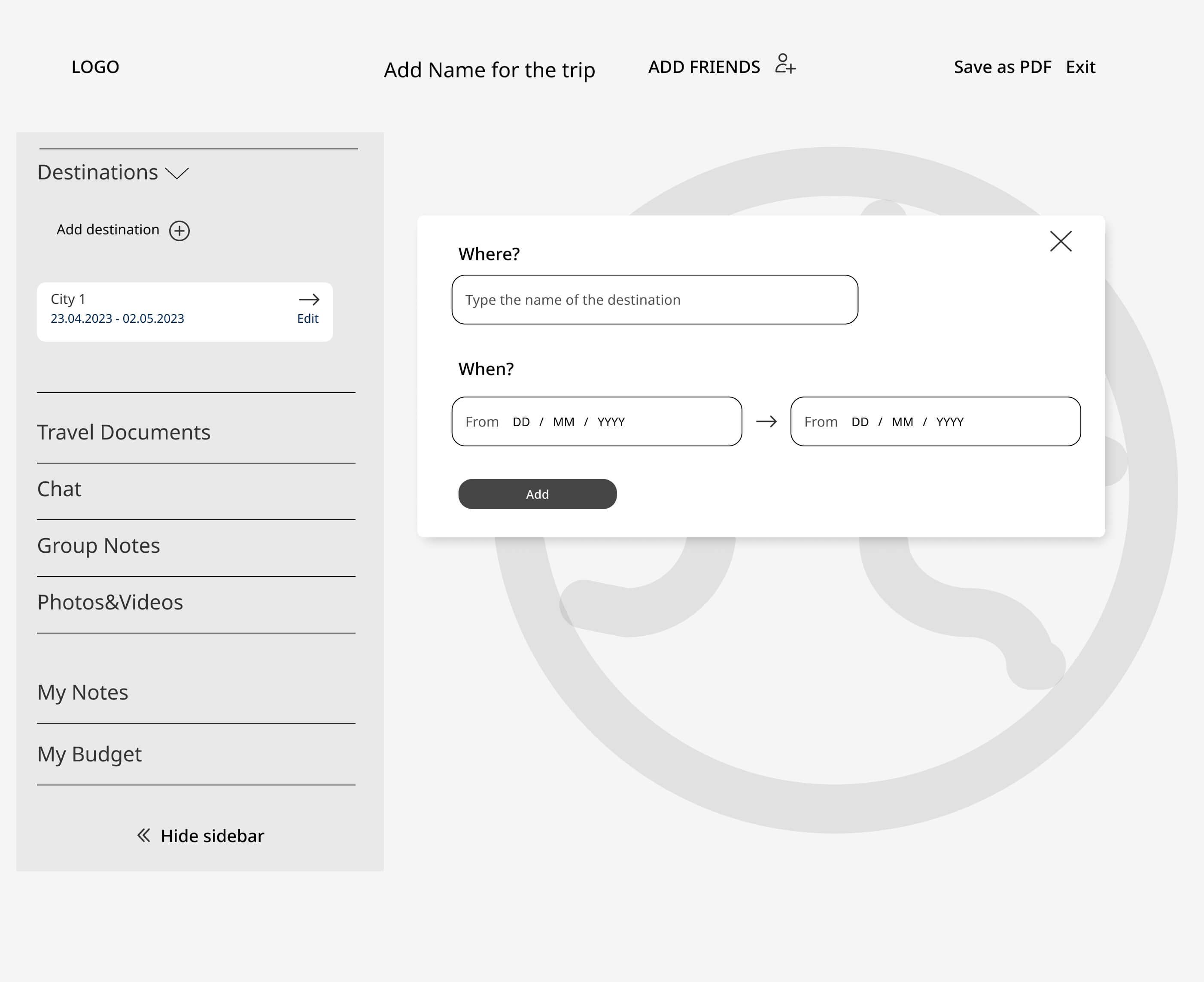
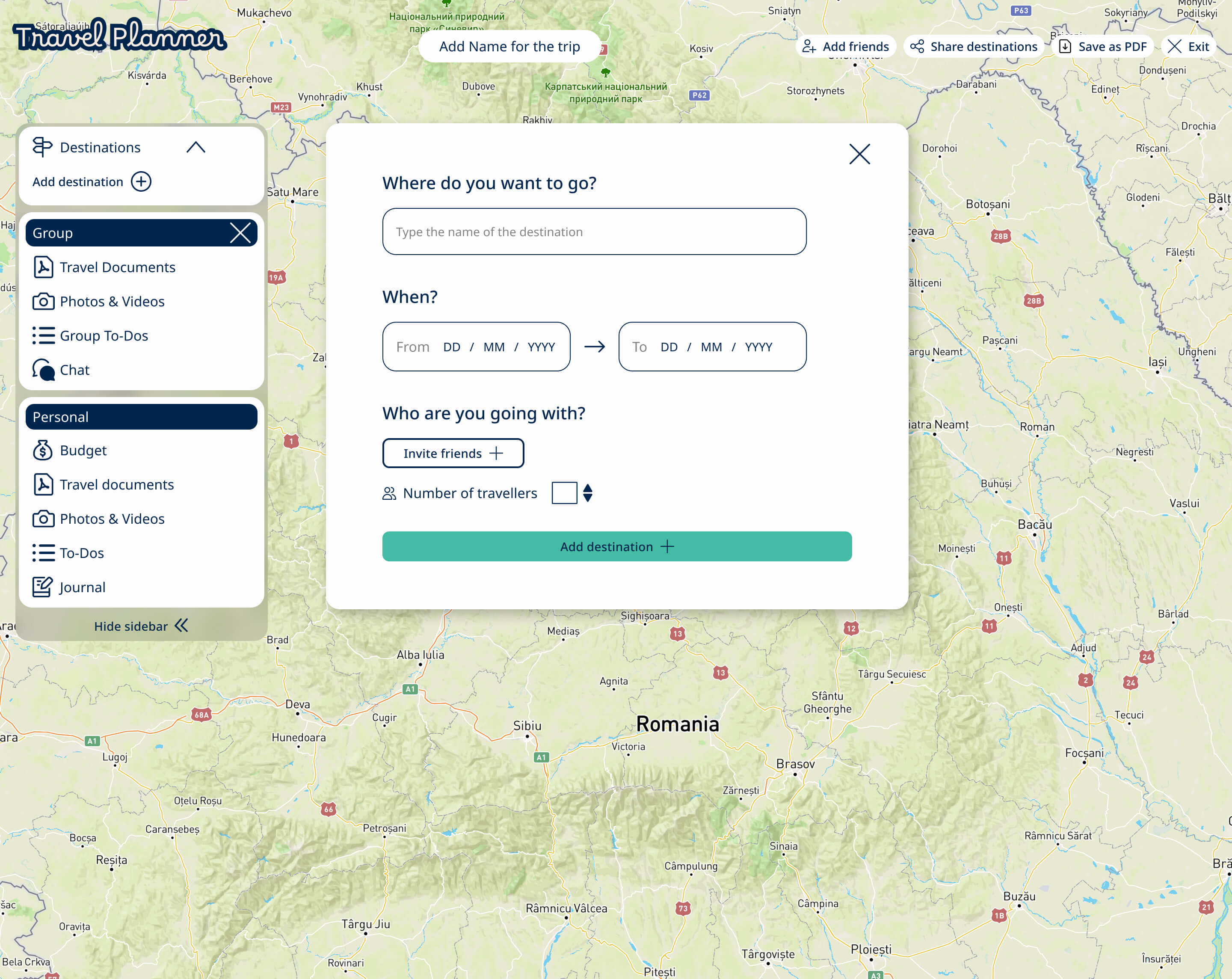
To provide a clear comparison of the design's evolution, I chose to showcase both the low-fidelity wireframes and high-fidelity wireframes side by side. This approach provides a simple and efficient way to demonstrate the progression and improvement of the user interface.
Homepage
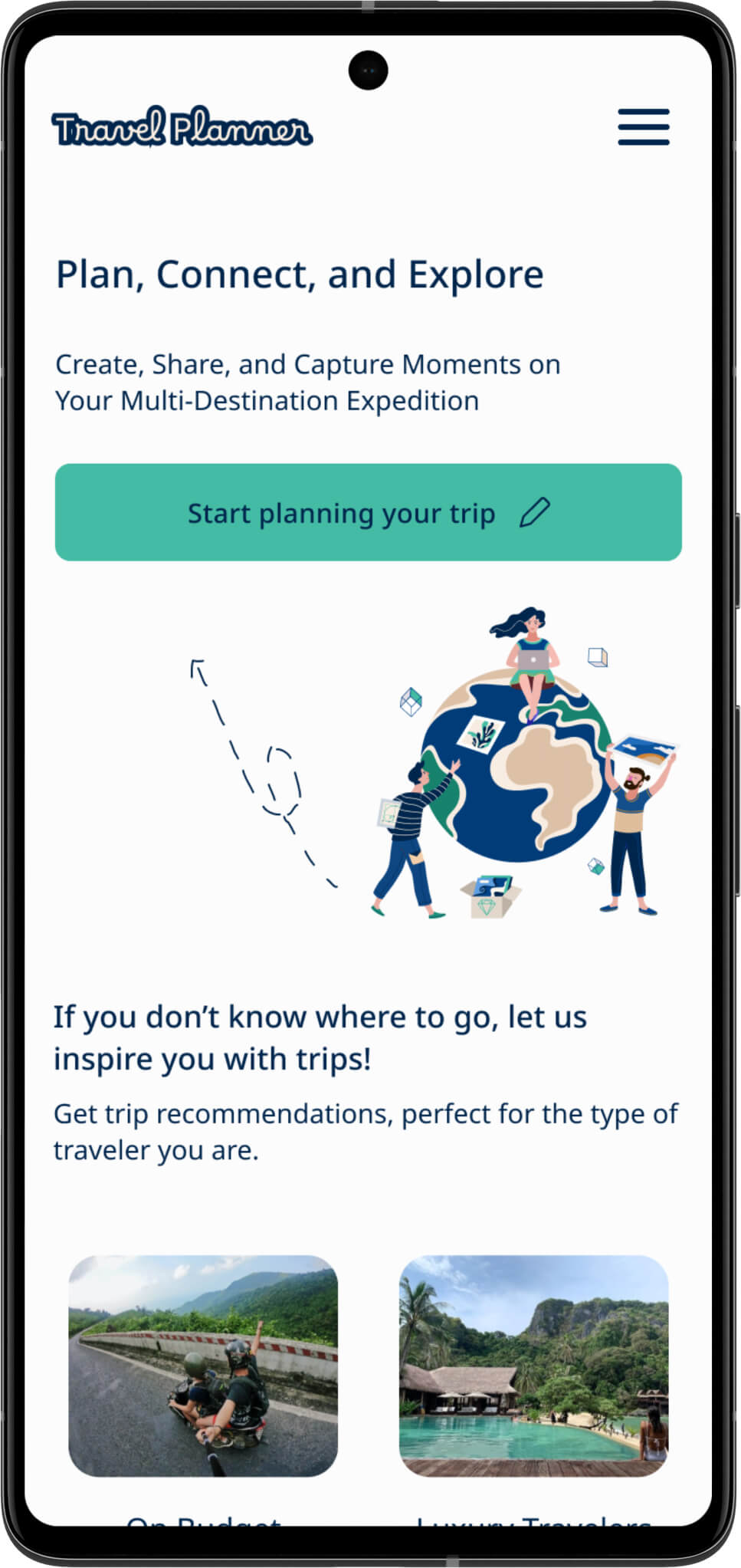
The travel app's landing page is designed to offer an engaging and informative introduction to the app, highlighting its essential functions and motivating visitors to explore further.
In the final design, I decided to eliminate the "See how it works" button, keeping only the clear and compelling call to action: "Start planning your trip." This modification is designed to guide users effortlessly, eliminating any ambiguity in their next steps.
Additionally, I removed the search bar for trips within the recommendations section, keeping only the trip categories based on the type of traveler. Users can refine their selections by clicking the "See all trips" button, contributing to a more well organized and visually appealing interface.
Planner page
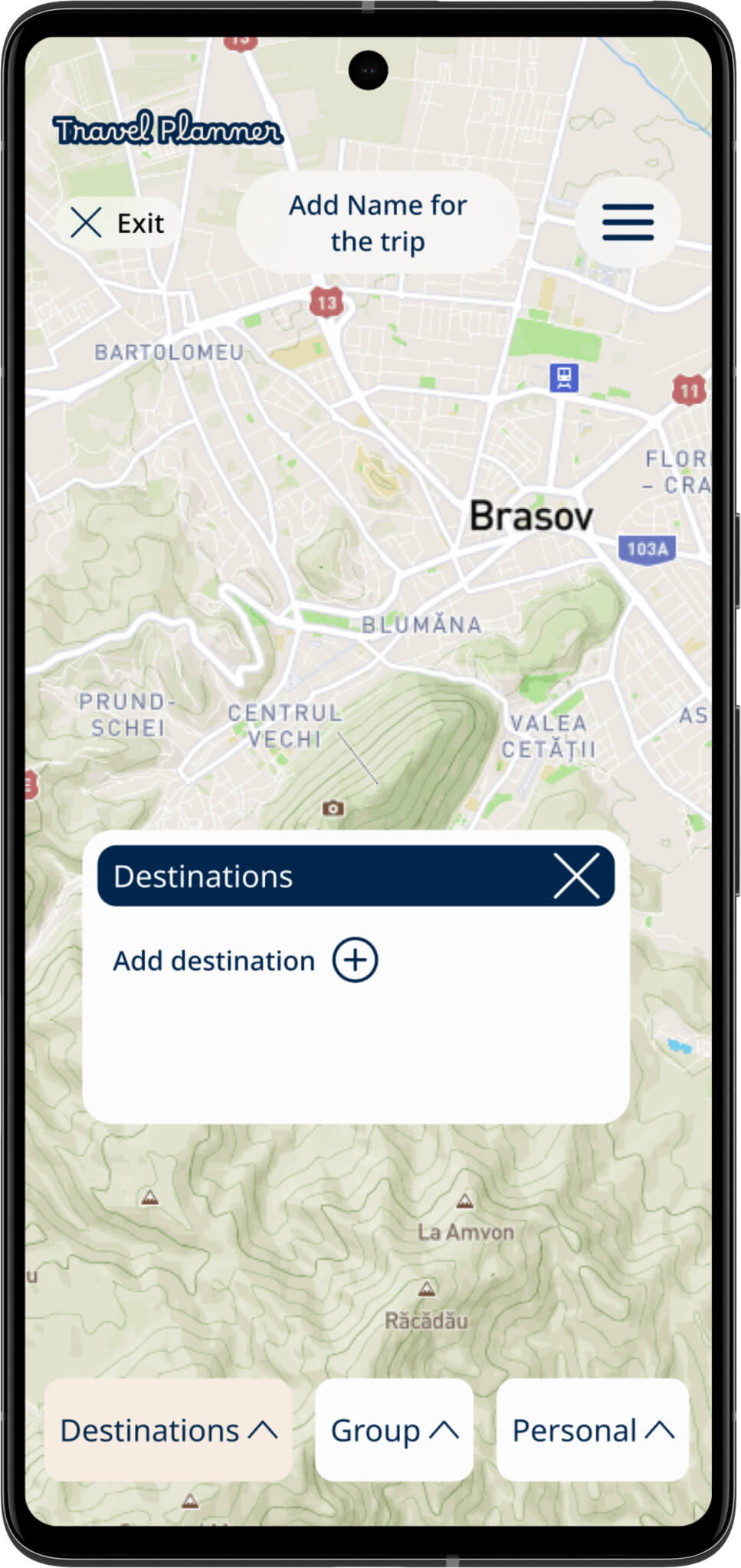
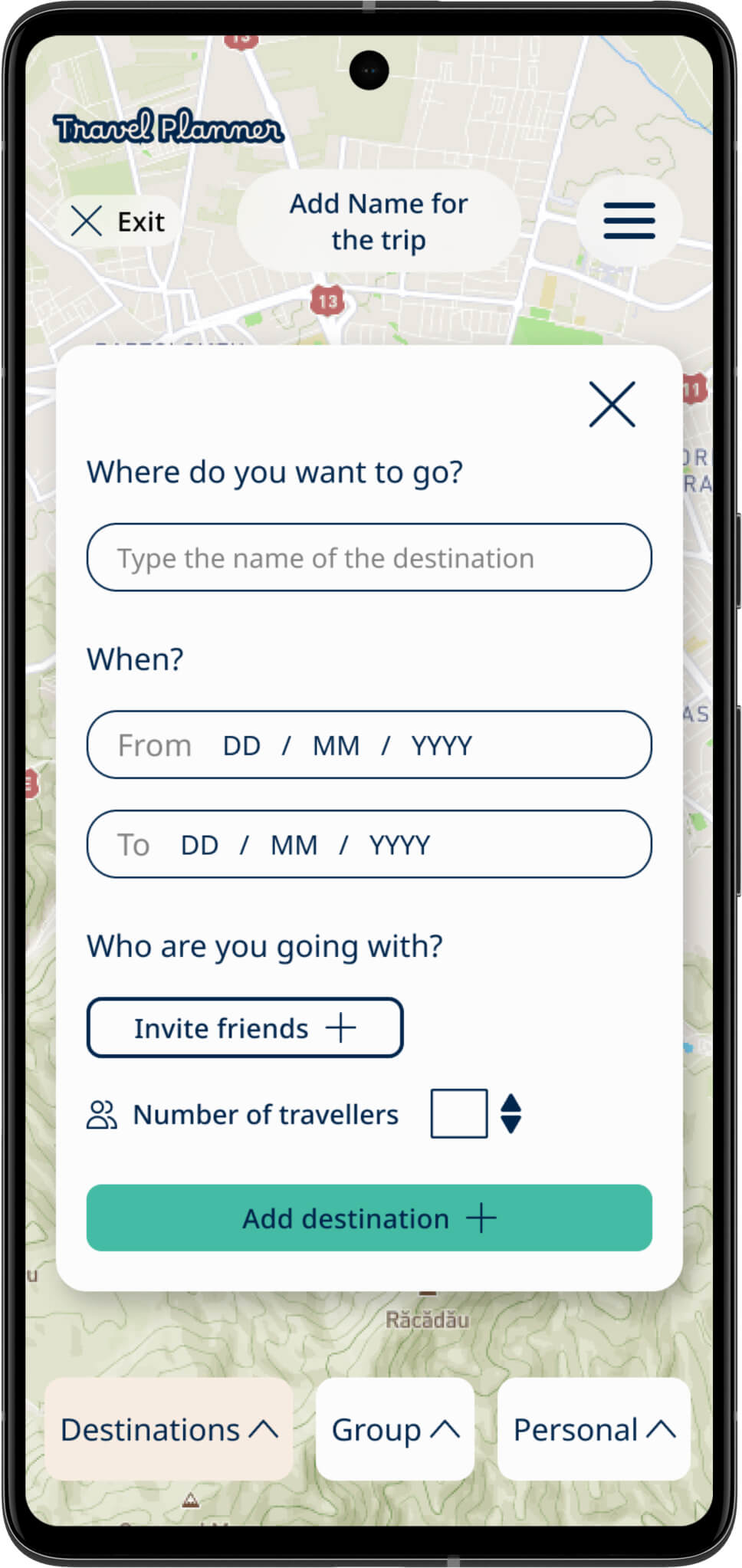
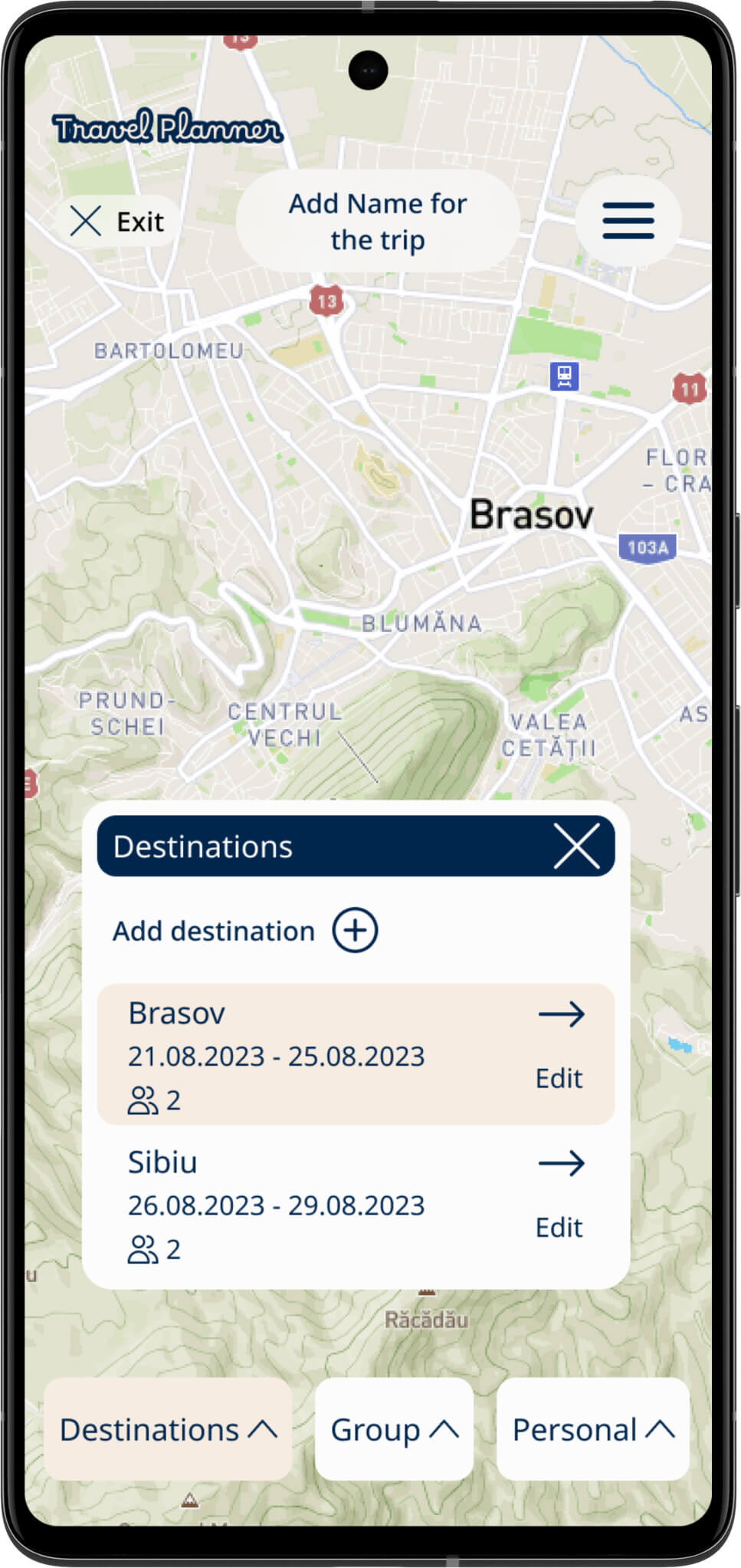
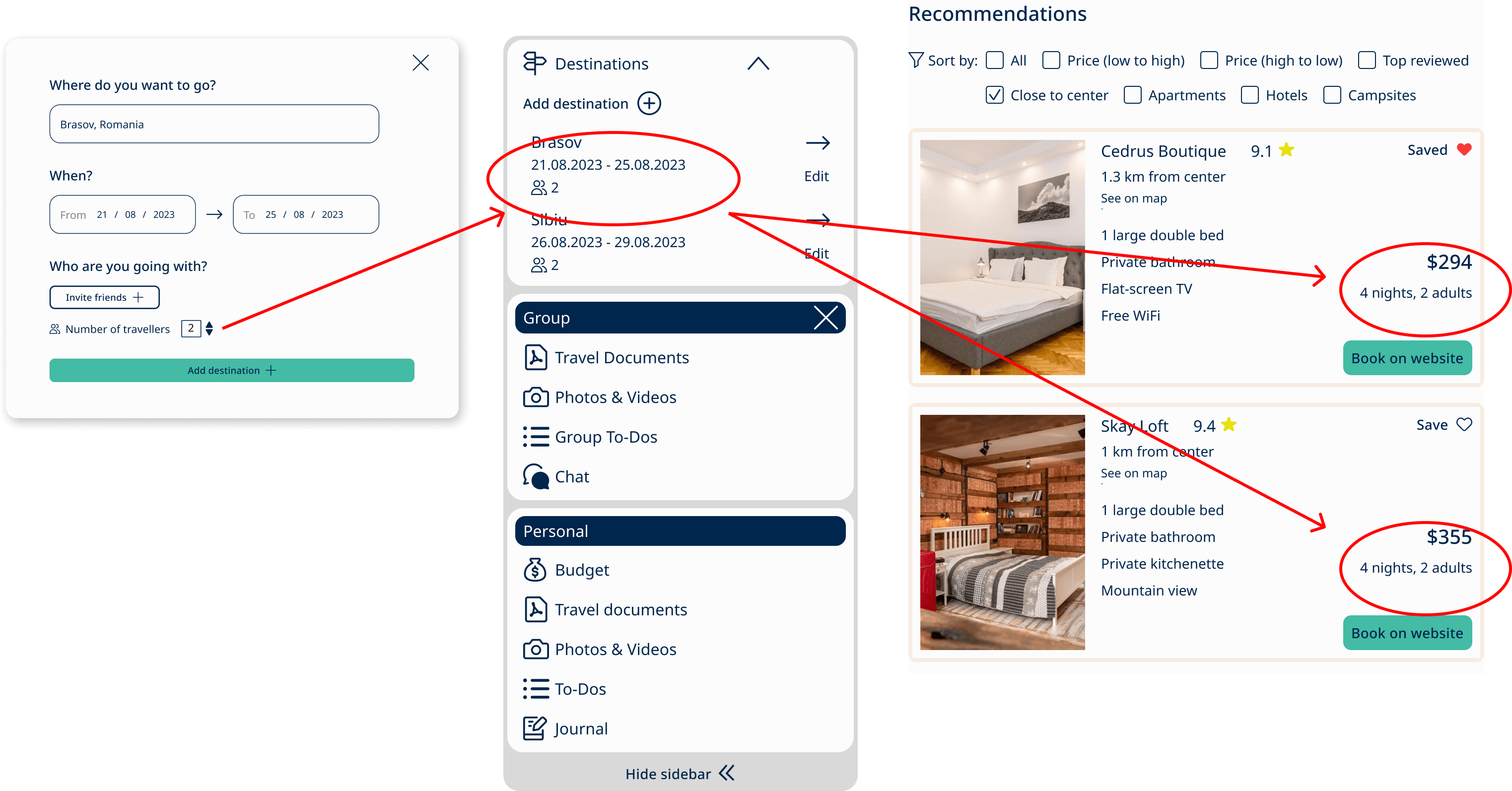
Within the planner page, people can craft a multi-city vacation effortlessly. Users input the destination, dates, and the number of travelers, which in turn enhances the recommendation process. As a result, the app customizes deals according to user input, and they have the freedom to add, remove, or edit locations as they wish.
One of the key features of this system is its flexibility. Users can edit their information whenever they need to, with recommendations adjusting automatically. This ensures a smooth, efficient, and adaptable experience.
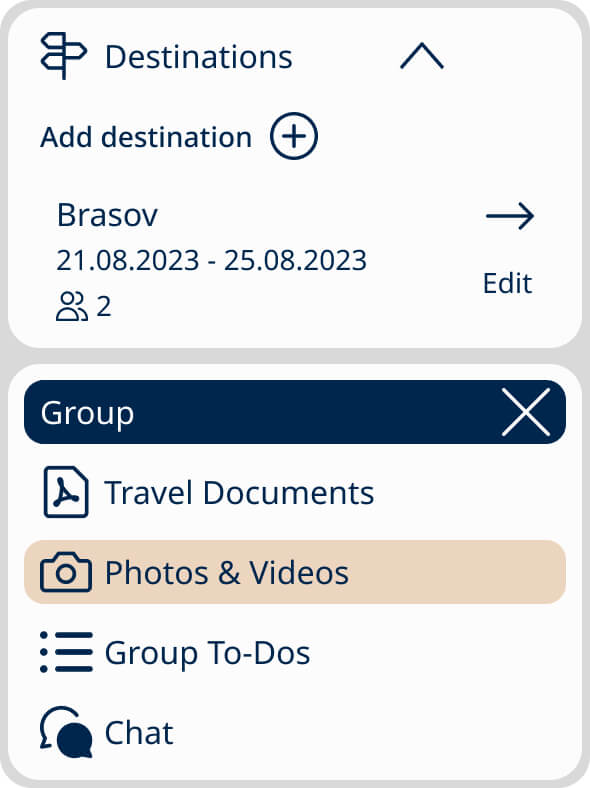
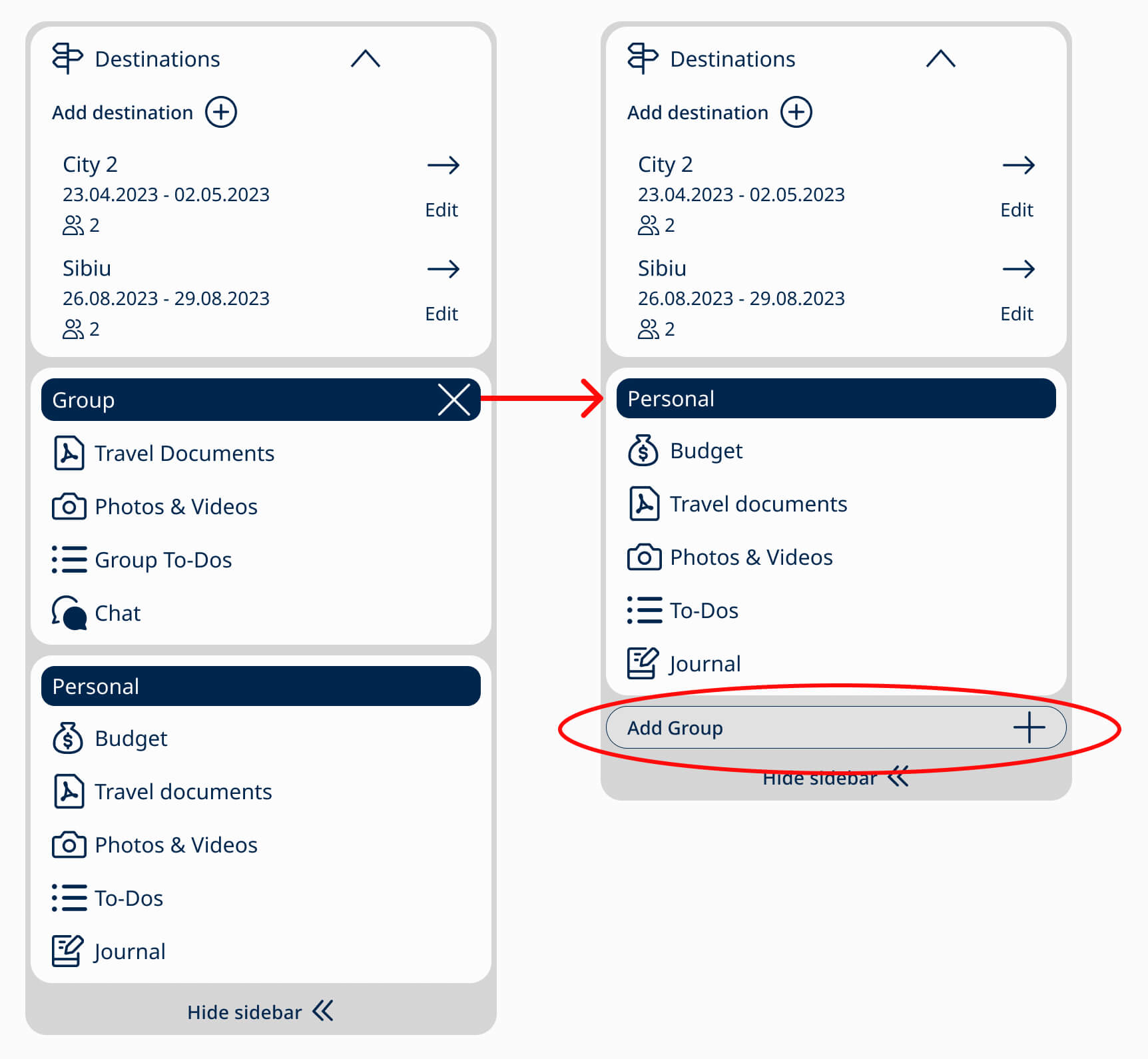
Additionally, in the final design, the planner container has been restructured into three main sections: one for destination details, another for group planning, and a personal space. Users can also choose to remove the group section and add it later if required. This modification ensures that the planner suits both solo and group travelers, offering a user-friendly, adaptable experience.
Destinations categories
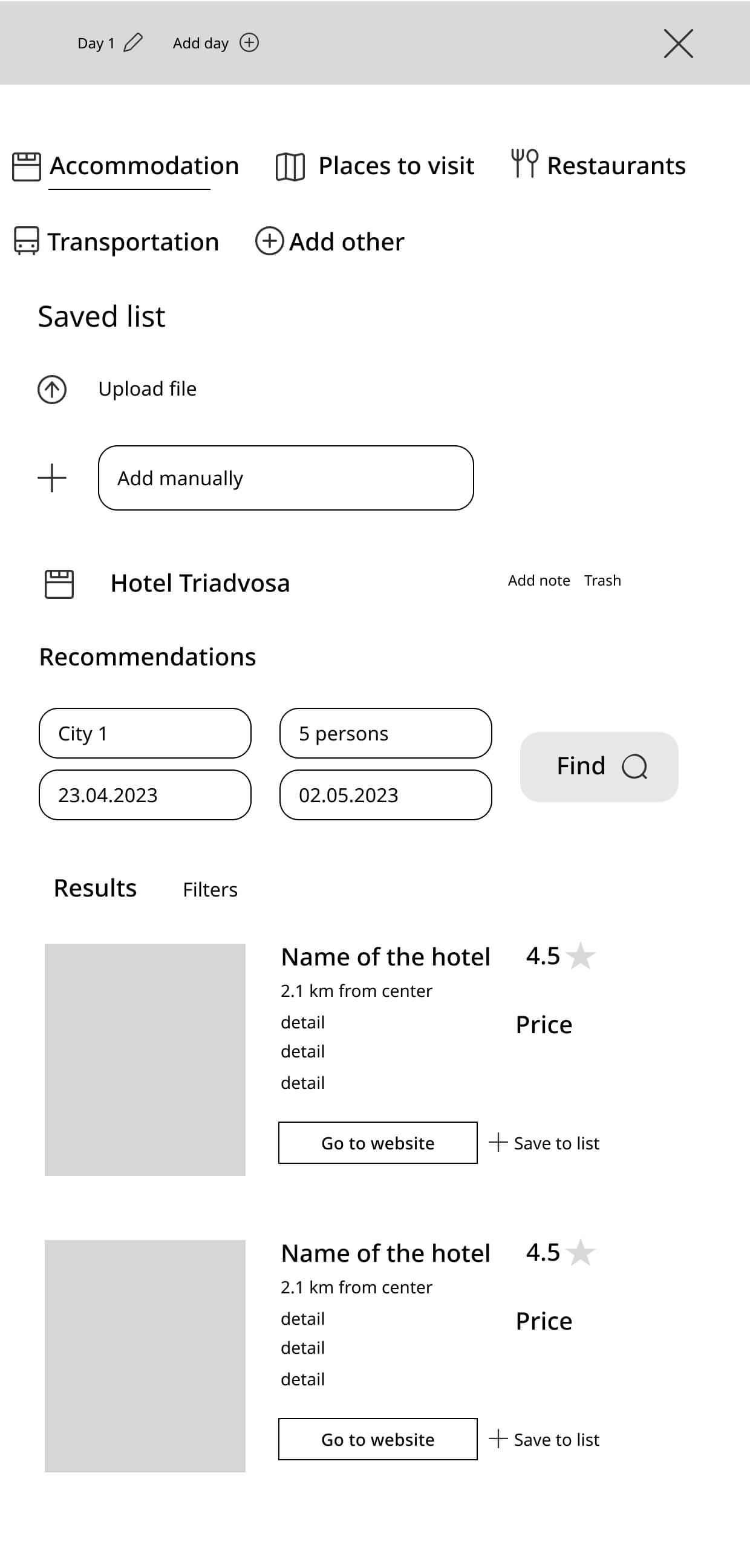
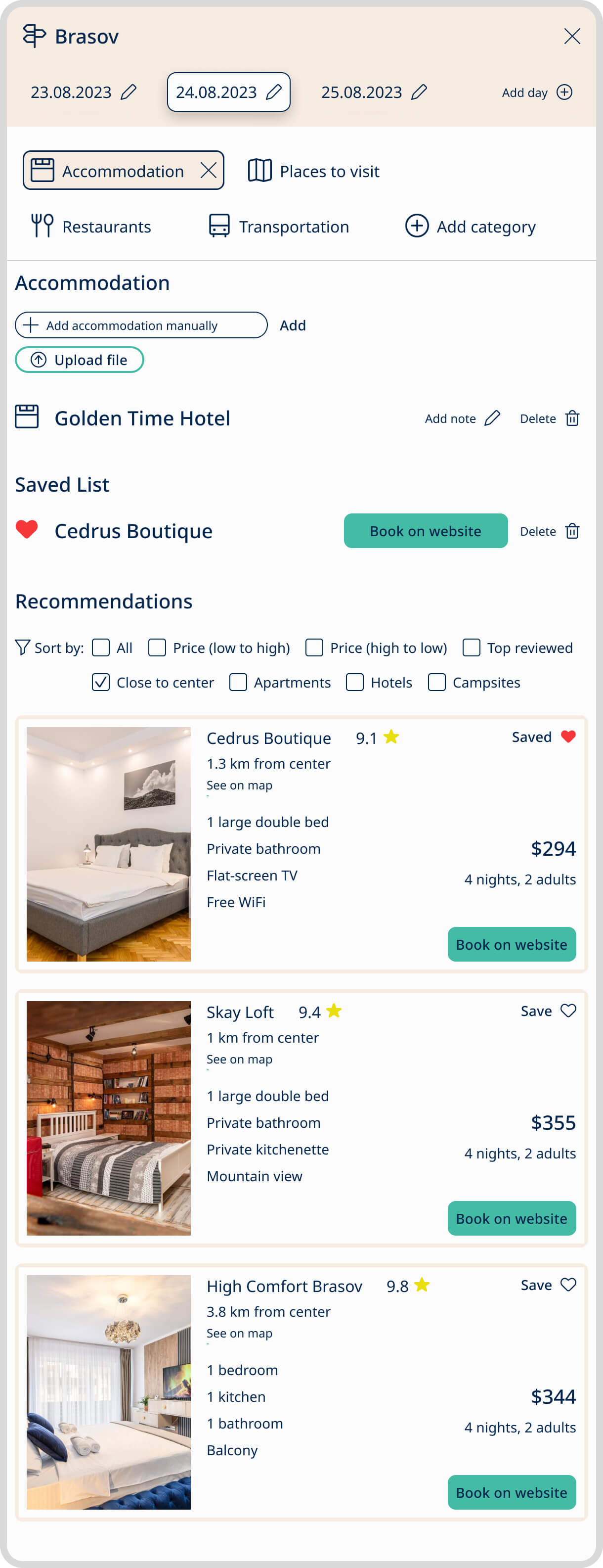
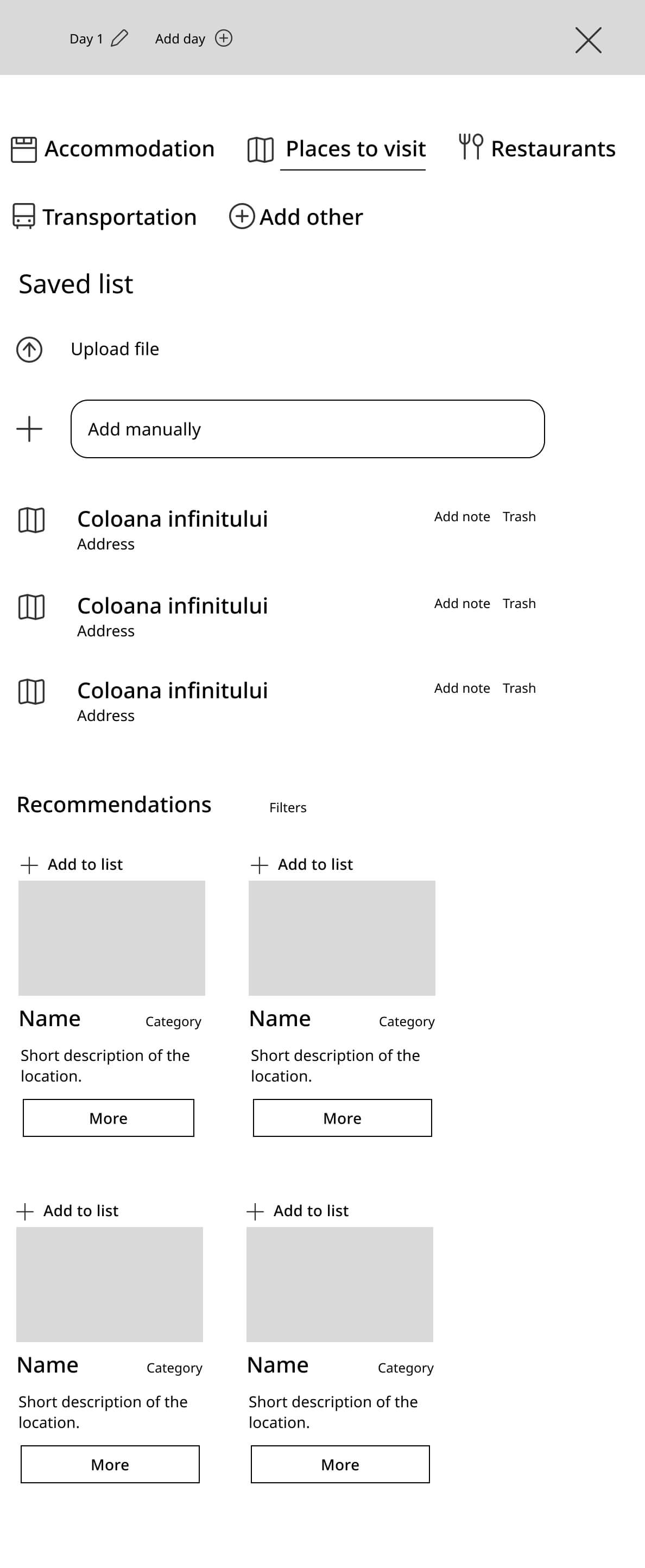
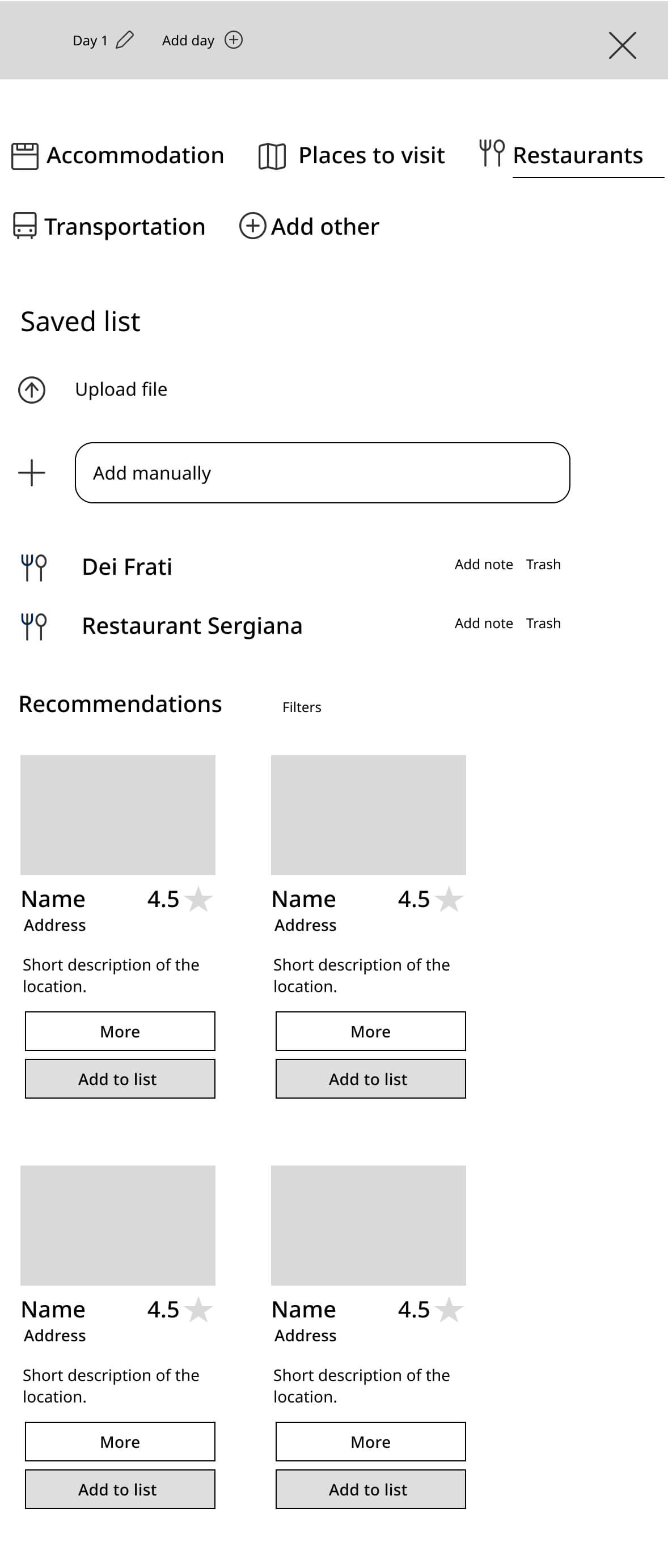
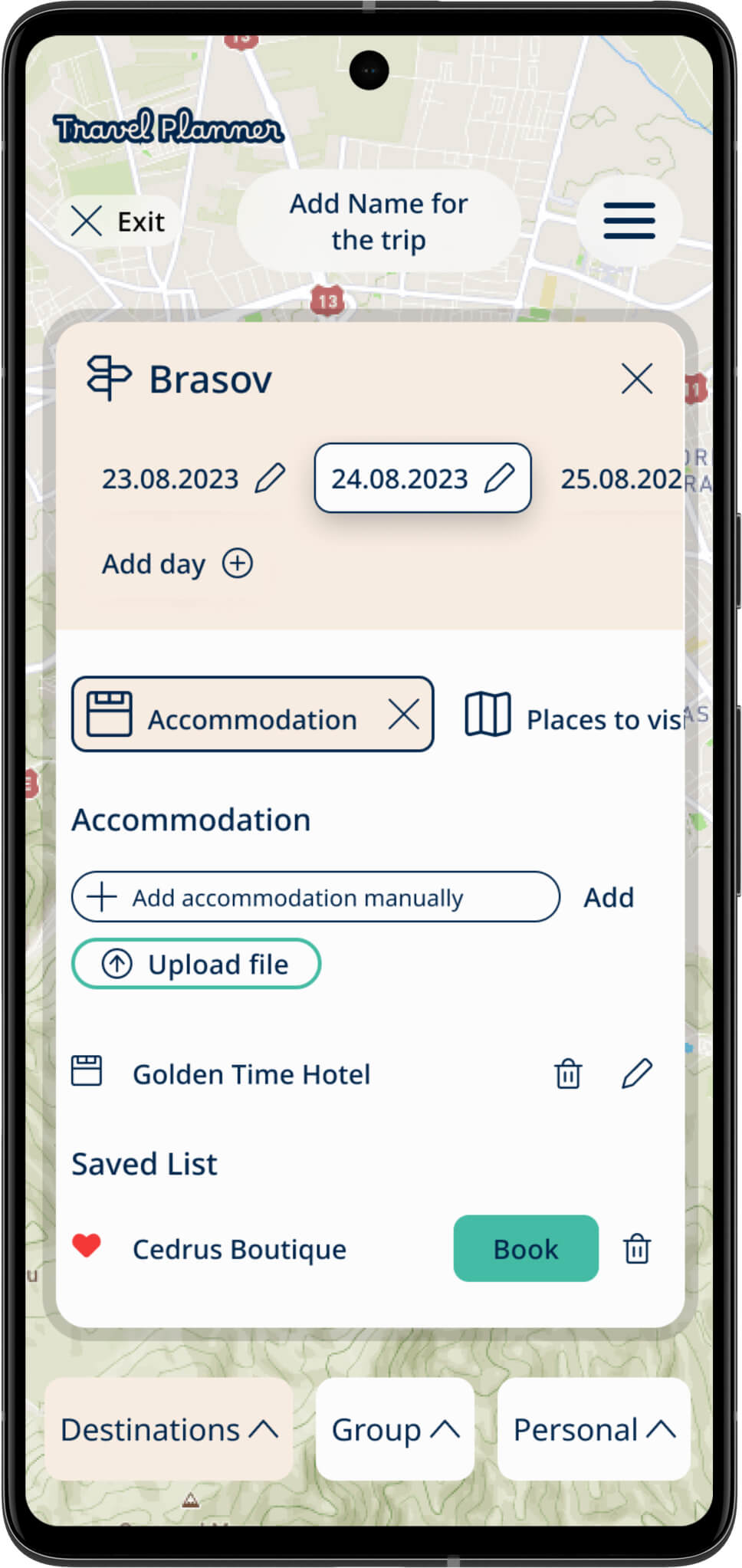
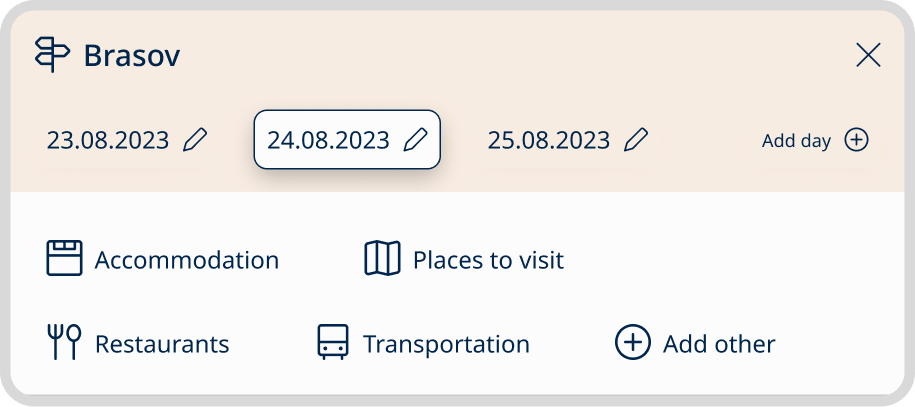
When designing the categories for planning a destination, my goal was to make it as user-friendly as possible. Users are able to easily find information, save it, or add their own content, whether manually or from an external source.
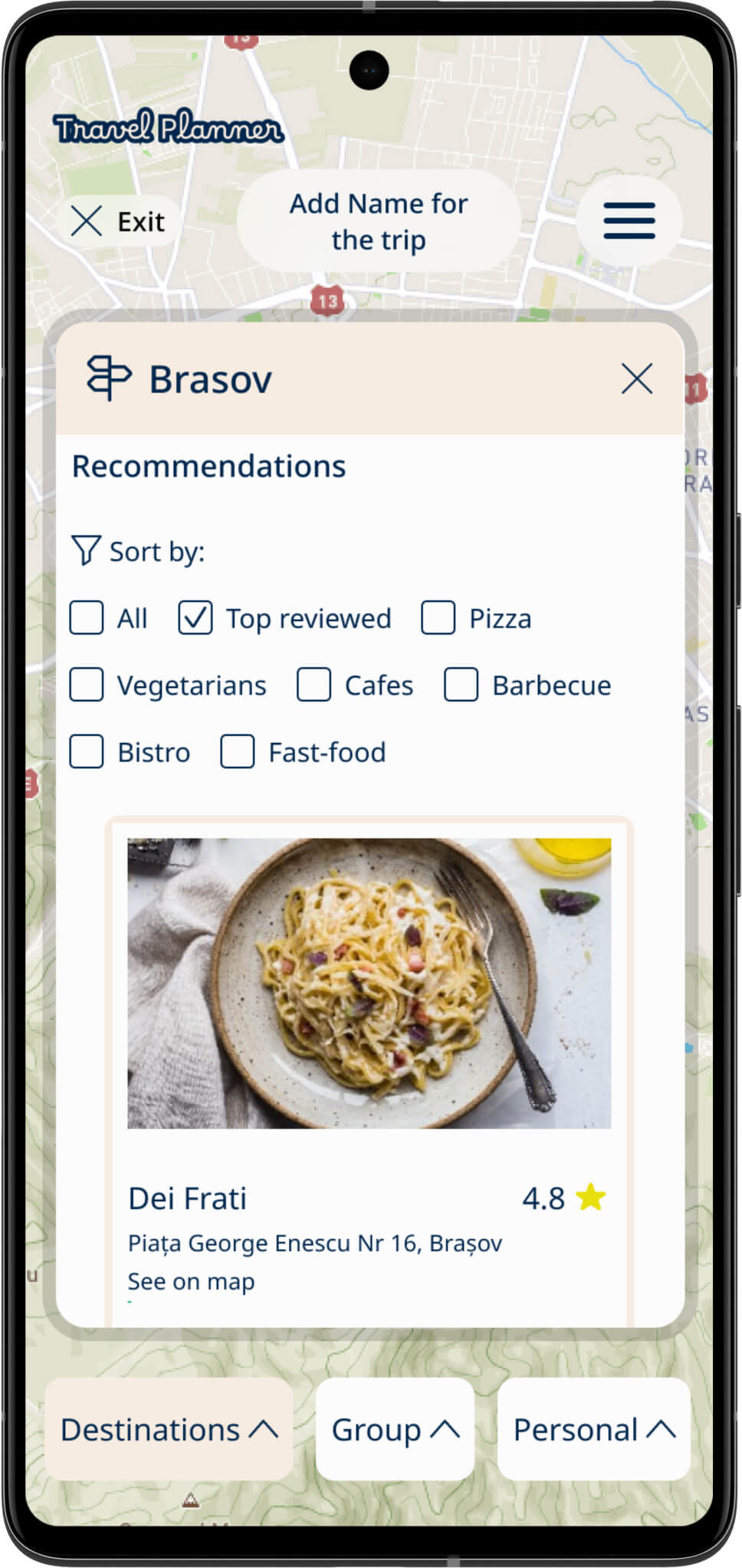
In the final design, I opted to eliminate the need for users to manually input location and dates into the recommendations, as the app generates this information based on the users' initial input. This simplifies the planning process. However, users still have the flexibility to filter the types of recommendations they receive.
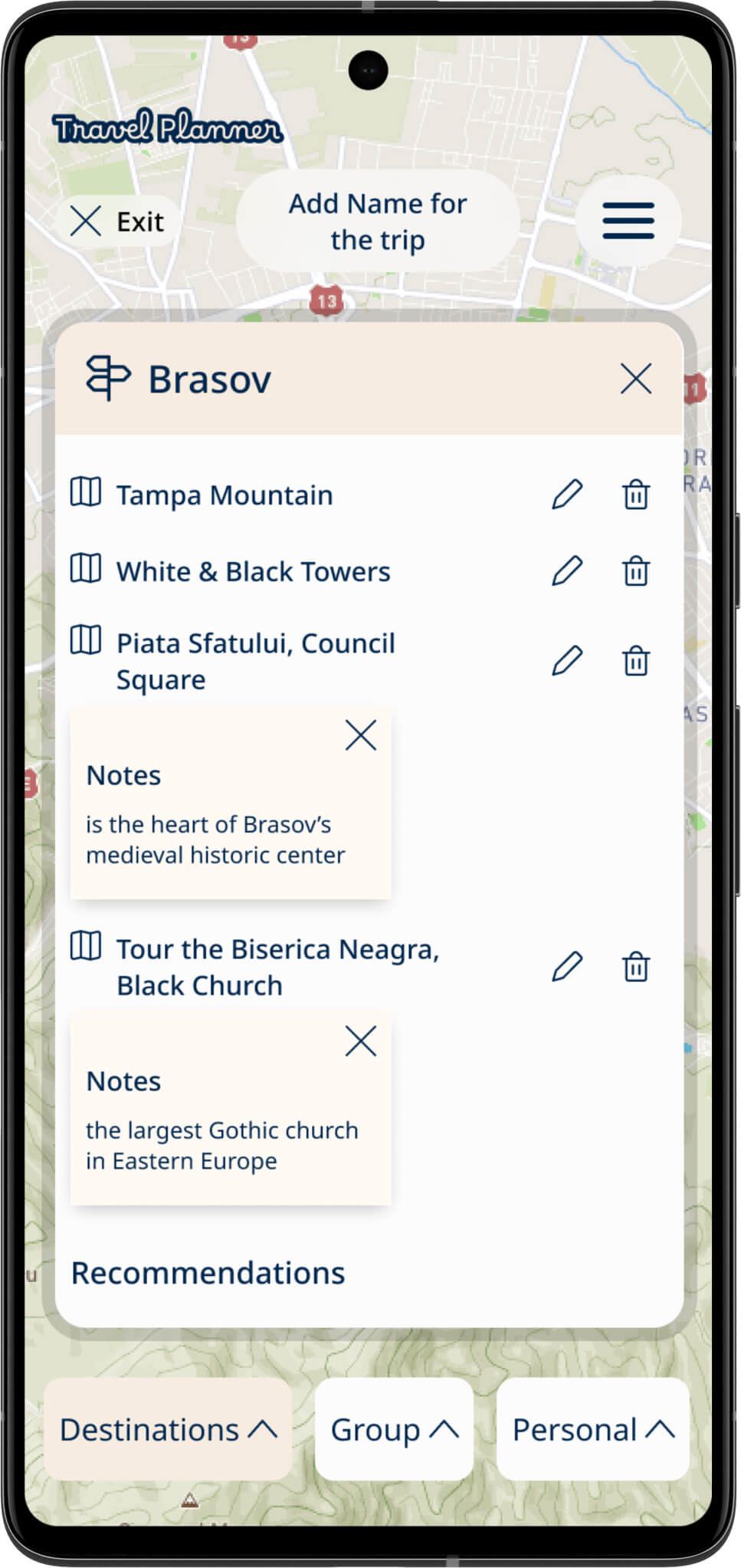
They can also add notes, save preferred options, and customize their transportation choices. This approach ensures a straightforward and efficient planning experience.
Accommodation
The design ensures a user-friendly selection of accommodations, making it easy for users to find and book lodgings that suit their preferences.
Places to visit
The layout simplifies itinerary planning, allowing users to effortlessly create a personalized schedule for their trip. In addition, users have the option to access in-depth information about each attraction and add it to their list, enhancing their trip planning experience
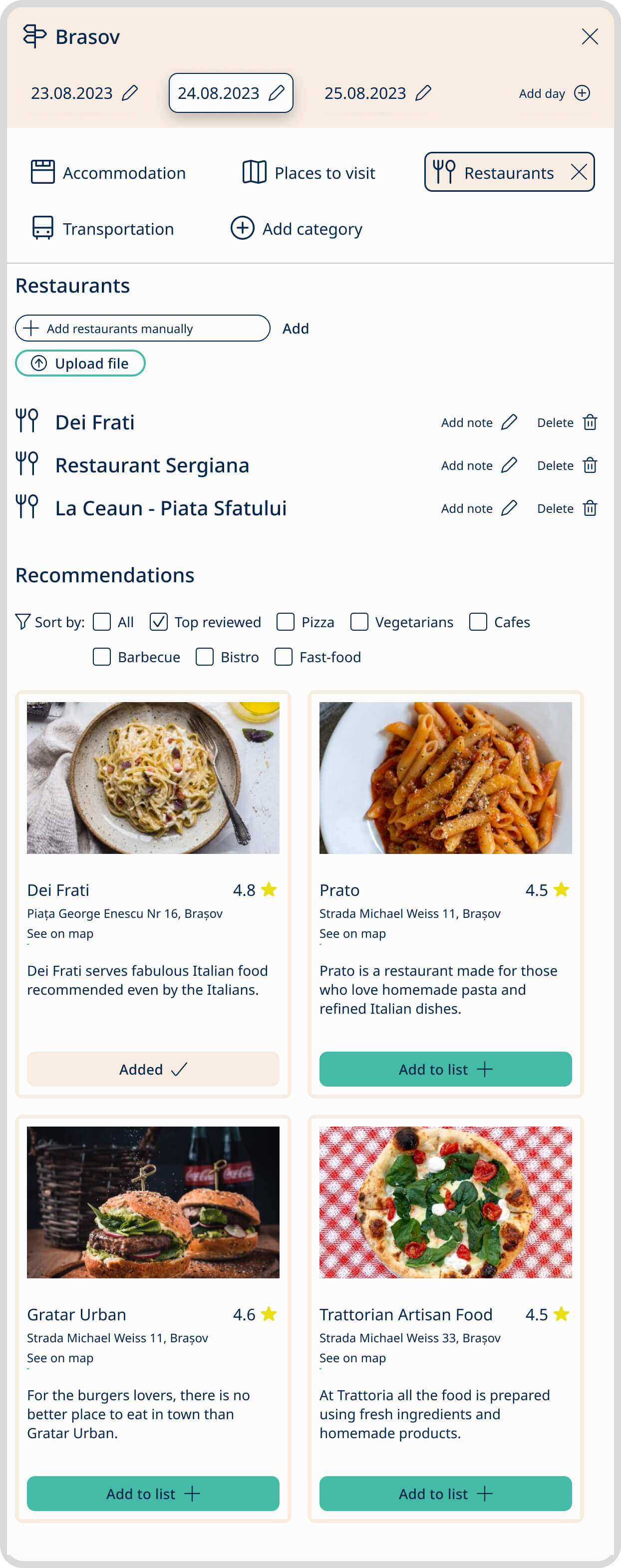
Restaurants
The interface simplifies the process of finding restaurants, ensuring users have a smooth and convenient dining experience. Visually appealing images, and reviews make restaurant selection an exciting part of trip planning.
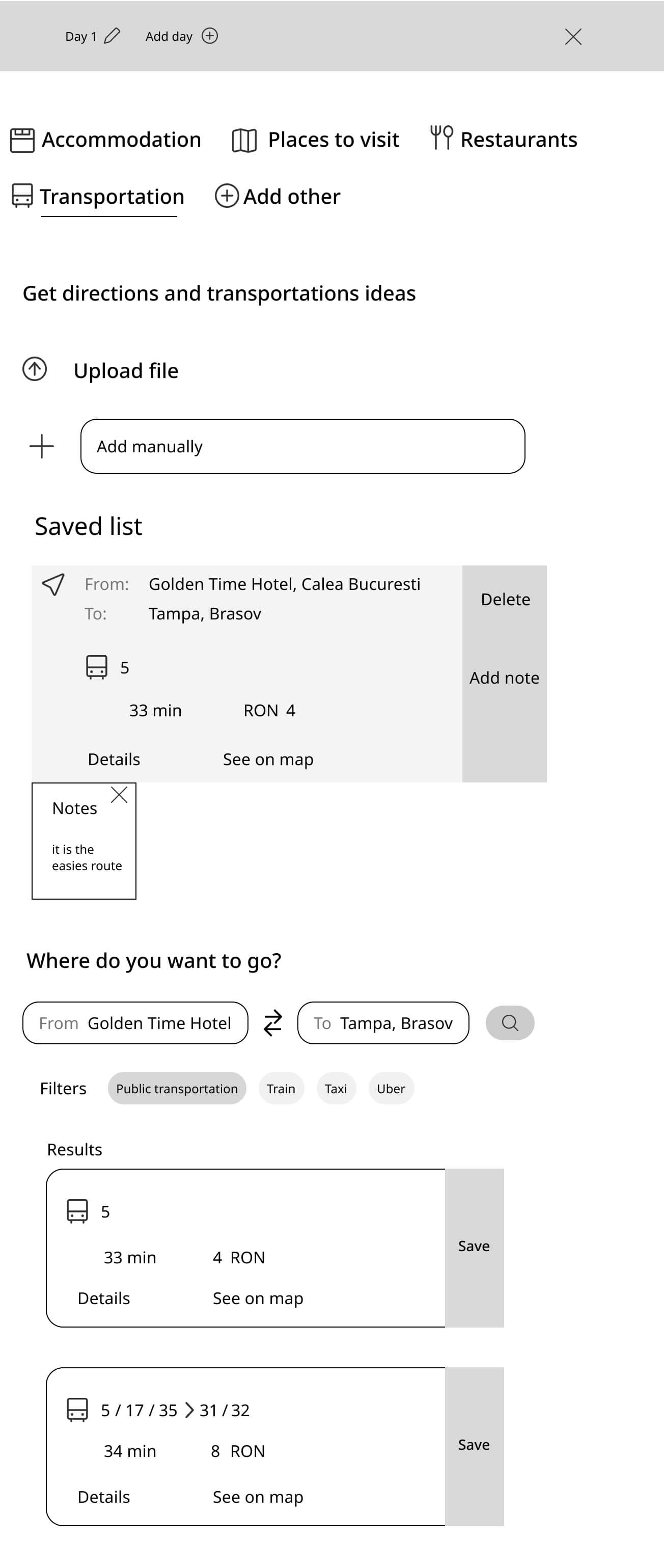
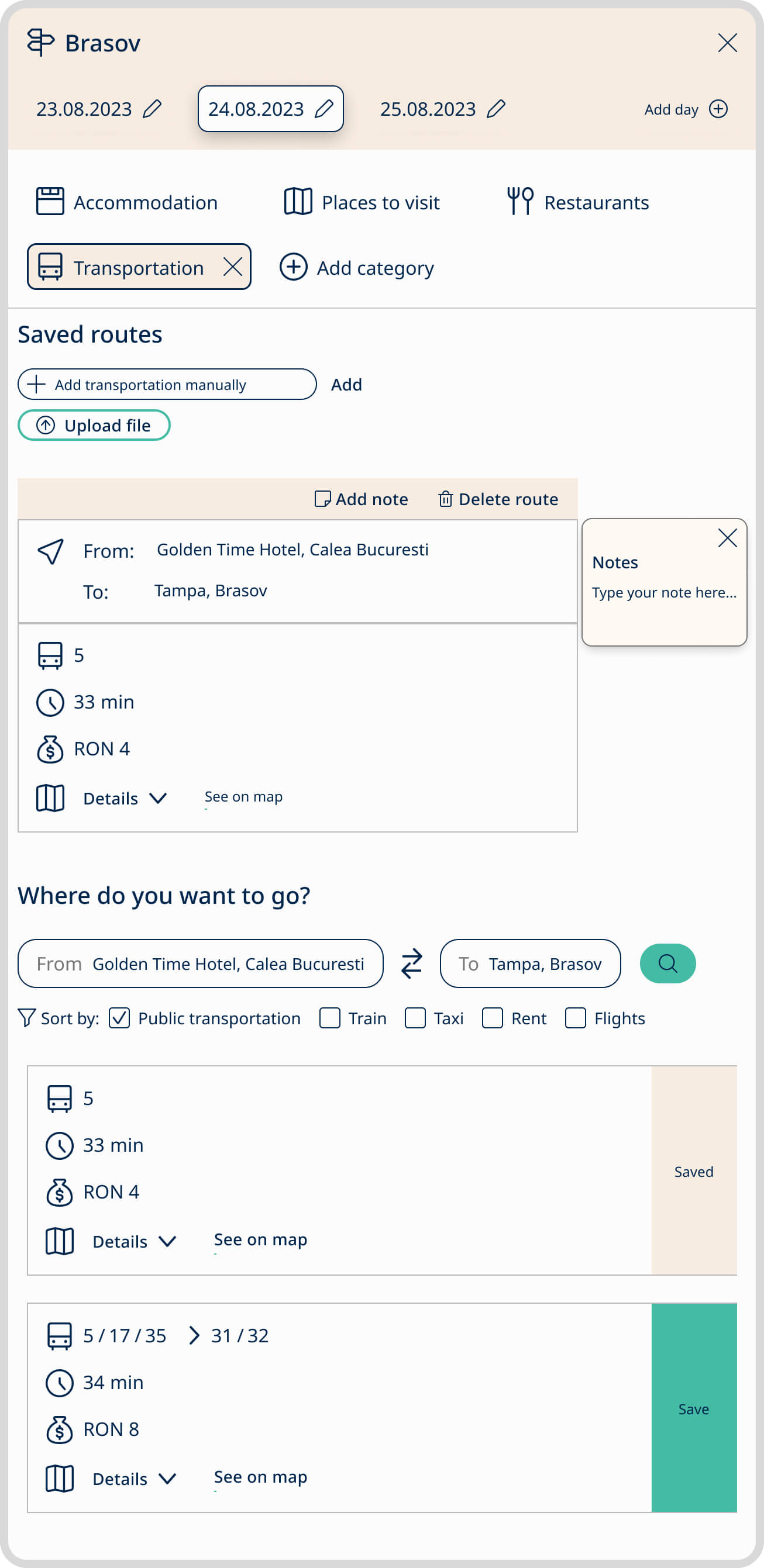
Transportation
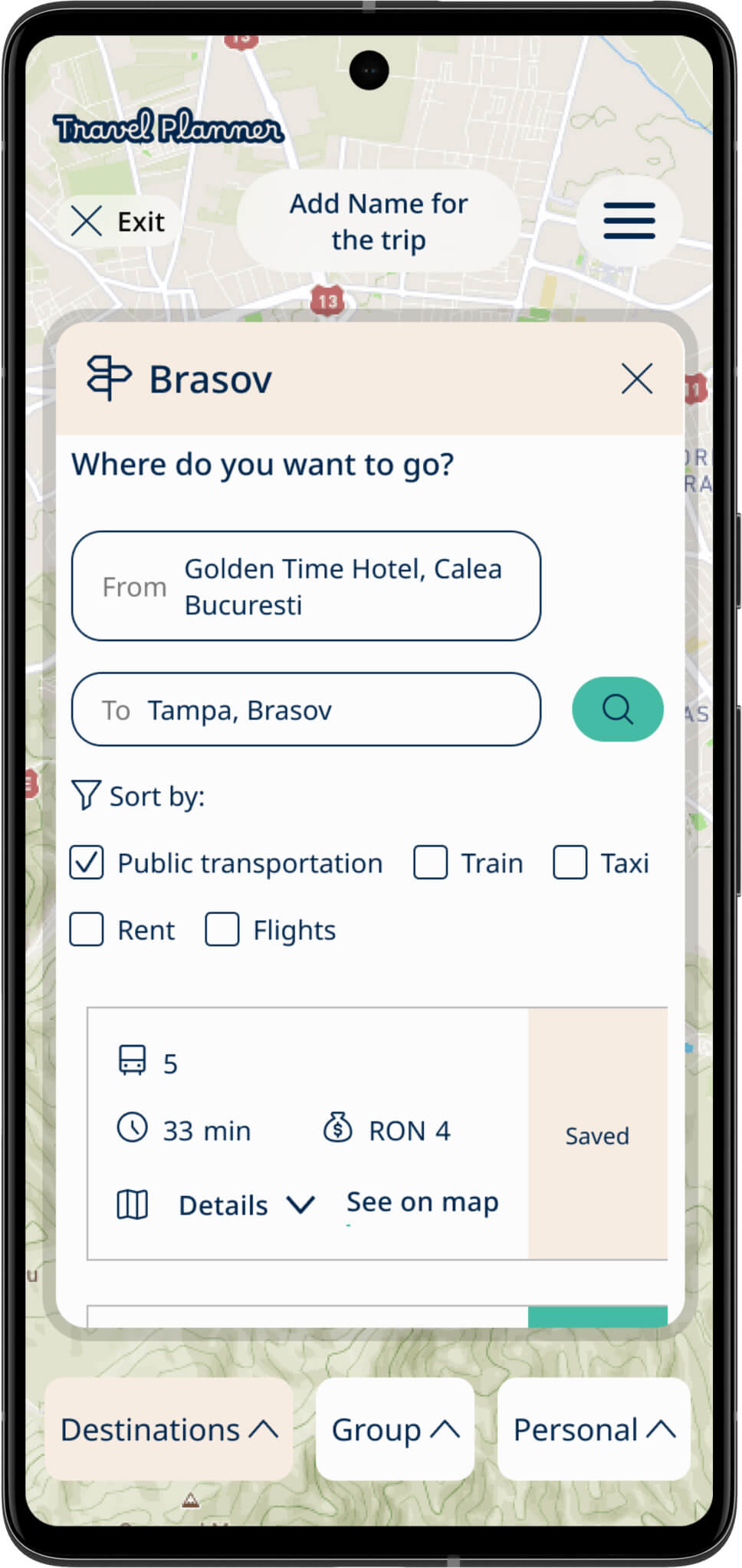
The design improves transportation options, providing users with an intuitive way to choose routes and modes of travel. Visual representations of cost help users manage their travel expenses effectively.
Group section and Personal section
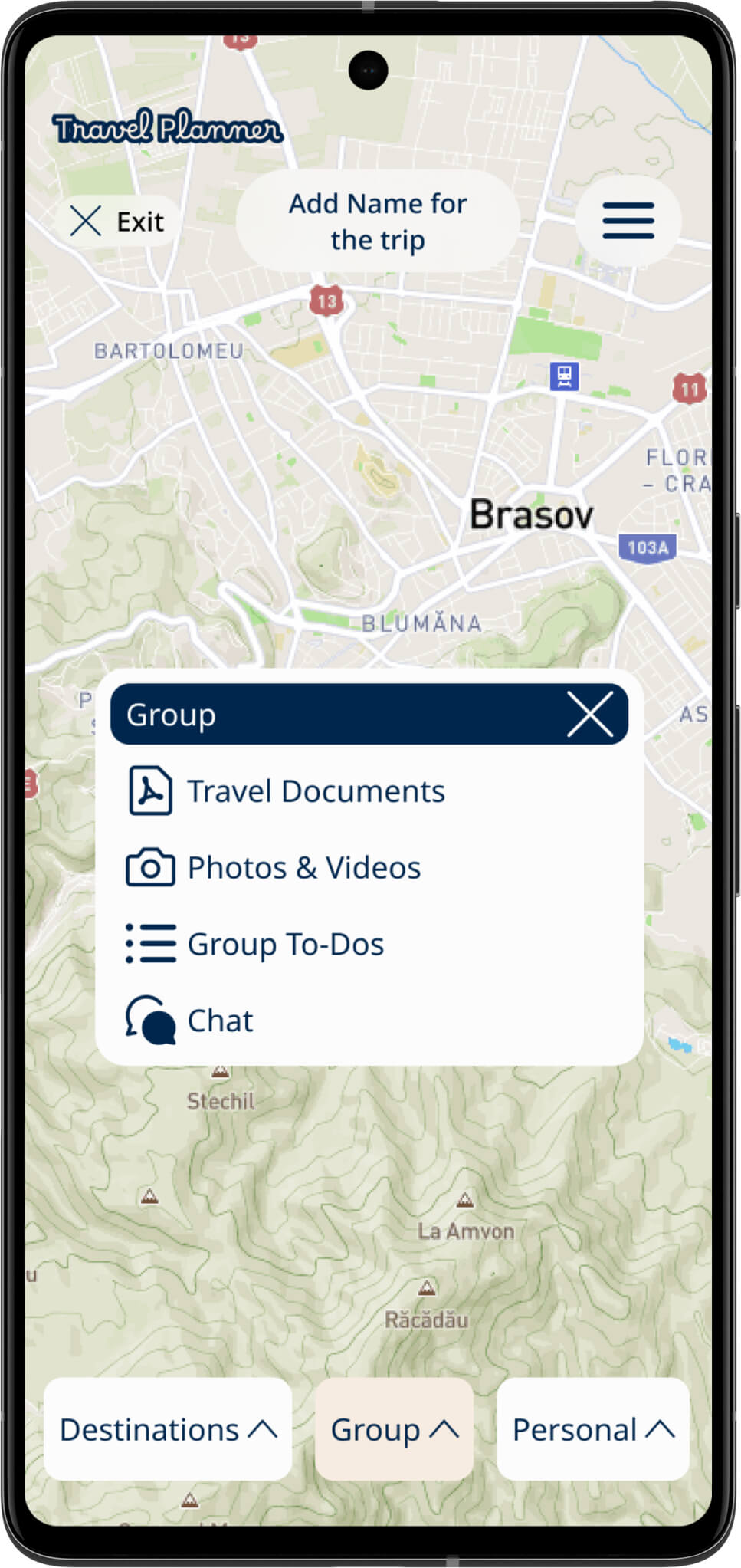
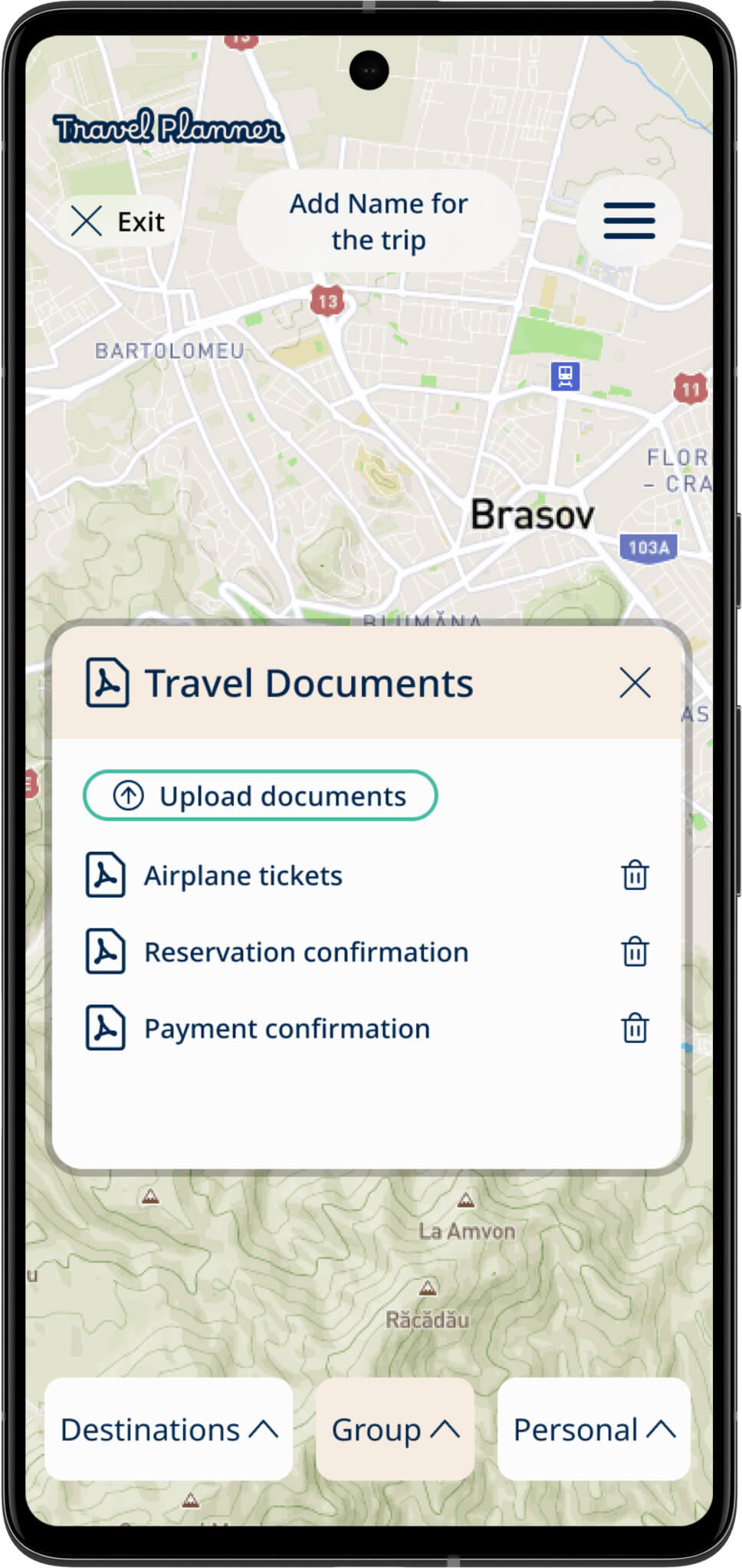
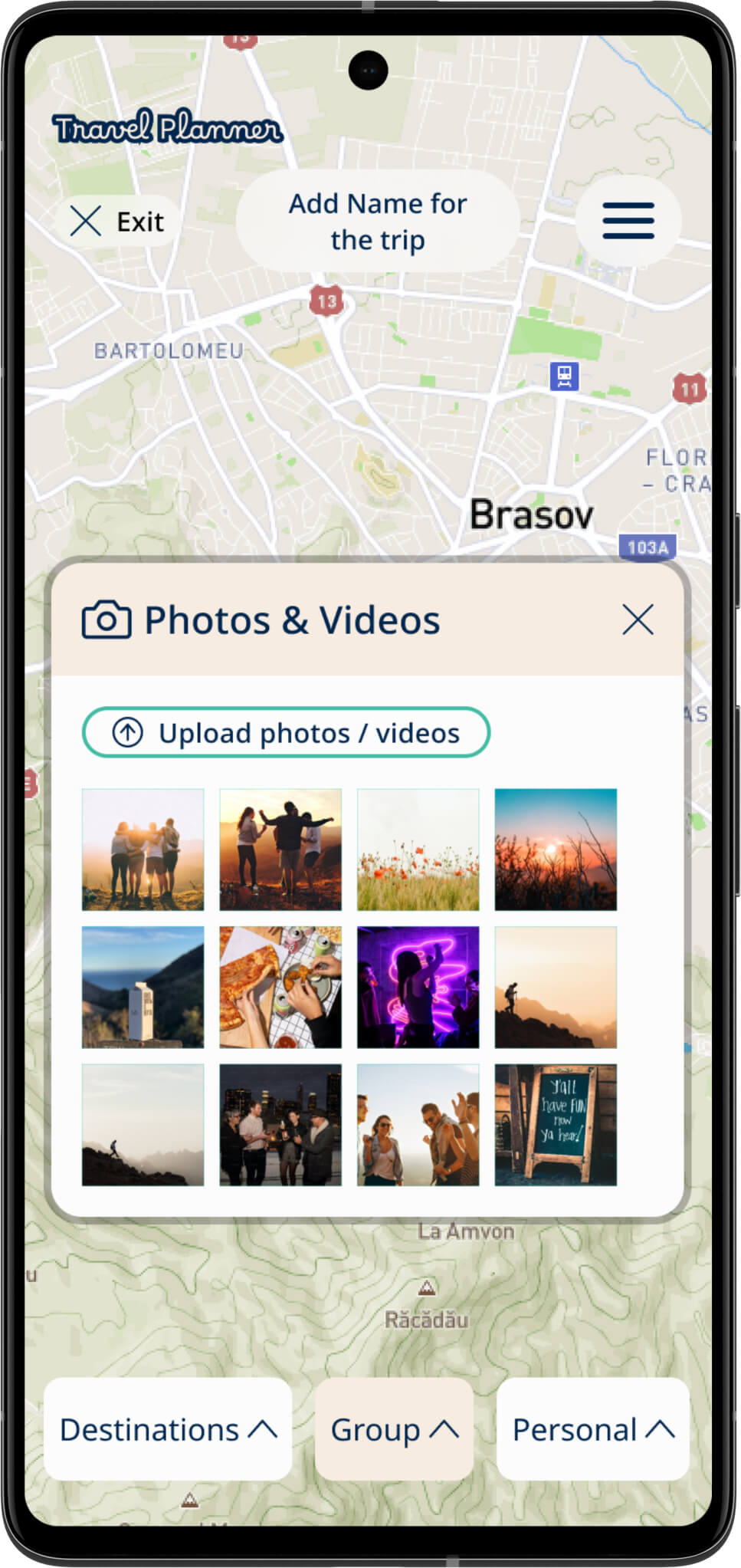
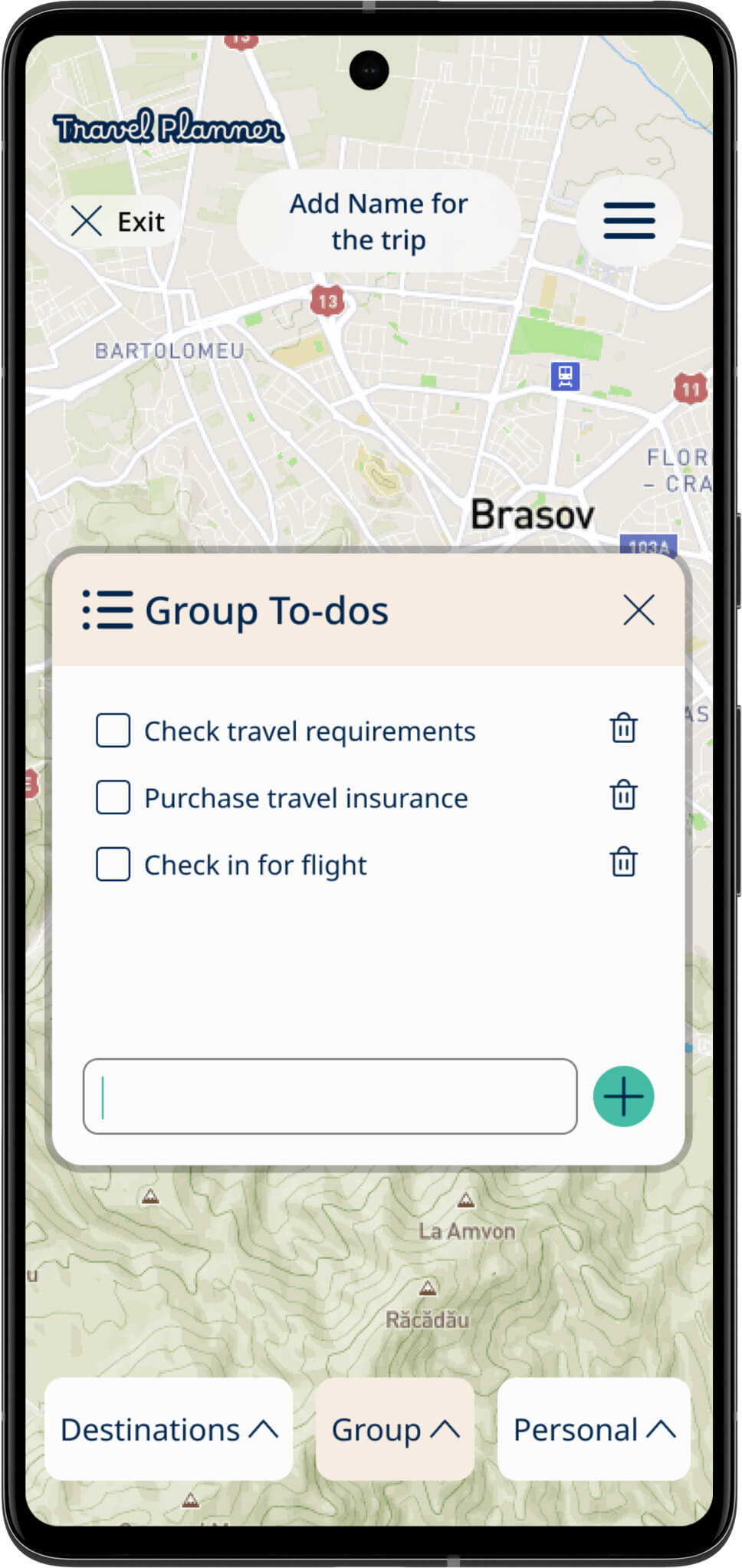
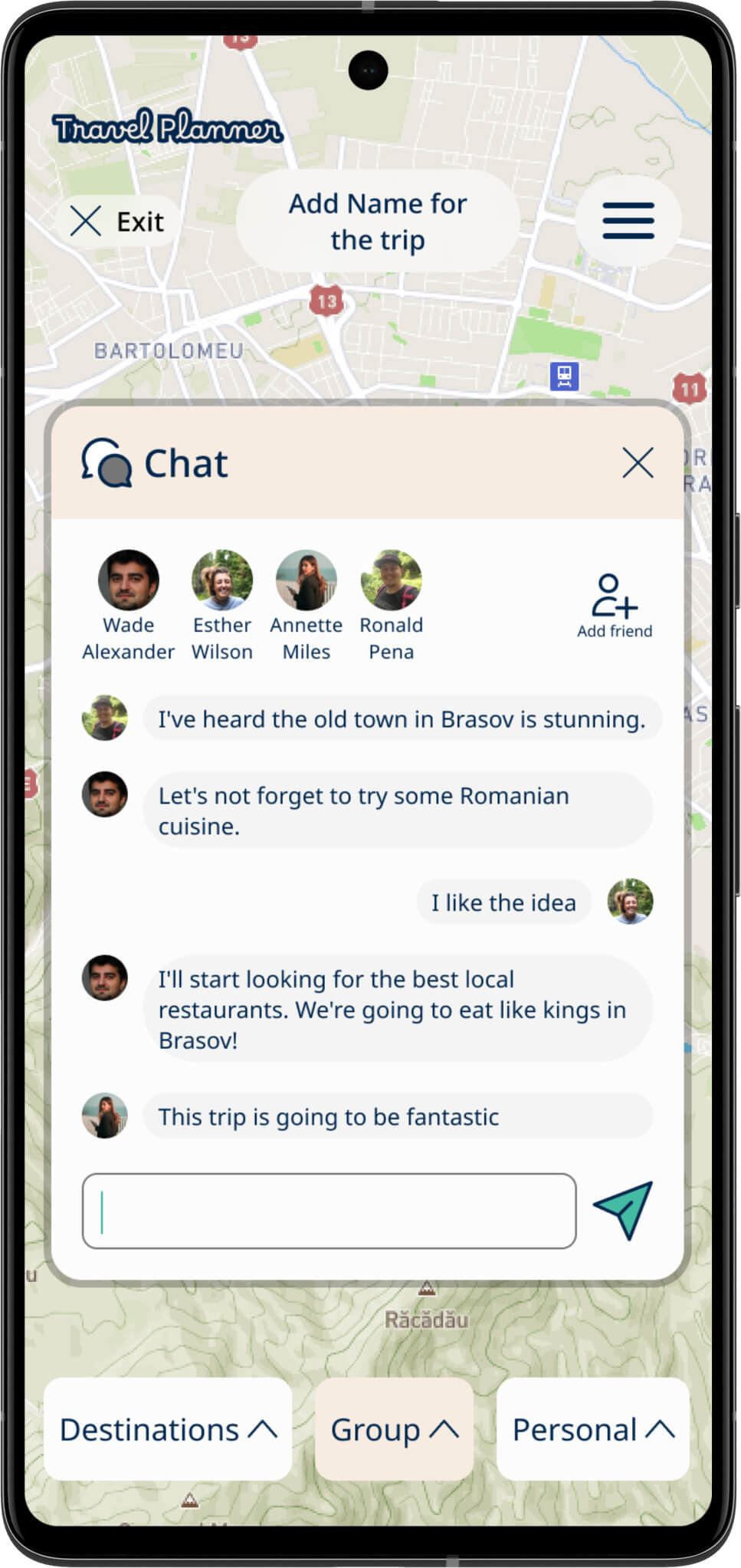
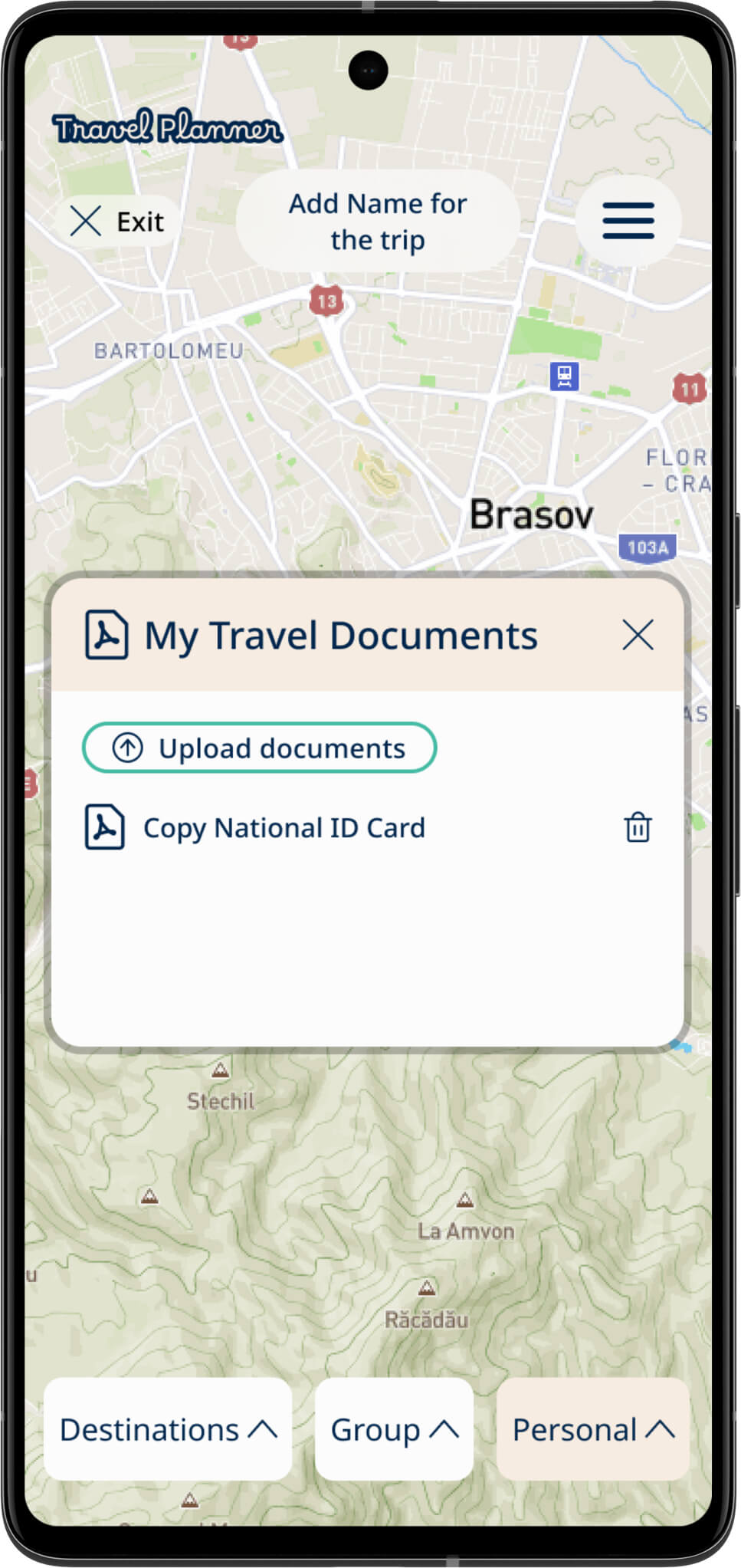
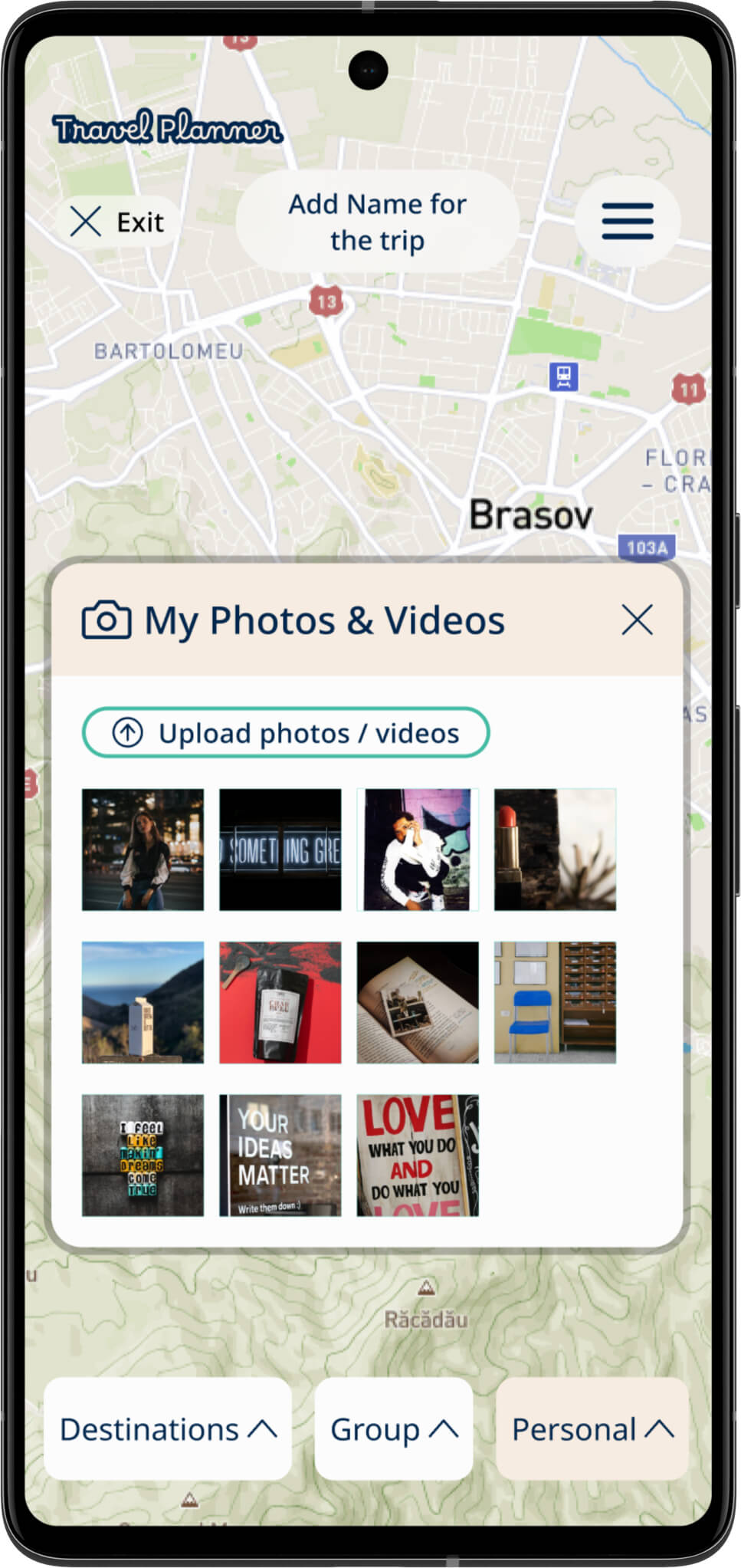
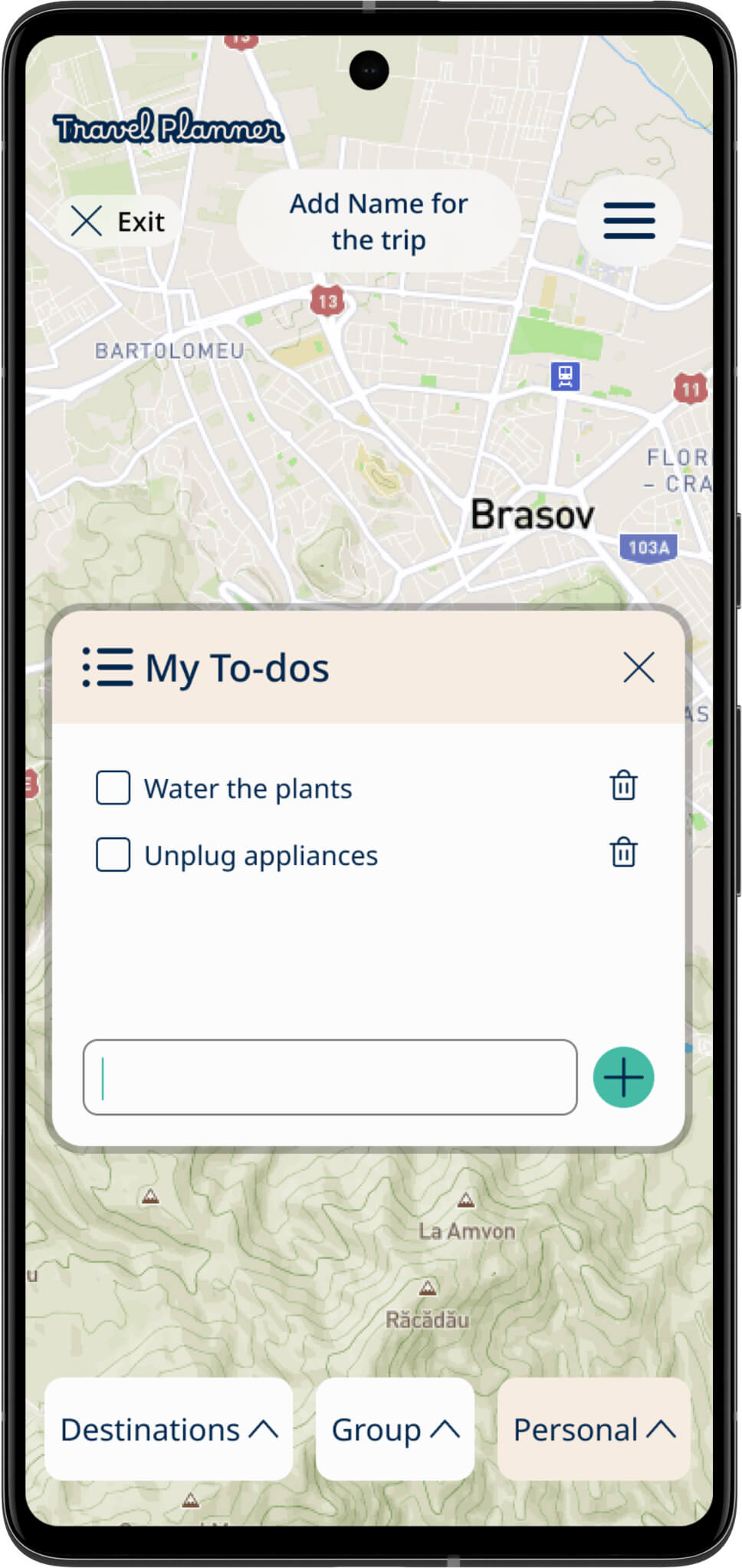
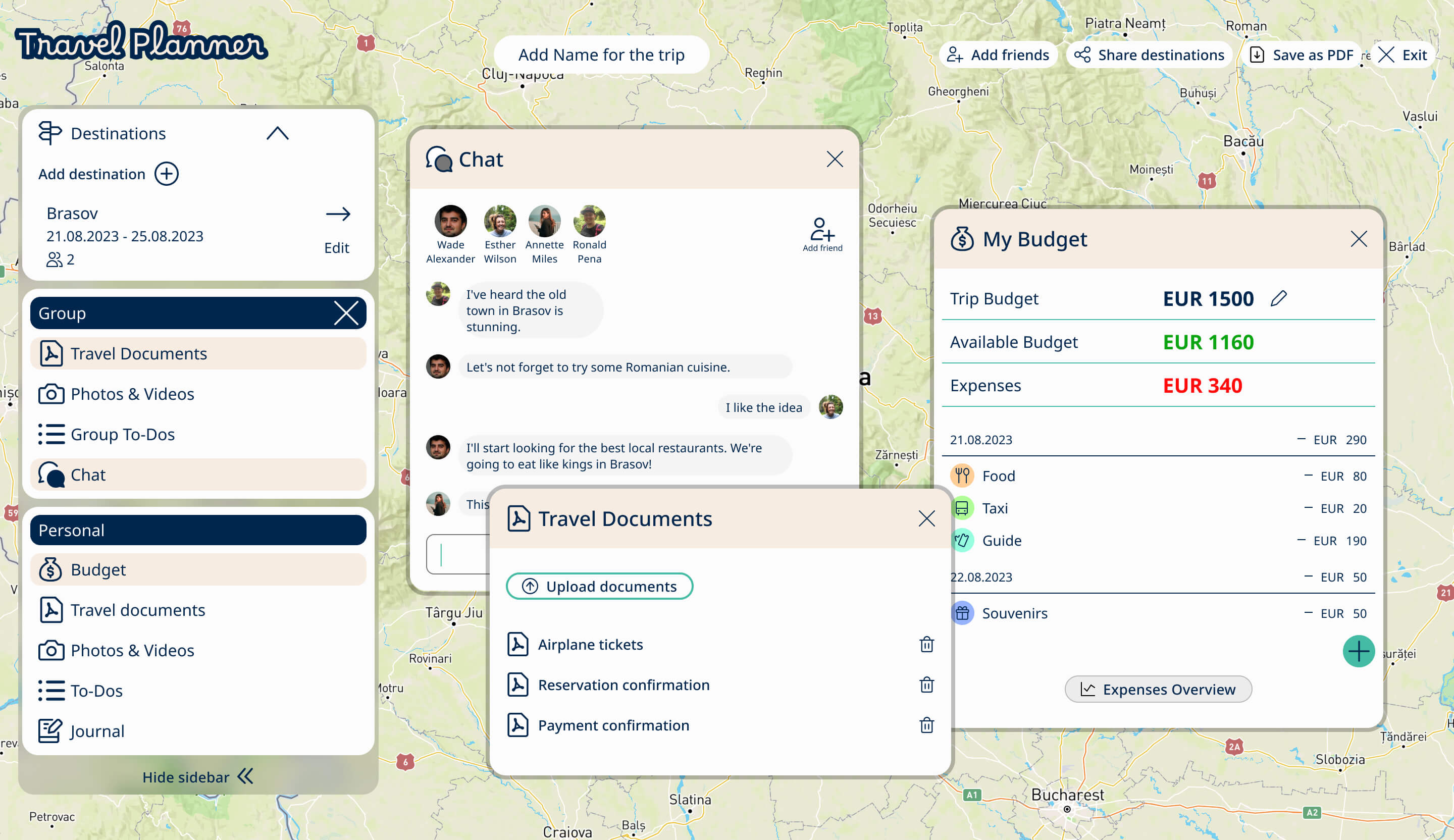
When developing the group section, my aim was to provide users with the opportunity to collaboratively plan their trips with friends, thereby simplifying the planning process. This feature allows users to consolidate all trip-related information in one place, including travel documents, photos, notes, and chat. This way information is easily accessible for reference during their travels.
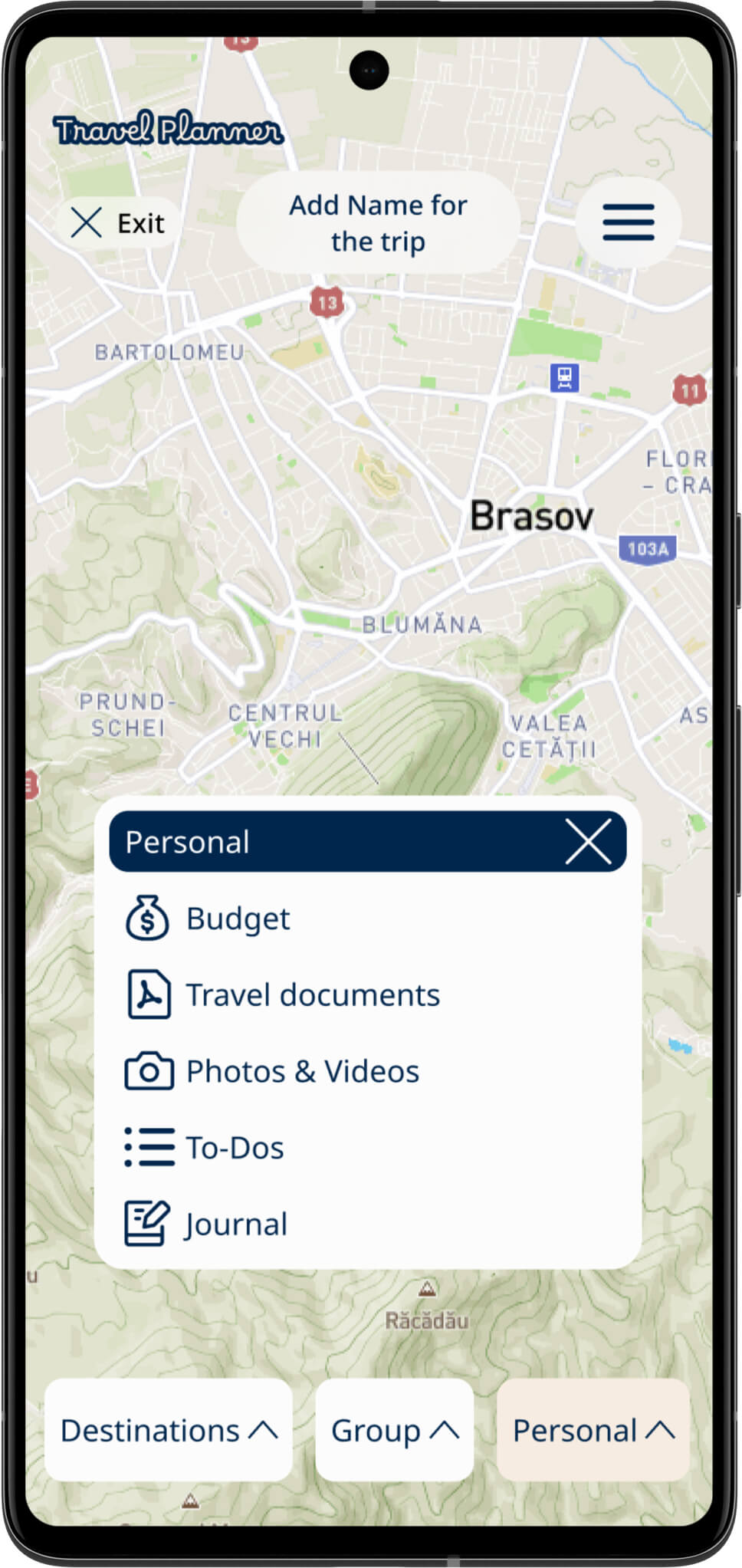
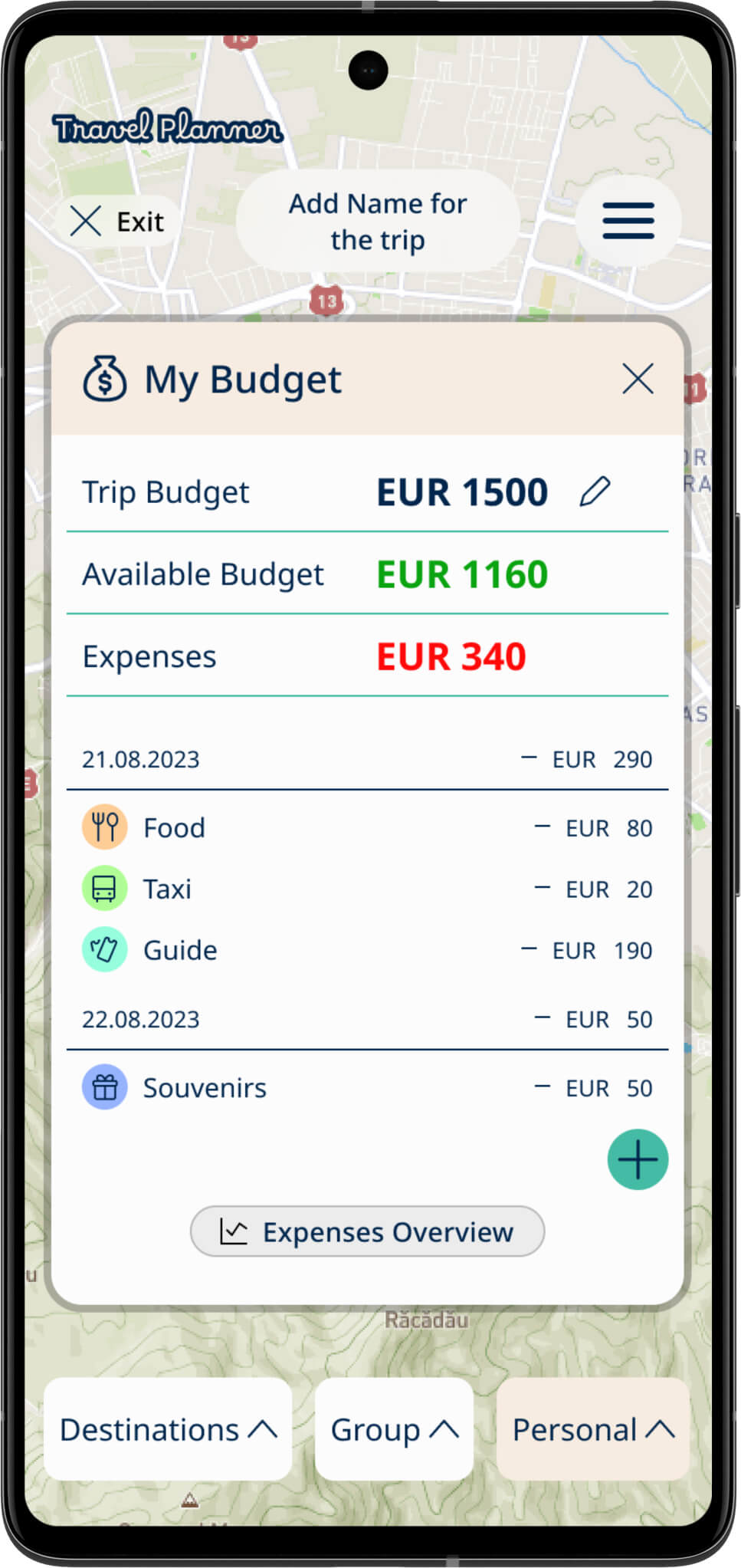
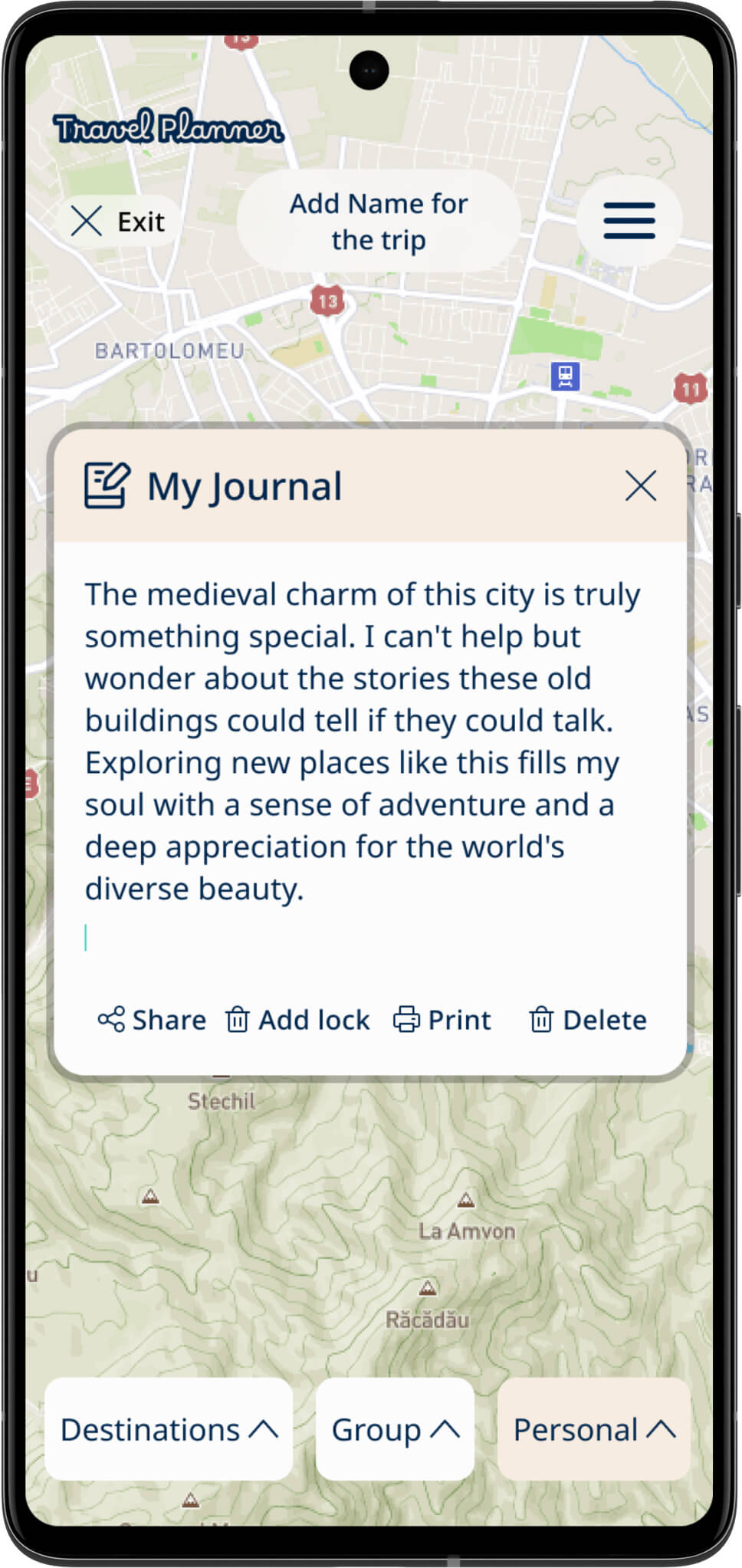
In addition to the group functionality, the design also includes a personal space where users can manage their budgets, create personal to-do lists, and journal their travel experiences. The personal section offers all the features available in the group section and introduces two additional functionalities: budget management and journaling.
Each of these features contributes to a more organized, enjoyable, and memorable travel experience for users, whether they are planning trips with friends or embarking on solo adventures.
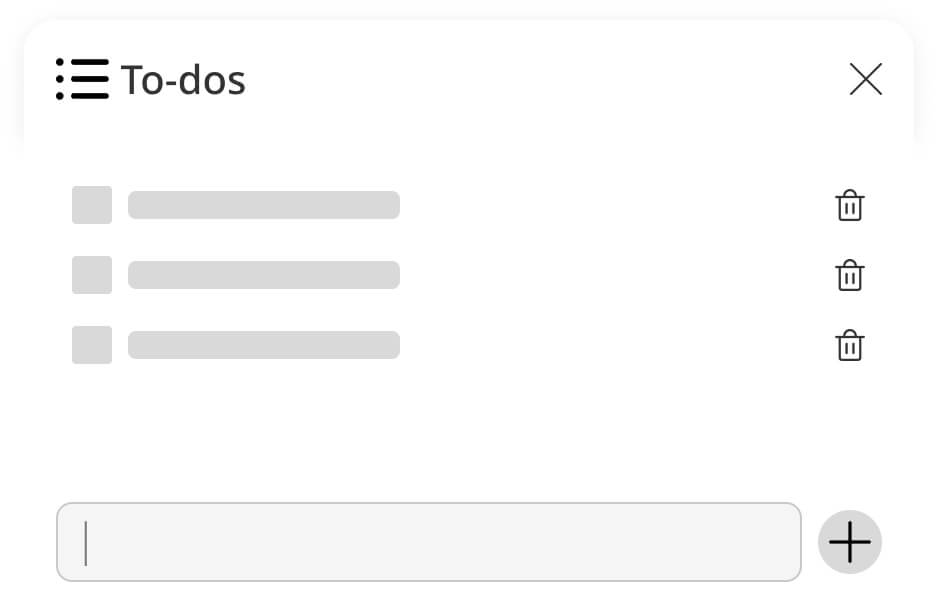
To-Do Notes Lo-fi wireframe
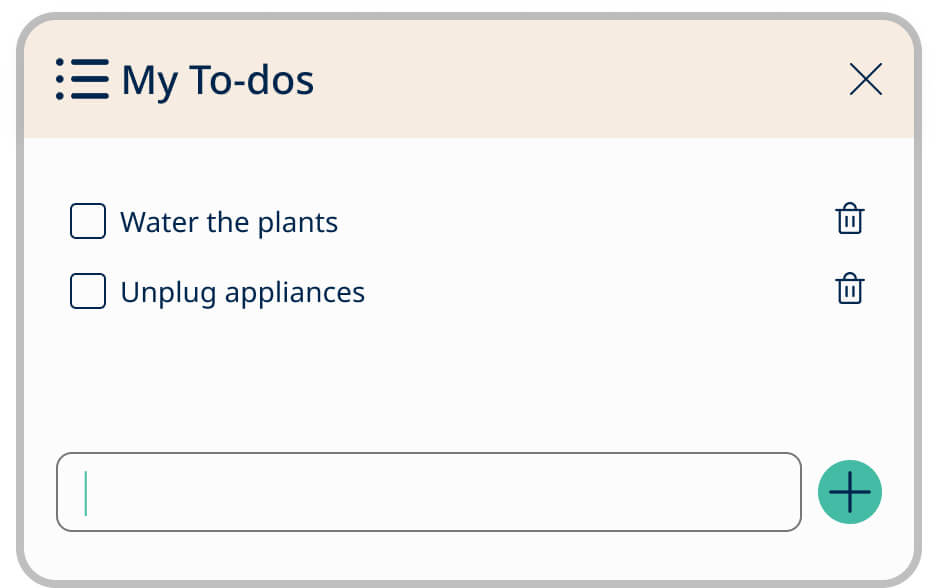
To-Do Notes Feature ( Personal)
Provides individual travelers with a tool to organize their personal tasks, helping them stay focused and reduce the chances of forgetting important details.
To-Do Notes Feature (Group)
Facilitates collaboration among travelers. Friends can create and manage a shared to-do list, ensuring everyone is on the same page during the trip.
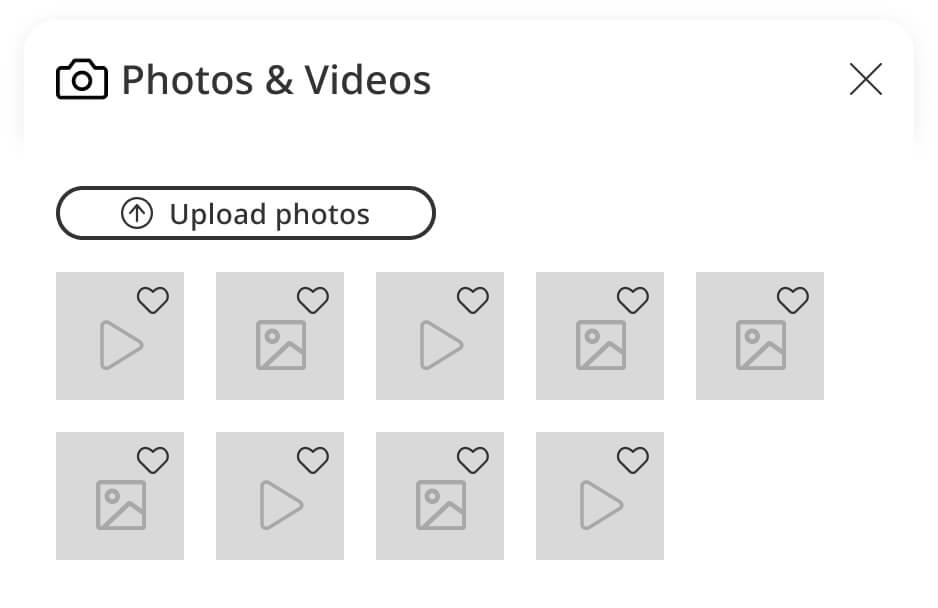
Photos Lo-fi wireframe
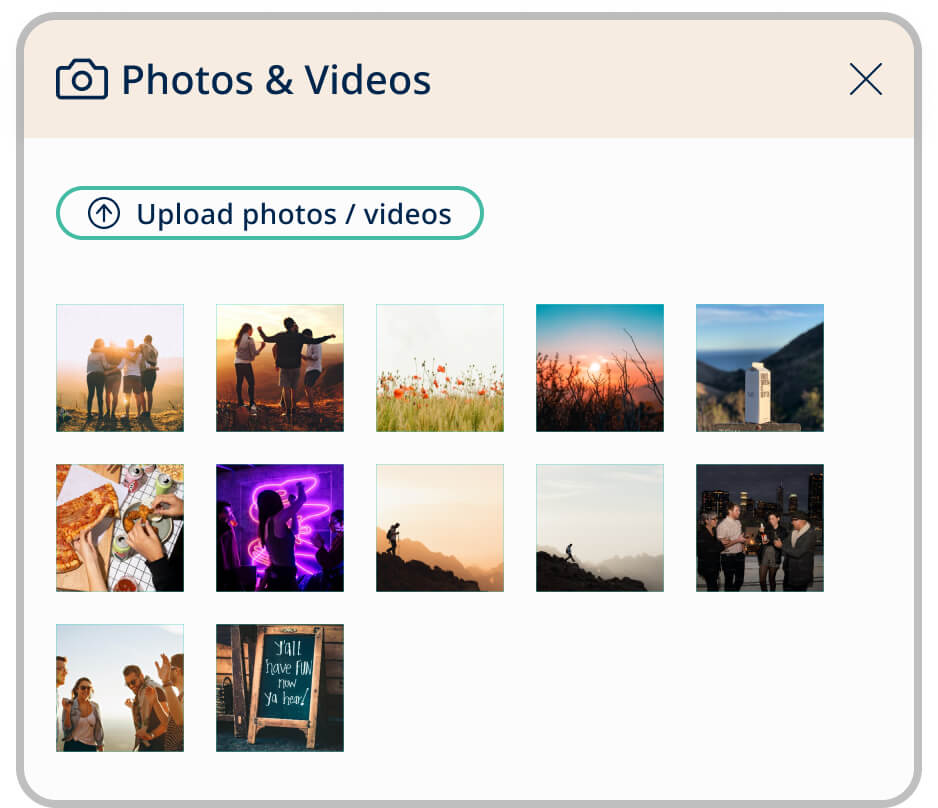
Photos Feature (Group)
Enables the collection of group photos in one place, making it easy to create shared memories and remember about the trip together.
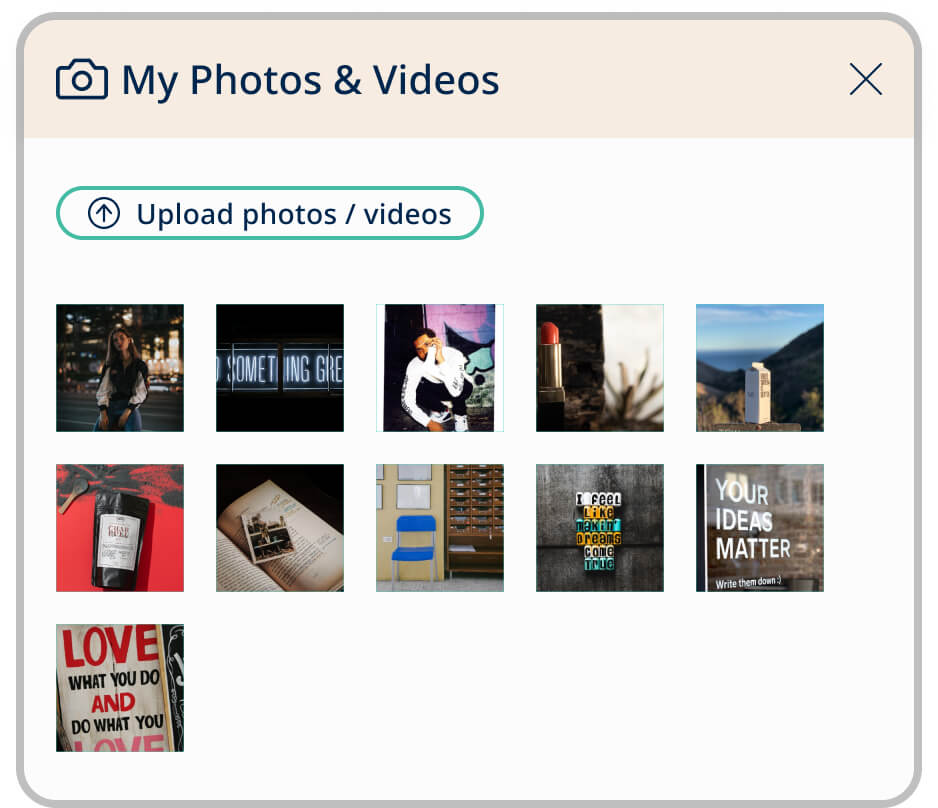
Photos Feature ( Personal)
Allows solo travelers to document their journey and capture memorable moments. Personal photos are easily accessible for personal use or sharing with friends later.
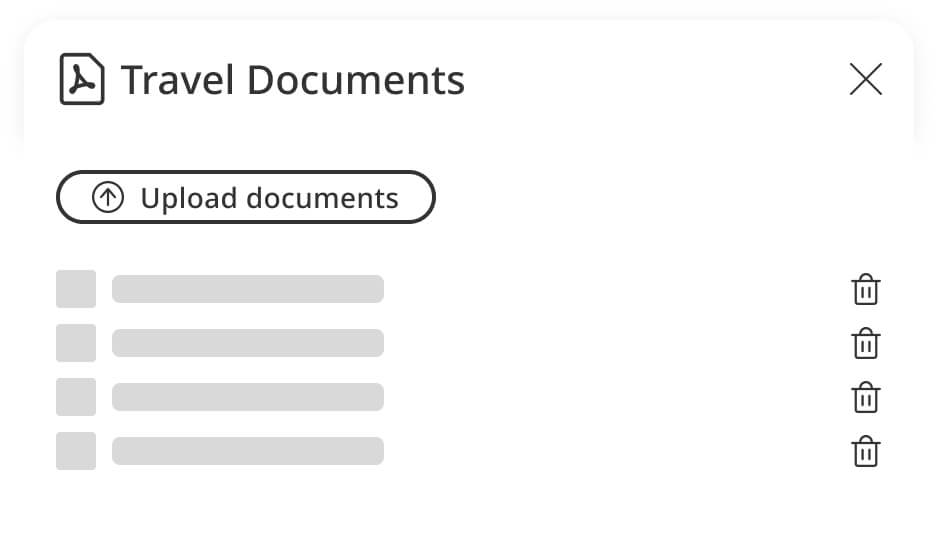
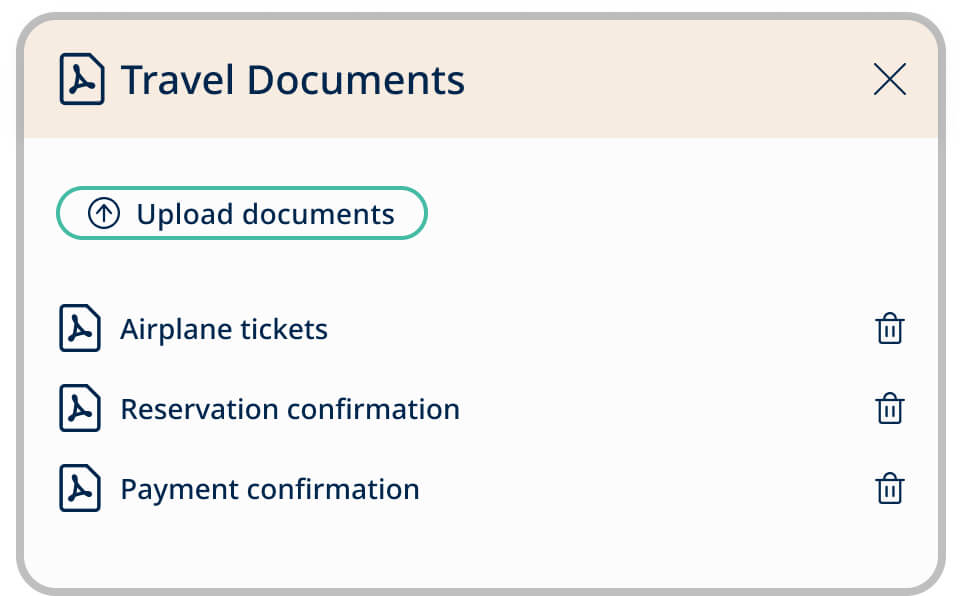
Travel Documents Lo-fi wireframe
Travel Documents Feature (Group)
Simplifies the process of gathering and sharing essential travel documents (e.g., flight tickets, hotel reservations) within the group, ensuring everyone has access to necessary information.
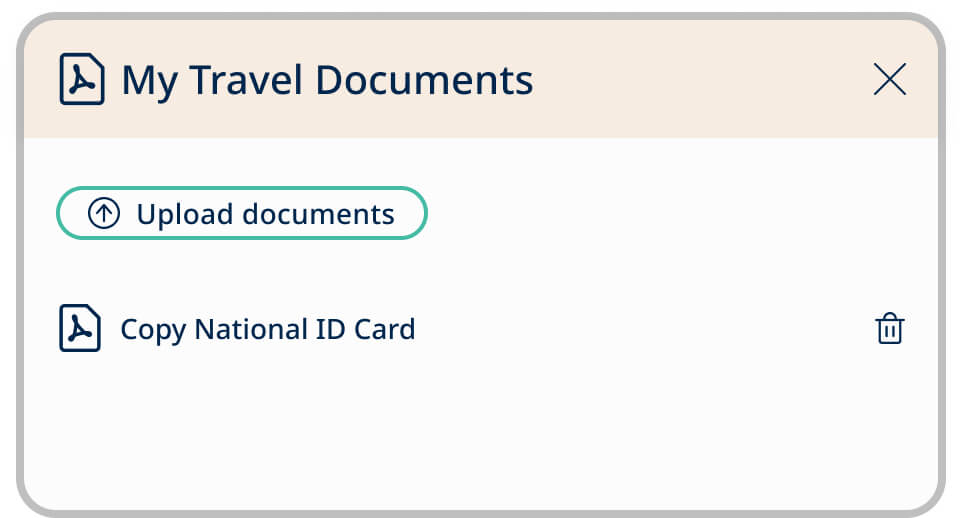
Travel Documents Feature (Personal)
Provides individuals with a secure location to store their private documents. It increases safety and organization for travelers.
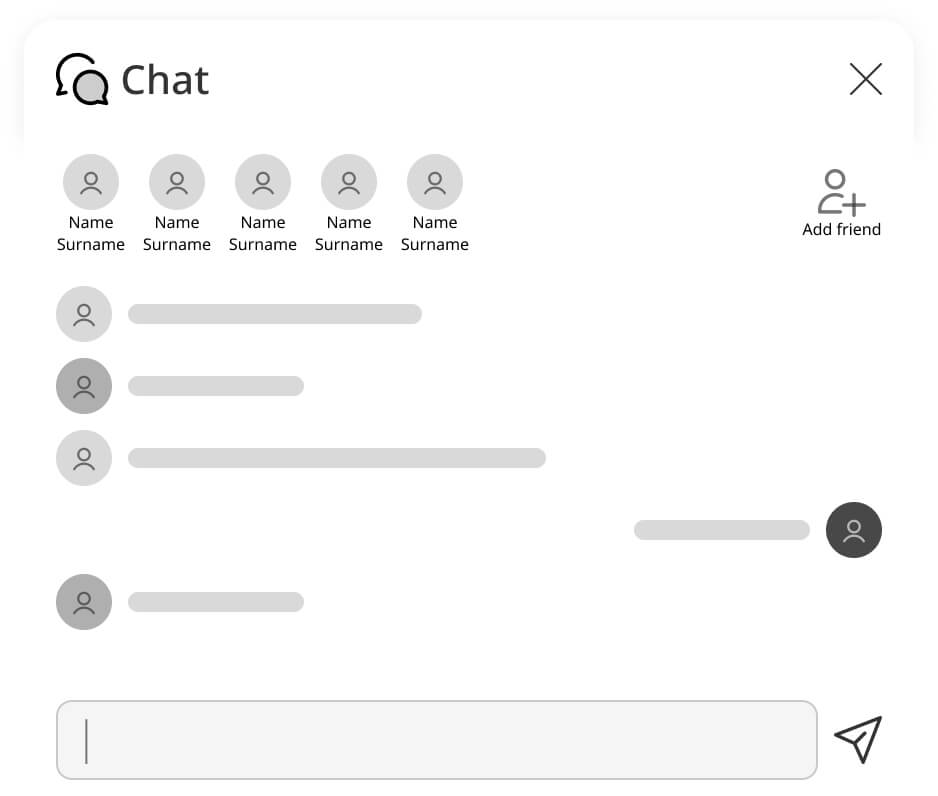
Chat Lo-fi wireframe
Chat Feature (Personal)
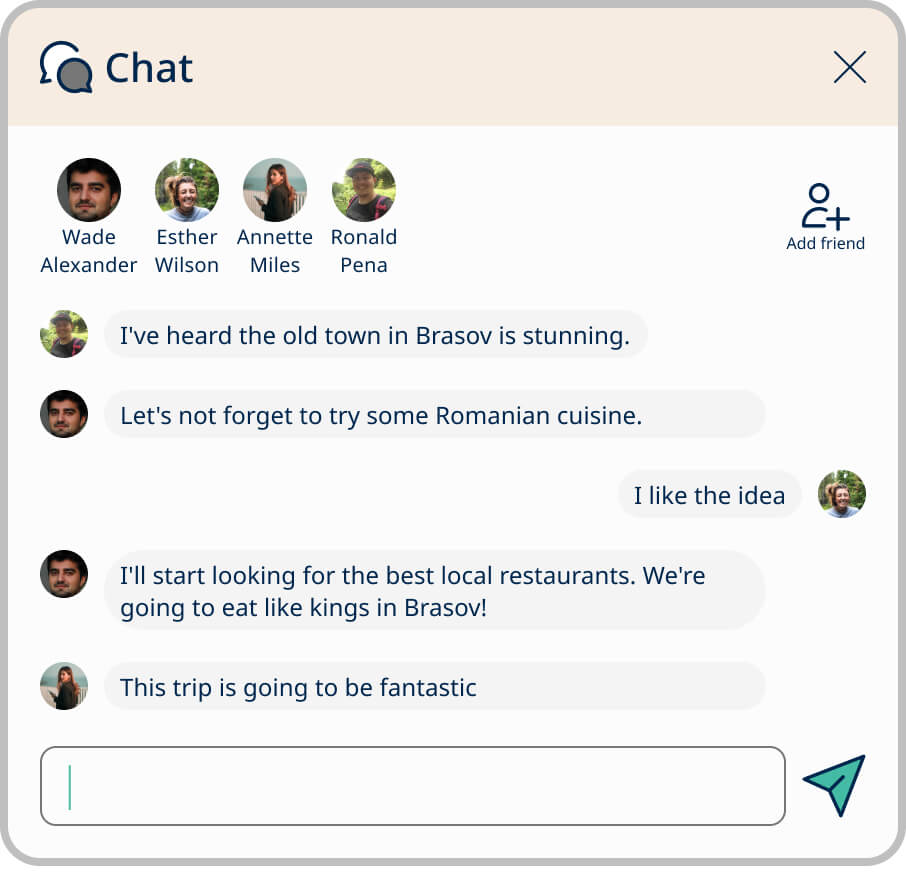
Group members can collaborate in real-time, making it easy to discuss plans, make decisions, and coordinate the trip efficiently. All planning-related conversations are conveniently located within the app, eliminating the need to use multiple external communication tools.
Budget Lo-fi wireframe
Budget Feature (Personal)
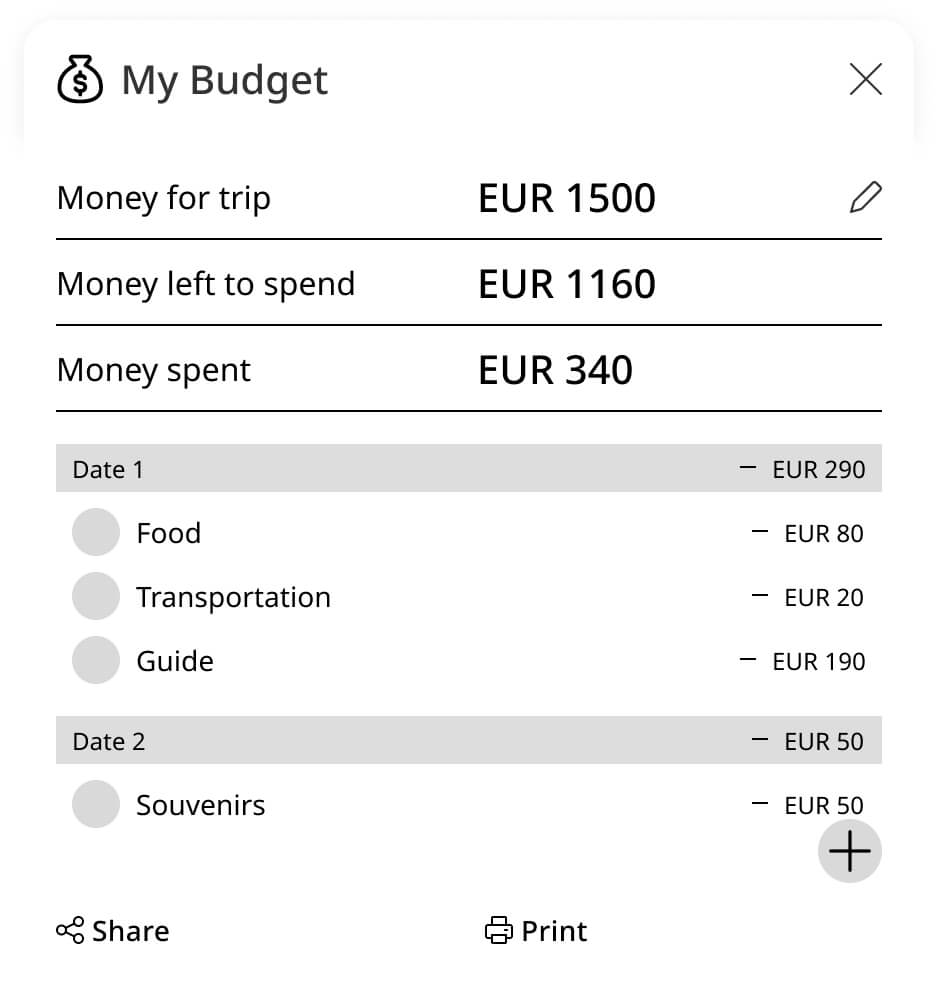
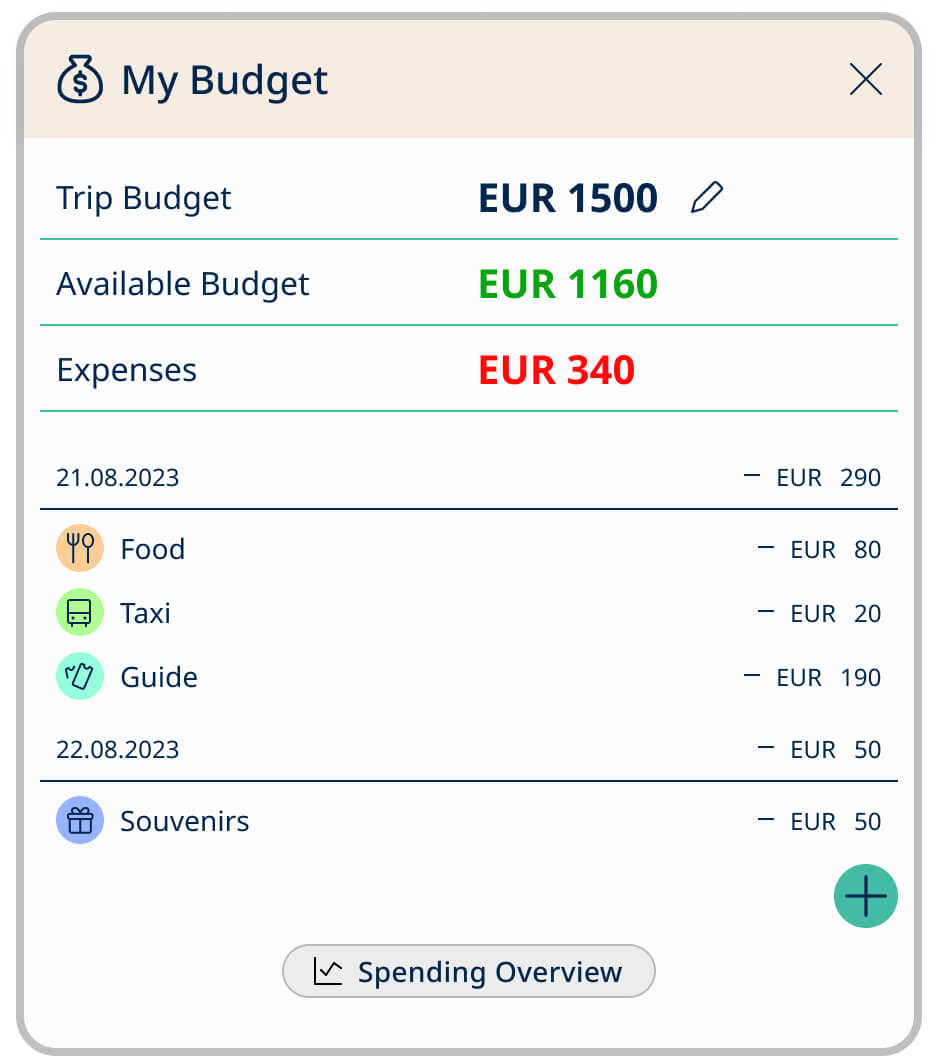
Assists travelers in managing their trip expenses effectively. Users can set budgets, track spending, and ensure they stay within their financial limits. Promotes financial responsibility and helps individuals avoid overspending during their travels.
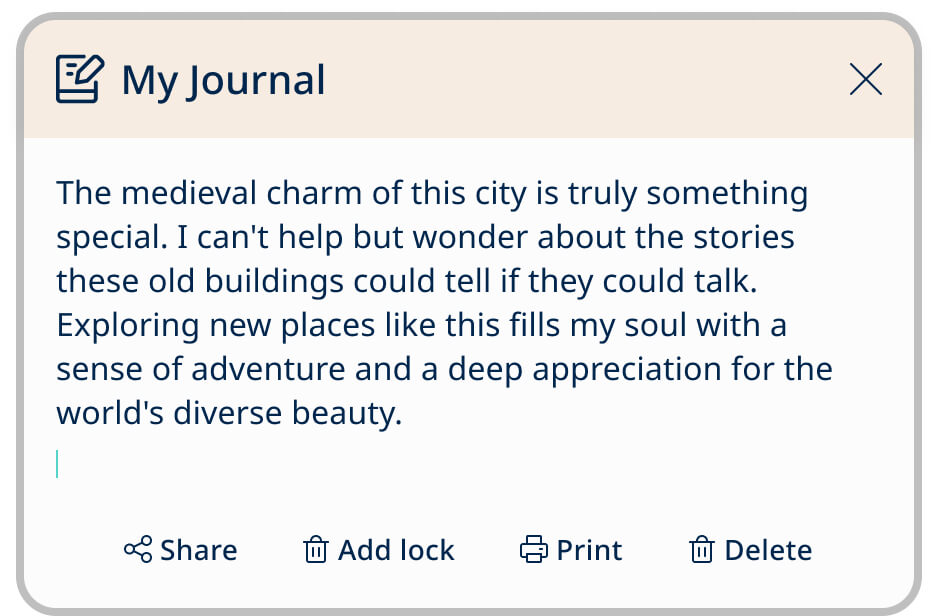
Journal Lo-fi wireframe
Journal Feature (Personal)
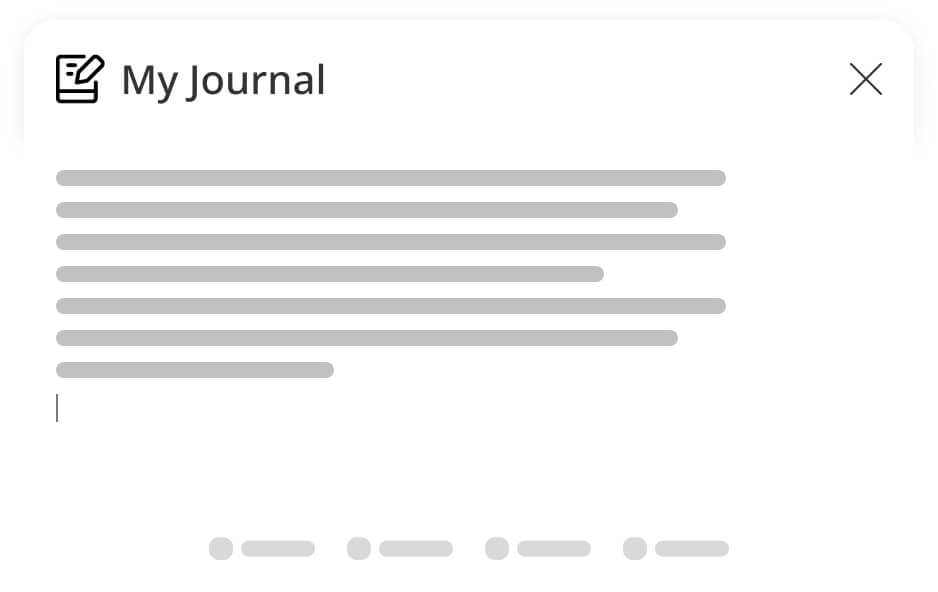
Encourages personal reflection and documentation of the trip. Travelers can record their thoughts, experiences, and memories, creating a digital diary of their journey. Supports self-expression and storytelling, allowing users to create a detailed account of their adventures.
Prototypes
Prototyping helped me visualize the Travel Planner app's design, allowing me to see how the app would function in the real world. Interacting with prototypes helped in identifying design flaws and areas where the user experience may be deficient.
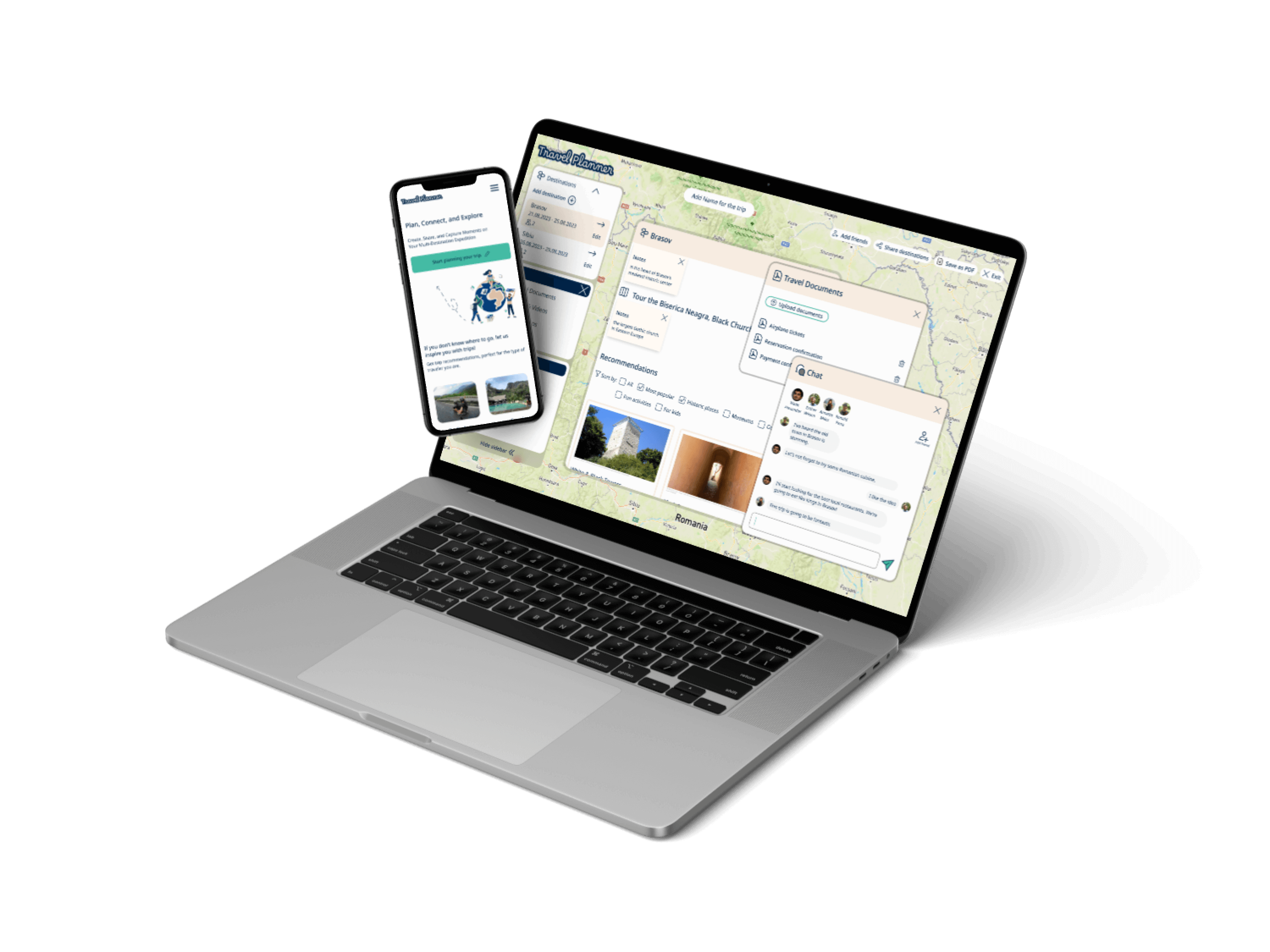
In order to validate the app's responsive design, I created both desktop and mobile prototypes . This allowed me to ensure that the app functions easily and intuitively on various screen sizes.
You can explore the desktop and mobile prototypes below.
Accessibility
As accessibility plays a vital role in the design and development of digital products, it was essential to make sure that every user can easily navigate the website.
Lower down, I outlined the design choices and accessibility features that have been incorporated into the travel planner app.
Color Contrast

To ensure optimal accessibility,  I focused on having good color contrast. I made sure the colors in the design met the required ratios of 4.5:1 and 3:1 for larger text. This approach was used to guarantee that all users can interact with the app with ease. I conducted color contrast checks using webaim.org.
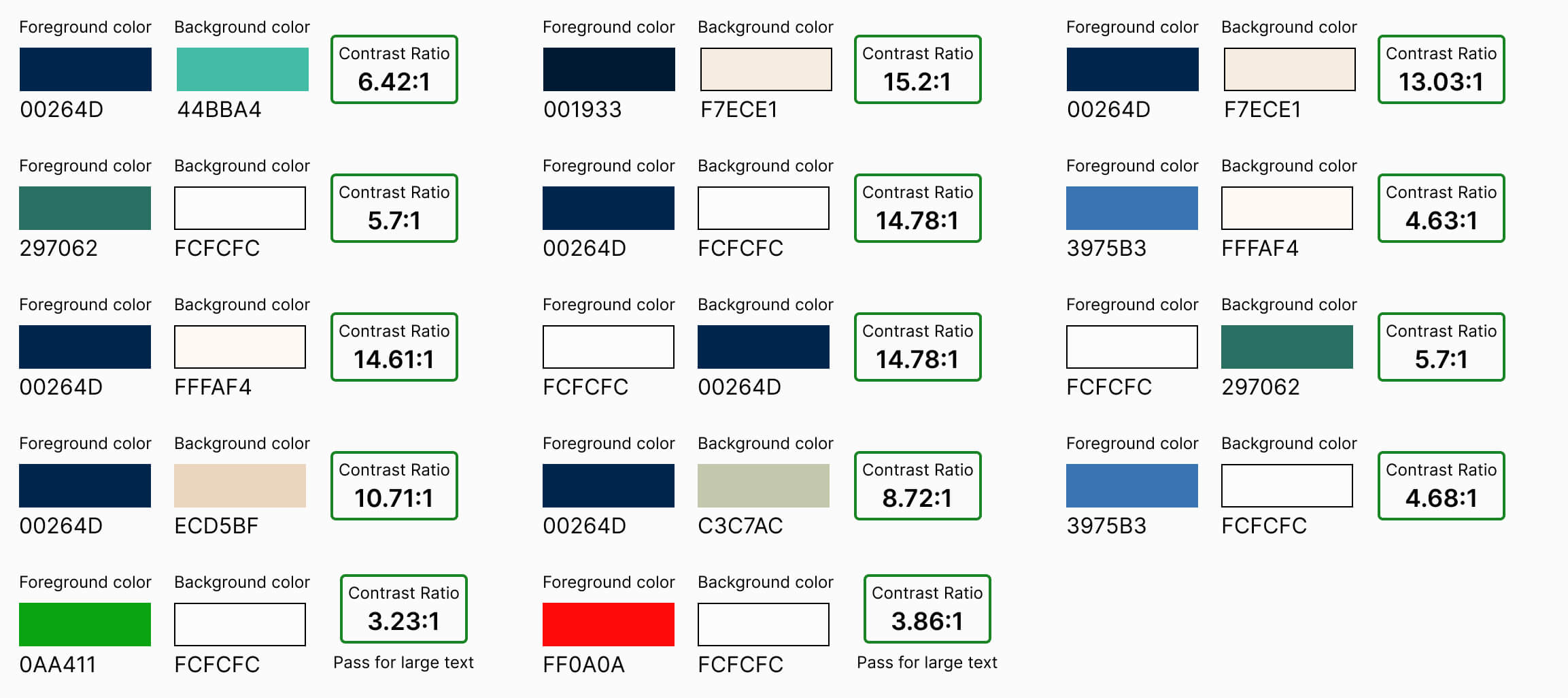

Below, I've detailed the colors utilized in the final design, along with their corresponding contrast ratios.
Color Independence
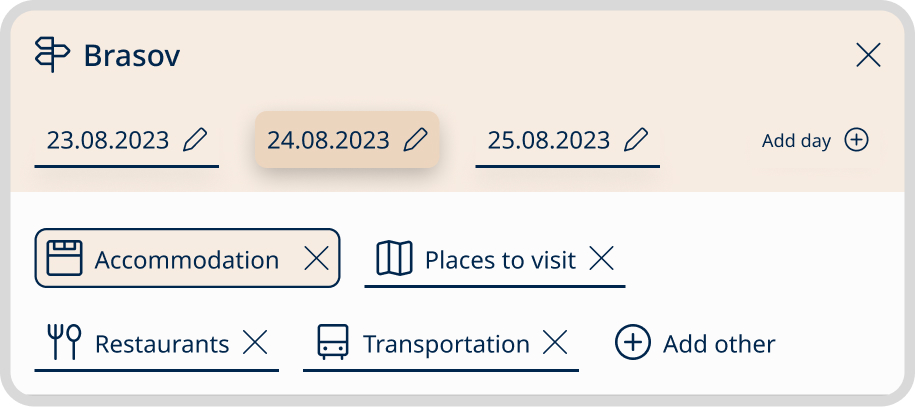
Another way to ensure a better accessibility was to make the application color independent so users don’t have to depend on color in order to receive information (as to where they are on a page). To test this, I used a grayscale method to assess whether people with color blindness could easily identify the active tab. The results revealed that without additional visual indicators, distinguishing the active tab was challenging due to its color-based distinction.
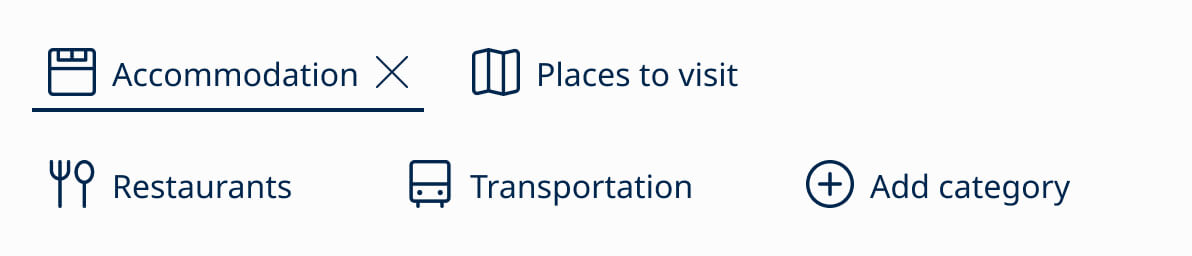
To solve this issue, I made two key design changes: I underlined or added a stroke around the active tab and introduced underlines for tabs when users hover over them. These adjustments eliminate the need for users to depend on color alone to determine their location on the page.
Below, you can compare the design before and after these changes were made.
Default state before
Default state after
While hovering before
While hovering after
While hovering before
While hovering after
Wording Interactive Elements
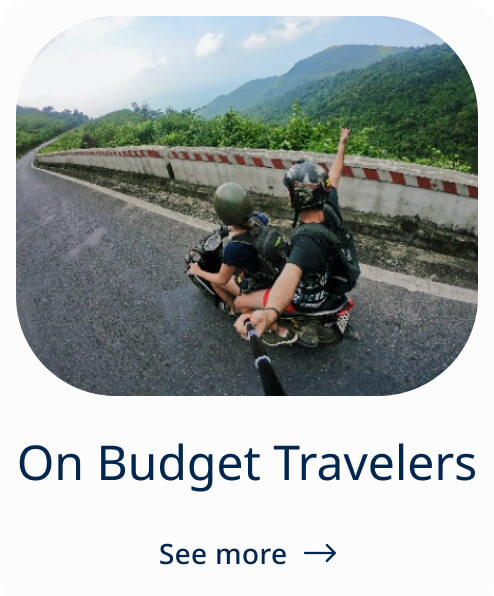
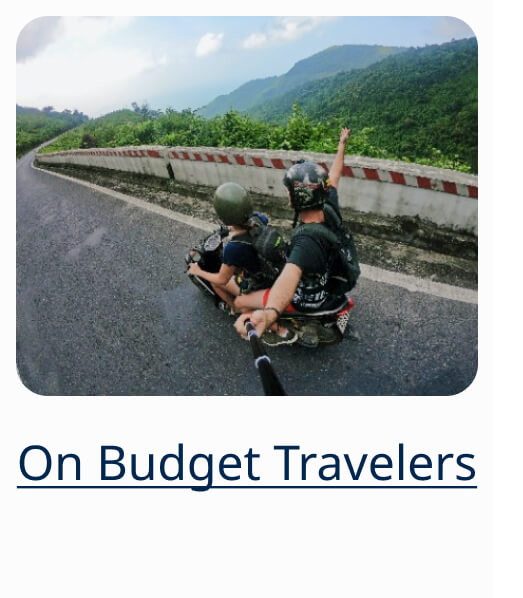
To improve the quality of links and button text, I removed the 'See more' button and replaced it with links displaying clear and descriptive text that aids screen reader users.
This step not only enhances usability and accessibility but also contributes positively to SEO.
Before
After
Before
After
Clickable Area Accessibility
To improve the user experience, I applied a hover effect to all the clickable areas. This modification is especially beneficial for people with cognitive disabilities. When users hover over clickable areas, the visual feedback helps them better understand the interactive elements on the screen, making the application more accessible to a wider range of users.
Default
Hover
Default
Hover
Typography

To select the appropriate typeface and font sizes, I conducted research to ensure accessibility compliance. I referred to Google Material guidelines, specifically the Google Material Typography Guidelines and their blog post on making text more accessible.
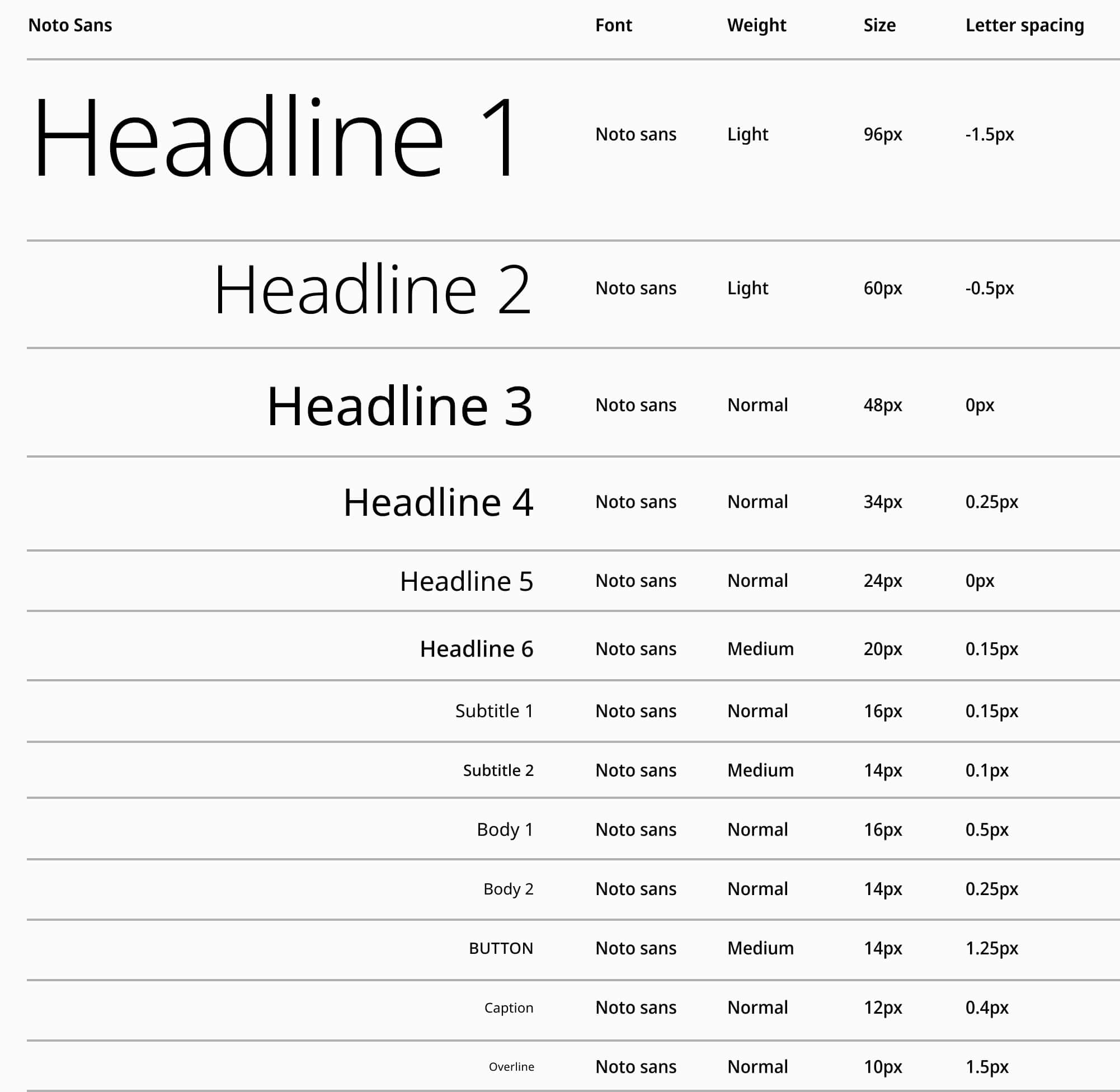
I chose to use Noto Sans primarily because it was designed for improved accessibility, making the application accessible to a diverse user base.
Responsive Design
The Travel Planner app adapts to various screen sizes, making navigation and interaction smooth and user-friendly across both desktop and mobile platforms. This approach improves accessibility by addressing a wider range of user preferences and needs.
Usability
To identify potential user issues, I conducted a heuristic evaluation using Nielsen Norman Group's Heuristic Evaluation Workbook to assess the travel app's usability.
Match between System and the Real World:
The homepage is logically structured, beginning with a clear "Plan Your Trip" CTA. Following this, there are sections for trip recommendations, key features, and testimonials. This eliminates the need for users to search for relevant content.
The trip planning page also follows a logical sequence, making it easy to input trip details and receive personalised recommendations.
The app employs everyday language that's easy to understand and intuitive.
Visibility of System Status:
Default
While hovering
Default
While hovering
The app consistently communicates its status, helping users understand where they are on the page. For example, hovering over areas triggers state changes, providing users with real-time feedback. Clicking the "Create a Trip" button results in immediate action without delays.
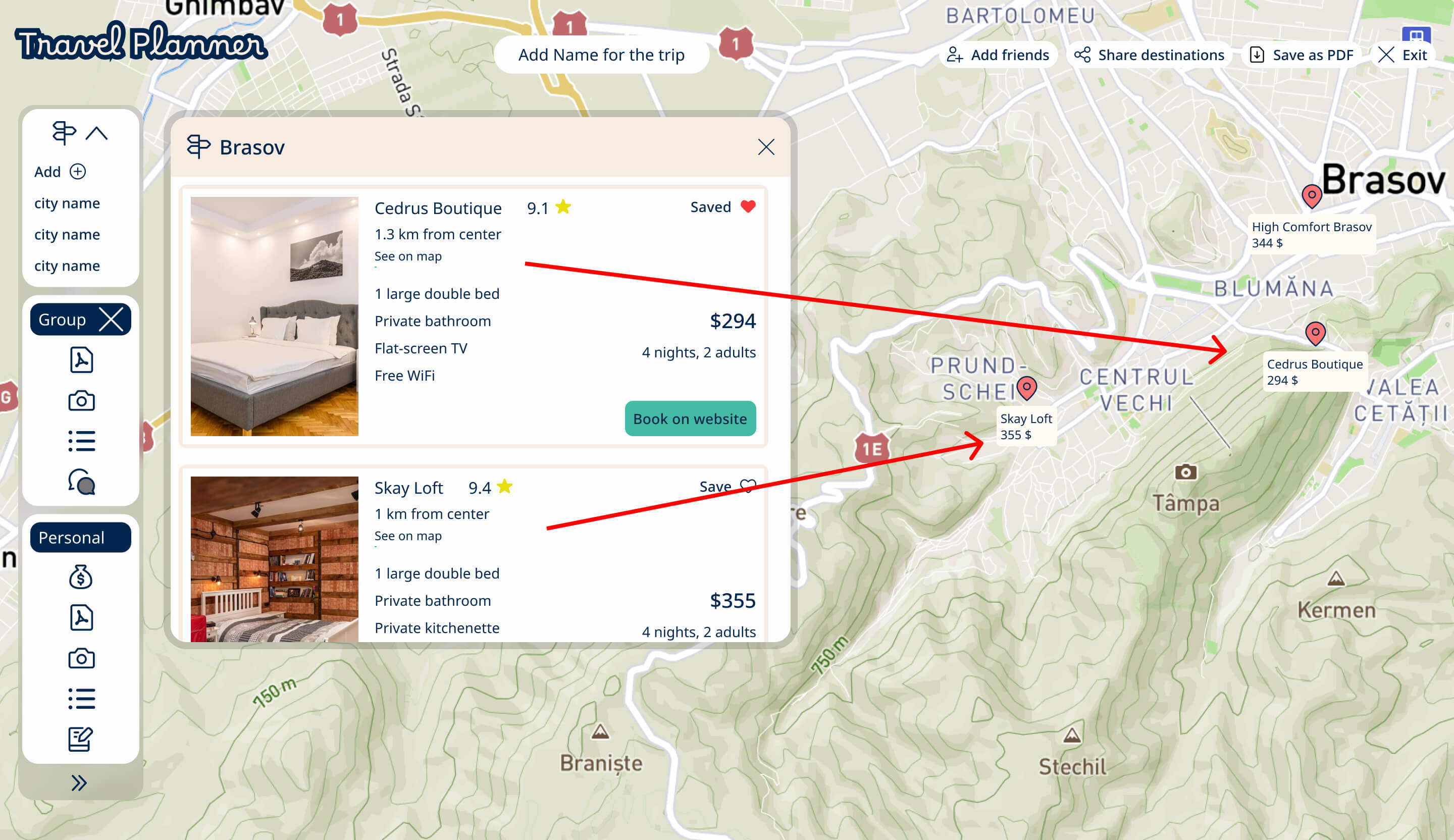
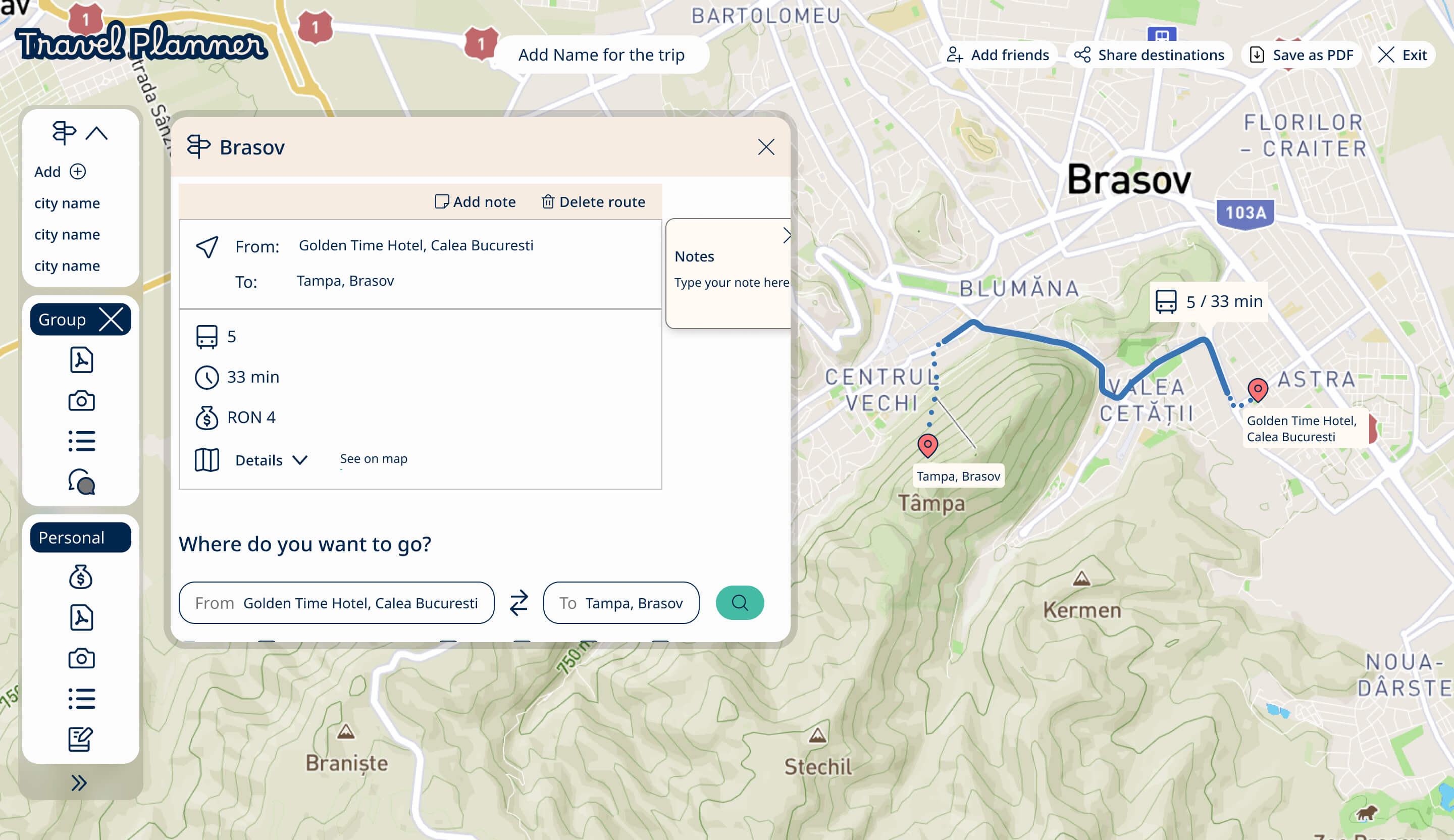
The "See on map" feature provides clear visibility of the system's status by instantly showing the location on the map. Users know where they are in the app and can visually confirm the selected point of interest.
This feature also minimizes the need for users to remember or recall information.
Flexibility and Efficiency of Use:
Recommendations for hotels, restaurants, and attractions are based on user input, such as location and the number of travelers. Additionally, users can discover trips tailored to their traveler type, such as backpacker, budget traveler, family, senior, etc.
User Control and Freedom:
Within the planner page, the planning container offers both group and personal sections, empowering users to choose what information they want to keep private or share with their travel companions. This user control ensures that people can tailor their planning experience based on their needs and preferences.
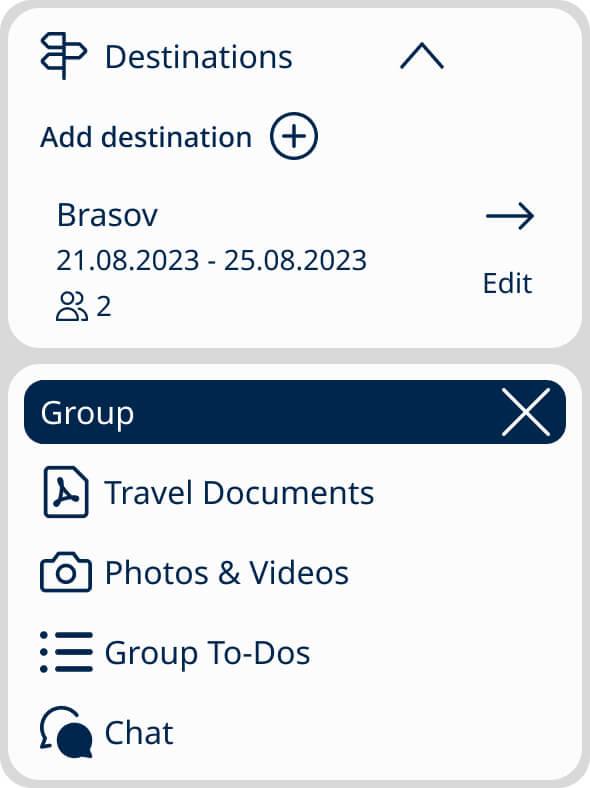
To provide users with a sense of freedom, a solo traveler can easily remove the group section by clicking the ‘X’ button.
Moreover, to prevent accidental deletion and maintain reversibility, the action can be undone by clicking the ‘Add Group’ button.
This commitment to user control and the ability to recover from errors aligns with a user-centered and empowering design approach.
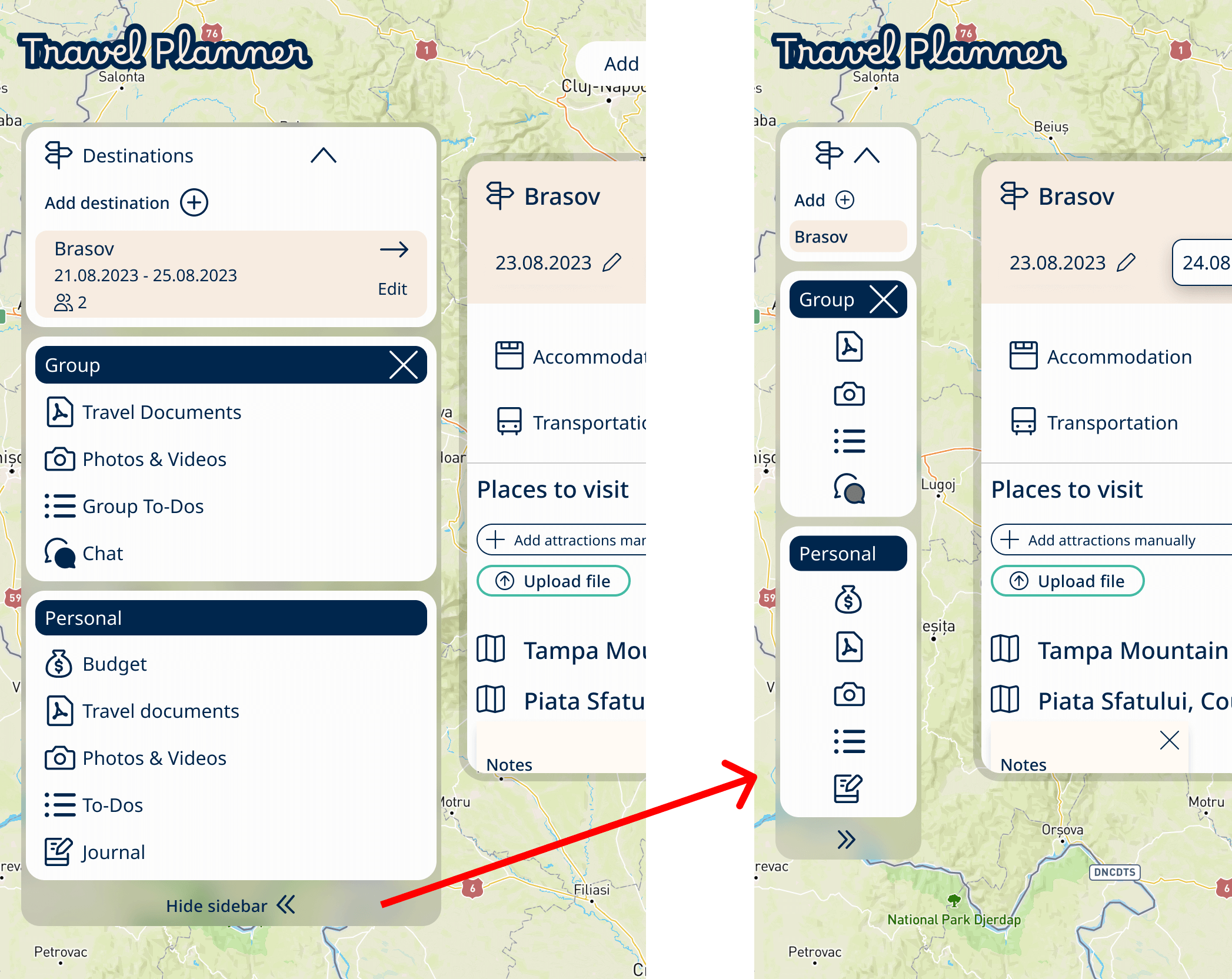
Minimizing the sidebar menu and enabling users to move multiple windows on the Planning Trip page provides users with a greater degree of flexibility and control over their interaction with the application.
This design approach empowers users to customise their workspace according to their preferences and needs, enhancing the overall user experience.
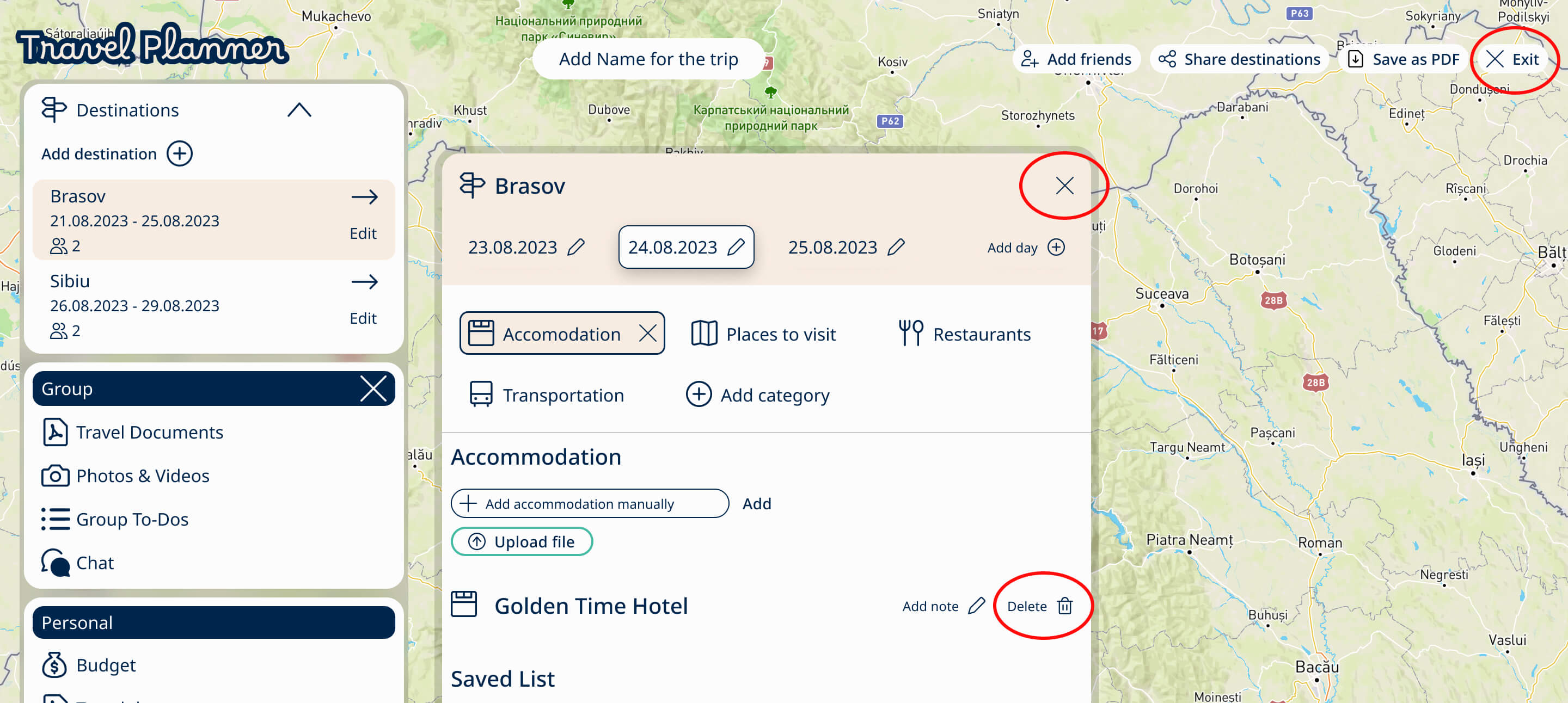
The app prioritises user control and freedom by allowing users to exit the page or undo unwanted actions without searching for a delete button. Users can easily remove items whenever necessary.
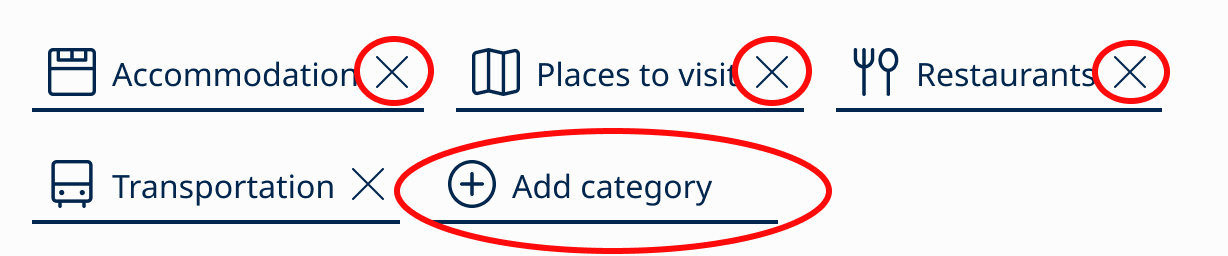
Users have the freedom to customise their trip planning by deleting categories that are not relevant/needed for a particular day. This provides a tailored planning experience.
In the event of an accidental deletion, users can recover deleted categories by clicking "Add category." All default categories removed by users are automatically restored in the "Add category" section. This approach ensures users can access default categories they removed or create new ones, which is why the "Add category" option is always available.
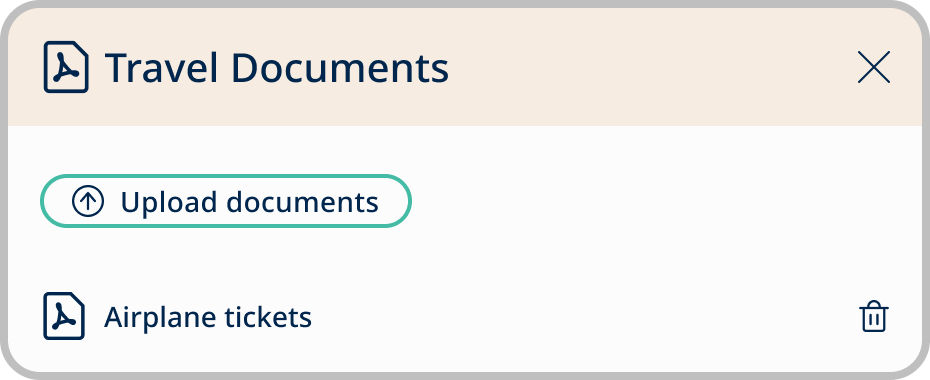
This functionality empowers users to have precise control over their trip planning, enhancing their overall experience.
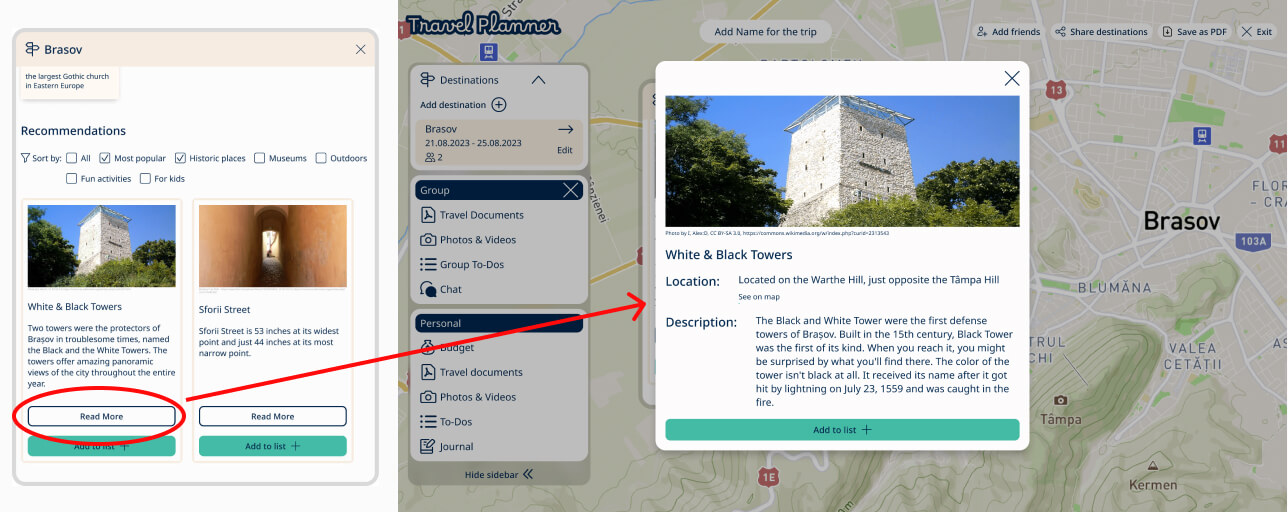
Allowing users to check how to get from one point to another empowers them with control and freedom.

They can input their desired locations and the app guides them on the map, offering flexibility and the ability to change directions at any time.
The map features provides visual cues and clear representations of locations, enhancing user understanding.
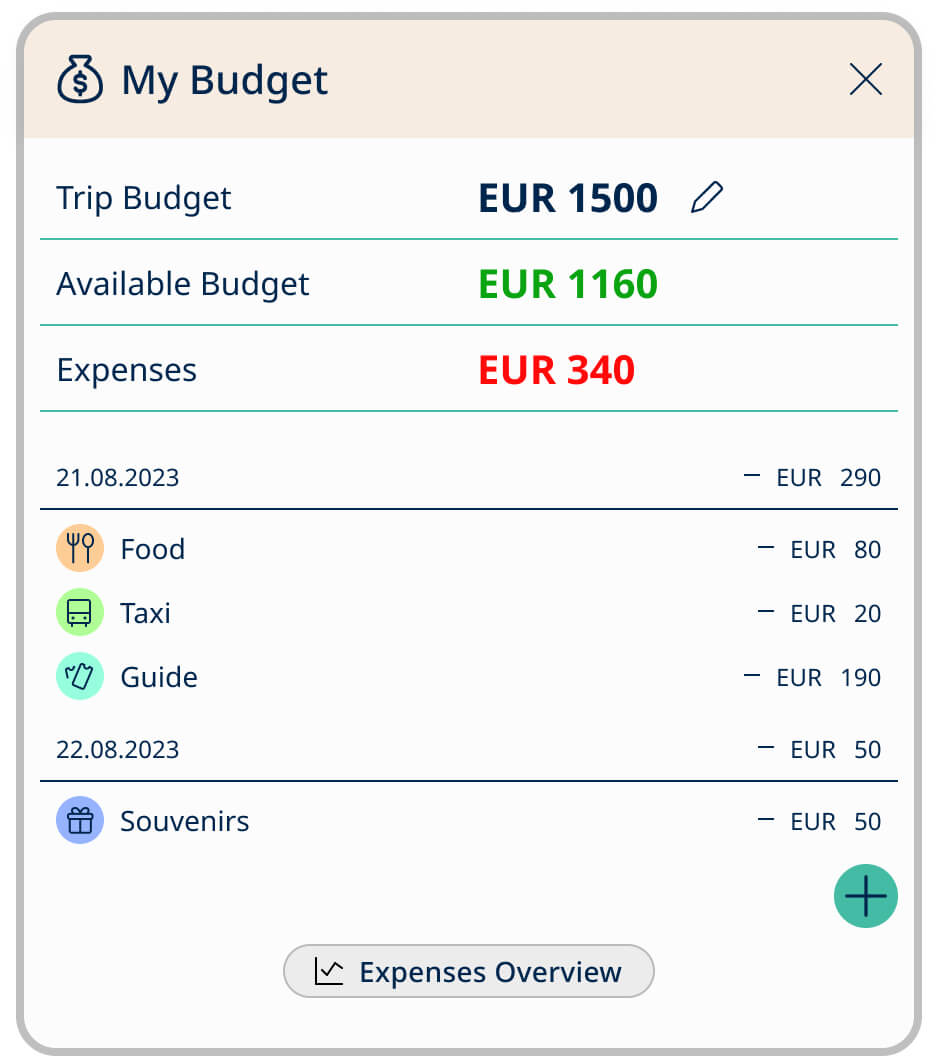
Additionally, in line with Nielsen's 'User Control and Freedom' principle, the app enables users to set their trip budget and automatically calculates their spendings, as well as the remaining budget based on their input.
This design approach grants users control over their financial planning directly within the application, providing real-time insight into their expenses and the remaining budget.
The flexibility to adjust the trip budget at any time ensures users can adapt to changing circumstances, with the app recalculating the available budget accordingly.
This feature promotes a sense of autonomy and financial control.
Recognition Rather than Recall:
To minimize the user's memory load, actions are made visible, eliminating the need to guess the function of buttons.
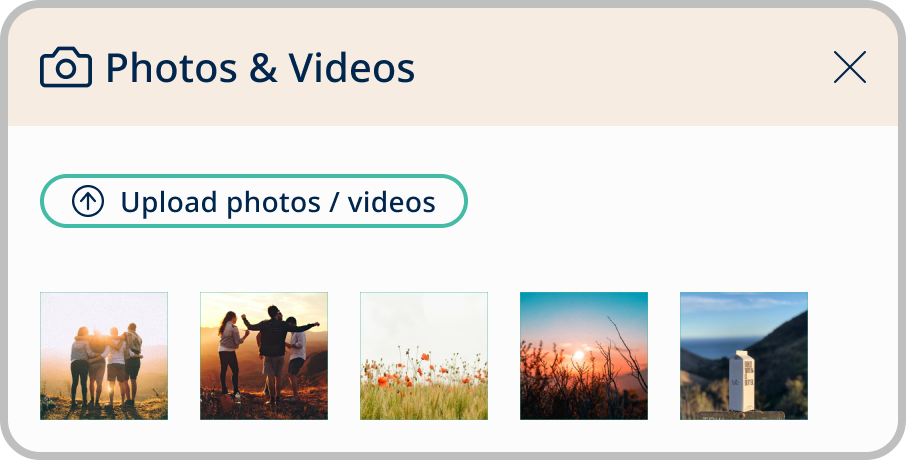
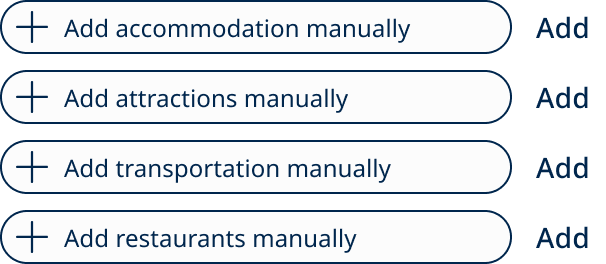
Each button provides information about its expected action, such as "Upload Photos/Videos," "Upload Documents," or "Add Accommodation Manually."
Help and Documentation:
By offering comprehensive details on destinations, the app serves as a valuable resource, reducing the user's burden in planning and research.
This empowers people with the guidance they need to make informed decisions and minimizes the need for extensive research, ultimately elevating the overall user experience.
Aesthetic and Minimalist Design:
The app maintains a clean and minimalist design that emphasizes essential content for efficient trip planning.
Consistency and Standards:
The design maintains a consistent user experience across all pages. The color scheme, CTA buttons, hover actions, and design elements remain uniform throughout.
Error Prevention:
The app automatically saves information to prevent data loss if users accidentally close a window while on the planning page. User-inputted information can only be deleted when users intentionally click the "Delete" button.
Final Thoughts
Completing this UX project has been a valuable journey that significantly improved my UX/UI design skills and deepened my understanding of the design thinking process. It allowed me to refine my ability to create designs that prioritize accessibility and usability, ensuring the ultimate benefit for end users.
While this project has offered invaluable insights, the absence of real user testing represents a notable challenge. User feedback is essential for refining and perfecting the design.
However, I remain optimistic that the knowledge and experiences I've gained during this case study will contribute to my growth as a UX designer, enabling me to deliver more meaningful work in the future.

Let's work together!

If you’re looking for a UX/UI designer, please reach out. I aim to respond within one business day.

Thank you! Your submission has been received!
Oops! Something went wrong while submitting the form.